Manual · Intermec
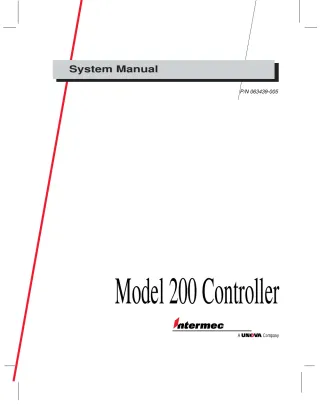
Model 200 Controller System Manual
Manual695 pagesPDF 3.9 MB
System manual for the Intermec Model 200 Controller, with the Fast Setup quick reference guide and the full user's manual.
Covers · 1 model
The models it covers
Summary
What is in it
System manual for the Intermec Model 200 Controller, which links Intermec data collection devices (900 MHz and 2.4 GHz UDP Plus RF networks, CrossBar controllers) to TCP/IP and IBM SNA hosts. It opens with the Fast Setup quick reference guide, then the full user's manual: setting up the controller, connecting each network type, terminal emulation for JANUS and TRAKKER Antares terminals, peer-to-peer applications, terminal sessions, screen mapping, troubleshooting and upgrades. This edition supports controller software v3.1.
Its parts
- Learning About the Controller
- Setting Up the Controller
- Connecting to the Intermec RF Network
- Connecting to the 9180 and the Intermec CrossBar Network
- Connecting to an Ethernet/Token Ring Network
- Connecting to a Coaxial/Twinaxial Network
- Connecting to an SDLC Network
- Using Terminal Emulation
- Using Peer-to-Peer Applications
- Using Terminal Sessions
- Using Screen Mapping
From the manual
Key facts from this manual
Each line names its page in the PDF.
The Intermec system manual for the Model 200 Controller, a network controller that links Intermec data collection devices to hosts; this edition from July 1998 supports release 3.1 of the controller software. It explains unpacking, the panels, cabling the power, keyboard, mouse, monitor, UPS and modem, and connecting to RF, CrossBar and host networks. It also covers configuration, screen mapping, troubleshooting and error messages, cabling part numbers and upgrades.
- Device
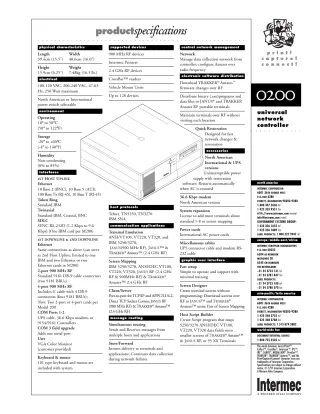
- Network controller that connects Intermec wired and wireless data collection products to a local area network or directly to a host p. 107
- Host adapters
- Network adapter cards for Ethernet, token ring, twinaxial, coaxial and SDLC networks p. 107
- RF and CrossBar
- Up to two optional RF controller cards for the 900 MHz RF network, each serving up to four 9181 Base Radio Units; supports the 9180 Network Controller and CrossBar controllers p. 107
- Terminal emulation
- VT/ANSI to TCP/IP hosts; TN5250/TN3270 to Telnet hosts; 5250/3270 to SNA hosts; for JANUS devices and TRAKKER Antares terminals p. 107
- Rear panel
- COM1, COM2, LPT1 (CD-ROM drive for software upgrades), keyboard, mouse and video ports, AC in, AC out, voltage select 110V or 220V p. 113
- Third serial port
- COM3 through an optional serial I/O board, Intermec P/N 589167 p. 628
- Power cords
- 110V U.S. cord standard; 240V cord Part No. 586266; 250V cord Part No. 586267 p. 140
- UPS
- U.S. and Canada Part No. 589082; International Part No. 589079; auto-restoration cable Part No. 589157 p. 144
- Modem
- Modem with telephone cable and power cord, U.S. and Canada, Part No. 590201 p. 147
- Controller cables
- DB-25 to DB-9 null modem cable P/N 047569 to a 9180 Network Controller, 9154 CrossBar Controller or 9161 Port Concentrator p. 566
- Twinaxial cable
- 15 conductor IBM custom cable, P/N 589194 p. 565
- Package contents
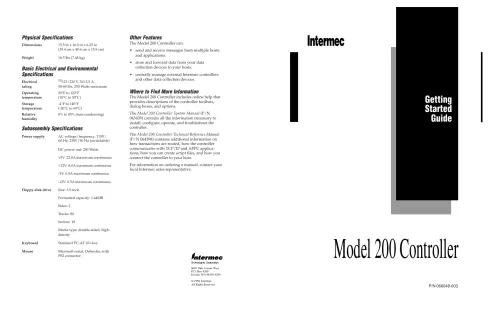
- Controller, AC power cord, keyboard, mouse, 3.5-inch backup disk and manuals; monitor not provided p. 110, 143
- Front panel
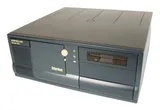
- Power switch and indicator, standard 3.5-inch high-density floppy drive, reset switch (warm boot), floppy and hard disk access indicators p. 112
- Software release
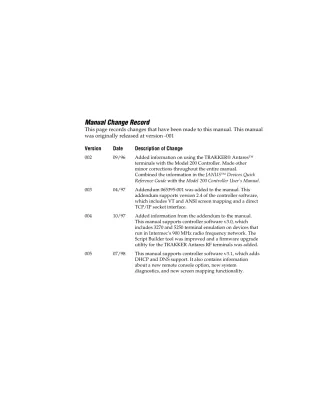
- Manual version 005 (07/98) supports controller software v3.1, which adds DHCP and DNS client support p. 2, 108
What this manual walks you through
- Unpacking the controller and checking the contents p. 110
- Identifying the front and rear panel components p. 112, 113
- Plugging in the power cord and setting the voltage switch p. 140
- Connecting the keyboard, mouse and monitor p. 141, 142, 143
- Connecting and installing an uninterruptable power supply p. 144, 145, 146
- Connecting a modem for remote console access p. 147
- Troubleshooting card LEDs, external controllers, keyboard and mouse p. 497, 498
- Using the system reporting tools and viewing the run-time configuration p. 499
- Choosing cables for host and data collection network connections p. 565, 566
Good to know
- A surge protector is required in locations that use 115 VAC; a UPS is recommended where AC power varies widely. p. 140
- Turn the controller power switch off before connecting the power cord. p. 140
- The mouse must be plugged in whenever the controller boots. p. 142
- Do not place the controller where its fan is obstructed. p. 113
- With a UPS, if power does not return within 45 seconds, data collection stops and the UPS cuts power five minutes after the error is logged. p. 144
Questions this manual answers
What UPS works with the Intermec Model 200 Controller?
Intermec Part No. 589082 for the U.S. and Canada or Part No. 589079 international, with auto-restoration cable Part No. 589157. p. 144
Why are keystrokes not showing on the Model 200 Controller?
Check the keyboard connector and reboot with it connected; after a keyboard echo failure, hold the right Alt key and press the right Ctrl key. p. 498
The green LED on the Model 200 Ethernet card is not lit. What should I check?
Check that the cable is plugged into the card and the network; the card defaults to 10BaseT, so 10Base2 or 10Base5 needs the local Intermec representative. p. 497
How do I add a third serial port to the Model 200 Controller?
Install the optional serial I/O board, Intermec P/N 589167, which provides COM3. p. 628
What cable connects the Model 200 Controller to a 9154 CrossBar controller?
A DB-25 to DB-9 null modem cable, Intermec P/N 047569. p. 566
The whole text · 70 parts
Read the manual here as text
Its text as extracted from the PDF, unedited, in parts; each page opens the PDF at that page.
- Pages 1 to 101-10
- Pages 11 to 2011-20
- Pages 21 to 3021-30
- Pages 31 to 4031-40
- Pages 41 to 5041-50
- Pages 51 to 6051-60
- Pages 61 to 7061-70
- Pages 71 to 8071-80
- Pages 81 to 9081-90
- Pages 91 to 10091-100
- Pages 101 to 110101-110
- Pages 111 to 120111-120
- Pages 121 to 130121-130
- Pages 131 to 140131-140
- Pages 141 to 150141-150
- Pages 151 to 160151-160
- Pages 161 to 170161-170
- Pages 171 to 180171-180
- Pages 181 to 190181-190
- Pages 191 to 200191-200
- Pages 201 to 210201-210
- Pages 211 to 220211-220
- Pages 221 to 230221-230
- Pages 231 to 240231-240
- Pages 241 to 250241-250
- Pages 251 to 260251-260
- Pages 261 to 270261-270
- Pages 271 to 280271-280
- Pages 281 to 290281-290
- Pages 291 to 300291-300
- Pages 301 to 310301-310
- Pages 311 to 320311-320
- Pages 321 to 330321-330
- Pages 331 to 340331-340
- Pages 341 to 350341-350
- Pages 351 to 360351-360
- Pages 361 to 370361-370
- Pages 371 to 380371-380
- Pages 381 to 390381-390
- Pages 391 to 400391-400
- Pages 401 to 410401-410
- Pages 411 to 420411-420
- Pages 421 to 430421-430
- Pages 431 to 440431-440
- Pages 441 to 450441-450
- Pages 451 to 460451-460
- Pages 461 to 470461-470
- Pages 471 to 480471-480
- Pages 481 to 490481-490
- Pages 491 to 500491-500
- Pages 501 to 510501-510
- Pages 511 to 520511-520
- Pages 521 to 530521-530
- Pages 531 to 540531-540
- Pages 541 to 550541-550
- Pages 551 to 560551-560
- Pages 561 to 570561-570
- Pages 571 to 580571-580
- Pages 581 to 590581-590
- Pages 591 to 600591-600
- Pages 601 to 610601-610
- Pages 611 to 620611-620
- Pages 621 to 630621-630
- Pages 631 to 640631-640
- Pages 641 to 650641-650
- Pages 651 to 660651-660
- Pages 661 to 670661-670
- Pages 671 to 680671-680
- Pages 681 to 690681-690
- Pages 691 to 695691-695
The file