Manual · Intermec
JANUS 900 MHz Terminal Emulation for the Model 200 Controller
Manual117 pagesPDF 599 KB
Quick reference guide to JANUS 900 MHz terminal emulation (3270, 5250, VT/ANSI) with the Intermec Model 200 Controller.
Names · 3 models
The models it names
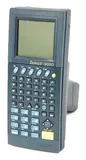 Intermec J2020Portable batch data collection terminal from$1,195.003 in stock
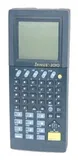 Intermec J2010Portable batch data collection terminal Call for availability
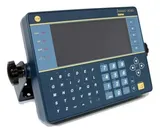 Intermec J2050Vehicle-mounted data collection terminal Call for availability
Filed with · 4 models
Also filed with these models on the old site
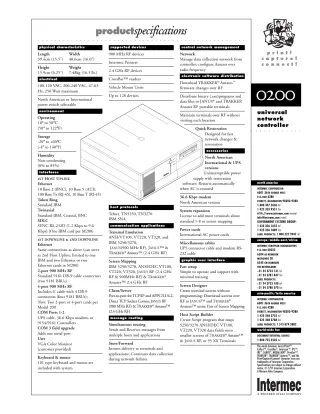
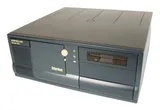 Intermec 0200Network controller from$1,795.002 in stock
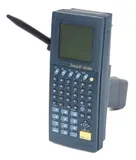 Intermec JG20202.4 GHz wireless portable data collection terminal from$1,295.003 in stock
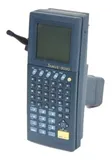 Intermec JR2020Wireless portable data collection terminal from$1,195.0010 in stock Intermec JG2050802.11 (2 Mbps) vehicle-mounted data collection terminal Call for availability
Summary
What is in it
Intermec's quick reference guide for the terminal emulation software on JANUS 900 MHz data collection computers (the JANUS 2010, 2020 and 2050) working with the Model 200 Controller through a 9181 base radio. It explains starting and exiting terminal emulation, the TE keypads and status messages, configuration settings, auto-login scripts and international characters, then lists the 3270, 5250 and VT/ANSI commands, error messages, configuration files and VT/ANSI key remapping.
Its parts
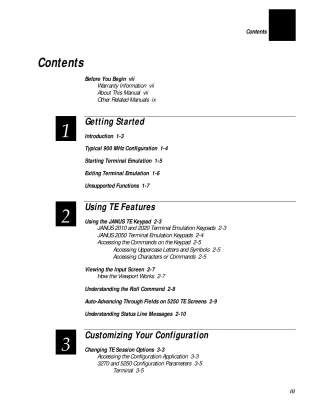
- Before You Begin
- Getting Started
- Using TE Features
- Customizing Your Configuration
- 3270 and 5250 Commands
- VT/ANSI Commands
- Troubleshooting
From the manual
Key facts from this manual
Each line names its page in the PDF.
This quick reference guide covers the JANUS 900 MHz terminal emulation software that works with the Intermec Model 200 Controller. It describes the JANUS 2010, 2020 and 2050 terminal emulation keypads and how to start, configure and exit 3270, 5250 and VT/ANSI sessions. It also lists error messages and the steps to reinstall the software.
- Emulated terminals
- IBM 3270, IBM 5250, or VT/ANSI (VT100/220/320, ANSI, RDRANSI) p. 13, 17
- Radio link
- 900 MHz RF to a 9181 Base Radio Unit, which connects to the Model 200 Controller by serial connection p. 14
- Controller required
- Model 200 Controller v3.X and above p. 91
- IBM host protocols
- SNA or TCP/IP (Telnet) p. 13, 35
- Keypads
- Special TE keypads for 3270 and 5250; VT100/220/320 and ANSI use a standard JANUS keypad p. 21
- Program files
- J93270.EXE (3270), J95250.EXE (5250), TNVT900.EXE (VT/ANSI) p. 91
- Configuration files
- TE3270.CFG (3270), TE5250.CFG (5250), TE.CFG (VT100/220/320 and ANSI) p. 91
- Host name
- Up to 15 characters p. 35
- Saved settings
- Stored on the RAM drive, drive E p. 34
- Viewport modes
- Follow, Center, or Manual; Follow mode boundaries and jumps of 1 to 10 characters p. 36
- International text
- Single byte character sets using Code Page 850 and a DISPTBLS.MAP file p. 44
- Auto-login
- Script file AUTOLOG.SCR, in the same directory as the TE application p. 44
- Related manuals
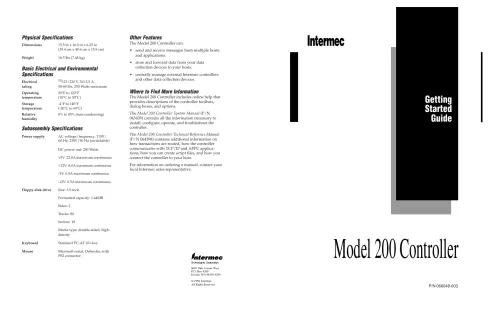
- Model 200 Controller System Manual 063439; JANUS 2010 user's manual 065714; JANUS 2020 065715; JANUS 2050 065716 p. 9
- Guide part number
- 066576-001 p. 1
What this manual walks you through
- Starting and exiting terminal emulation p. 15, 16
- Entering key combinations on the TE keypad p. 21, 22, 23
- Reading status line messages on 3270 and 5250 screens p. 28
- Changing session options in the TE configuration application p. 33, 34, 35
- Setting how the viewport follows the cursor p. 36
- Displaying international characters with code page files p. 44, 45
- Loading an auto-login script p. 44
- Fixing local editing errors p. 81, 82, 83
- Reinstalling the terminal emulation software p. 92, 93
Good to know
- Printing is not supported in terminal emulation. p. 17
- The M1, M2 and PrScr keys on the overlays do not work for 3270 and 5250 emulation. p. 21
- Double height text is not shown on the JANUS 2050. p. 35
- The key that suspends the device does not exit terminal emulation; it switches between operating and suspend states. p. 16
- A non-recoverable error ends the TE session and returns to the DOS prompt. p. 81
Questions this manual answers
What terminals can JANUS 900 MHz terminal emulation emulate?
IBM 3270, IBM 5250, or VT/ANSI terminals. p. 13
Which base radio does a JANUS 900 MHz terminal talk to?
A 9181 Base Radio Unit, which connects to the Model 200 Controller over a serial connection. p. 14
Which Model 200 Controller version does the TE software need?
The 3270, 5250 and VT/ANSI programs each require Model 200 Controller v3.X and above. p. 91
How do I start terminal emulation on a JANUS device?
Type te at the DOS prompt; the TE.BAT file loads the configured 3270, 5250 or VT/ANSI program. p. 15
Where are TE configuration changes saved?
If you choose to save them, they go to the RAM drive, drive E. p. 34
The whole text · 12 parts
Read the manual here as text
Its text as extracted from the PDF, unedited, in parts; each page opens the PDF at that page.
The file