Manual · Intermec
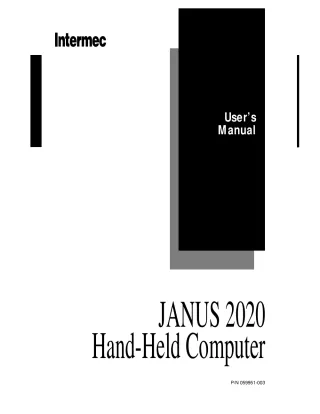
JANUS 2020 Hand-Held Computer User's Manual
Manual570 pagesPDF 2.1 MB
User's manual for the Intermec JANUS 2020 hand-held computer and bar code reader, including the J2020 and the RF-equipped JR2020.
Names · 2 models
The models it names
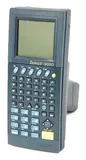 Intermec J2020Portable batch data collection terminal from$1,195.003 in stock
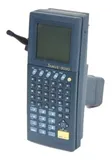 Intermec JR2020Wireless portable data collection terminal from$1,195.0010 in stock
Filed with · 1 model
Also filed with these models on the old site
Summary
What is in it
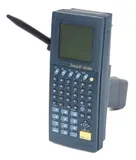
The full user's manual for the Intermec JANUS 2020, a hand-held bar code reader and PC-compatible DOS computer. It covers the basic J2020 and the JR2020 with an RF interface. Chapters walk through first use, the keypads, display and batteries, the bundled software and Auto-Loader, PC cards, configuration, networking and file transfer, IRL programs, international keypads, booting and resetting, troubleshooting, and complete reader and configuration command references.
Its parts
- Getting Started
- Learning How to Use the Reader
- Learning About the Software
- Using PC Cards in the Reader
- Configuring the Reader
- Networking the Reader
- Working With IRL
- Preparing the Reader for International Use
- Booting and Resetting the Reader
- Troubleshooting
- Reader Command Reference
- Configuration Command Reference
From the manual
Key facts from this manual
Each line names its page in the PDF.
User's manual for the JANUS 2020 hand-held computer, part number 059951-003, covering the basic J2020 and the RF model JR2020 in a version with 1MB of battery-backed RAM. It explains setup and battery charging, the keypad and display, the software and drive C, PC cards, configuration, networking, IRL, booting and troubleshooting, and lists the reader specifications.
- Device
- Hand-held bar code reader and PC-compatible computer with a 386 microprocessor and Microsoft ROM DOS p. 31
- Memory
- 640K conventional memory, 1MB battery-backed RAM, 512K flash ROM drive C, 2MB ROM drive D p. 31, 456
- Display
- Backlit CGA-compatible LCD, 16 lines x 20 columns, with a 25 by 80 virtual display seen through a viewport p. 456
- Battery
- Sealed 1000 mAh NiCad battery pack, 1000 mAh lithium backup cell p. 455
- Communications
- Infrared serial port; RS-232C, RS-422, RS-485; Multi-Drop, PC Standard, Polling Mode D and User-Defined protocols p. 457
- Dimensions
- 8.0 x 3.3 x 2.25 inches (20.3 x 8.4 x 5.7 cm), depth excluding the handle p. 455
- Weight
- J2020: 22 ounces (623.7 g); JR2020: 26 ounces (737.1 g); both without the battery pack p. 455
- Operating temperature
- -4°F to +122°F (-20°C to +50°C); battery charging +50°F to +104°F (+10°C to +40°C) p. 456
- PC card drive
- Type II PC card drive for Type I or Type II memory and expansion cards p. 33
- Scanner
- Standard or long-range laser scanner, visible laser diode (670 nm) p. 33, 458
- Radio
- JR2020: RF interface; RF options for 900 MHz and 2.4 GHz networks p. 33
- Keypads
- 54-key alphanumeric (English, French, German, Italian, Spanish), 36-key large numeric (English), IBM 3270 and 5250 terminal emulation p. 457
- Accessories
- JD2020 Communications Dock, JZ2020 Battery Charger (four packs), JL2010 Optical Link Adapter, JH2020 Leg Holster p. 32
- Cables
- JL2010 adapter: 059167 5-wire null modem, DB9; JD2020 dock: 052477 3-wire null modem, DB25; 048668 7-wire null modem, DB25 p. 457
What this manual walks you through
- Getting a new reader up and running p. 34
- Charging the NiCad battery pack p. 35
- Installing the battery pack p. 36
- Changing the contents of drive C with Auto-Loader p. 7
- Preparing ATA, flash, I/O and SRAM PC cards p. 8
- Configuring the reader by scanning bar codes or with configuration files p. 9
- Loading and unloading protocol handlers p. 10
- Transferring files with Interlnk p. 10
- Warm and cold booting the reader p. 12
- Troubleshooting power, scanning, PC card and battery problems p. 13
Good to know
- The NiCad battery pack ships fully discharged and must be charged before the reader is used. p. 35
- Memory PC cards add disk storage space, not executable conventional memory. p. 32
- Running Interlnk through the communications dock needs a 3-wire cable. p. 457
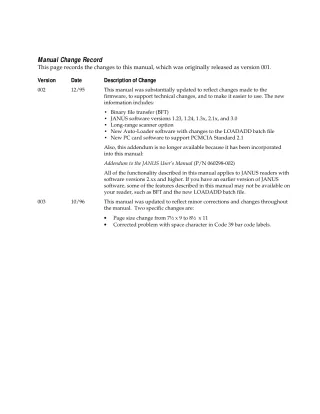
- The features described apply to readers with JANUS software 2.xx or higher; earlier versions may lack some, such as BFT. p. 3
Questions this manual answers
How long does a JANUS 2020 battery take to charge?
About 2.5 hours in the dock's battery slot or the battery charger, and about 15 hours inside the reader on external power with the reader turned off. p. 35
What is the operating temperature of the JANUS 2020?
-4°F to +122°F (-20°C to +50°C); the battery pack charges at +50°F to +104°F (+10°C to +40°C). p. 456
How much memory does the JANUS 2020 have?
640K of conventional memory, 1MB of battery-backed RAM, a 512K flash ROM drive C and a 2MB ROM drive D. p. 31, 456
What is the difference between the J2020 and the JR2020?
The JR2020 adds an RF interface for talking to a host over a radio network, and weighs 26 ounces against 22 ounces without the battery pack. p. 33, 455
Which cable connects the JANUS 2020 optical link adapter to a DB9 port?
Part number 059167, a 5-wire null modem cable with a DB9 port connector, used with the JL2010 Optical Link Adapter. p. 457
The whole text · 57 parts
Read the manual here as text
Its text as extracted from the PDF, unedited, in parts; each page opens the PDF at that page.
- Pages 1 to 101-10
- Pages 11 to 2011-20
- Pages 21 to 3021-30
- Pages 31 to 4031-40
- Pages 41 to 5041-50
- Pages 51 to 6051-60
- Pages 61 to 7061-70
- Pages 71 to 8071-80
- Pages 81 to 9081-90
- Pages 91 to 10091-100
- Pages 101 to 110101-110
- Pages 111 to 120111-120
- Pages 121 to 130121-130
- Pages 131 to 140131-140
- Pages 141 to 150141-150
- Pages 151 to 160151-160
- Pages 161 to 170161-170
- Pages 171 to 180171-180
- Pages 181 to 190181-190
- Pages 191 to 200191-200
- Pages 201 to 210201-210
- Pages 211 to 220211-220
- Pages 221 to 230221-230
- Pages 231 to 240231-240
- Pages 241 to 250241-250
- Pages 251 to 260251-260
- Pages 261 to 270261-270
- Pages 271 to 280271-280
- Pages 281 to 290281-290
- Pages 291 to 300291-300
- Pages 301 to 310301-310
- Pages 311 to 320311-320
- Pages 321 to 330321-330
- Pages 331 to 340331-340
- Pages 341 to 350341-350
- Pages 351 to 360351-360
- Pages 361 to 370361-370
- Pages 371 to 380371-380
- Pages 381 to 390381-390
- Pages 391 to 400391-400
- Pages 401 to 410401-410
- Pages 411 to 420411-420
- Pages 421 to 430421-430
- Pages 431 to 440431-440
- Pages 441 to 450441-450
- Pages 451 to 460451-460
- Pages 461 to 470461-470
- Pages 471 to 480471-480
- Pages 481 to 490481-490
- Pages 491 to 500491-500
- Pages 501 to 510501-510
- Pages 511 to 520511-520
- Pages 521 to 530521-530
- Pages 531 to 540531-540
- Pages 541 to 550541-550
- Pages 551 to 560551-560
- Pages 561 to 570561-570
The file