Manual · Intermec
2D JANUS PSK for C/C++ Reference Manual
Manual400 pagesPDF 793 KB
Programmer's reference for the Intermec 2D JANUS PSK, the C/C++ library and software interrupts for JANUS readers.
Names · 3 models
The models it names
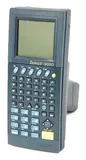 Intermec J2020Portable batch data collection terminal from$1,195.003 in stock
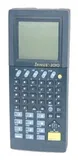 Intermec J2010Portable batch data collection terminal Call for availability
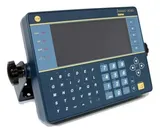 Intermec J2050Vehicle-mounted data collection terminal Call for availability
Filed with · 3 models
Also filed with these models on the old site
Summary
What is in it
Reference manual for the Intermec 2D JANUS Programmer's Software Kit (PSK) for C and C++. It explains how to install the kit, build programs with Borland or Microsoft C/C++, and use the Intermec C library functions and software interrupts that control a JANUS reader's display, keypad, serial communications, sound and power. It also covers reader input modes, advanced power management, using the PSK with DCM to reach a database server, a full list of status codes and sample interrupt programs.
Its parts
- Getting Started
- C Language Support
- Software Interrupts
- Advanced Programming
- Using the PSK With DCM
From the manual
Key facts from this manual
Some pages are scans or cannot be read; this says only what the readable text supports. Each line names its page in the PDF.
Programmer's reference manual for the 2D JANUS Programmer's Software Kit (PSK) for C/C++, written for the JANUS 2010, 2020 and 2050 PC-compatible bar code readers. It explains how to install the libraries, build and debug C programs with Borland or Microsoft compilers, and use the library functions, software interrupts (including those for the 2D Decoder), input modes and power management.
- Document
- Programmer's reference for the 2D JANUS PSK for C/C++ p. 1, 14
- Manual part number
- 070214-001 p. 1
- Reader platform
- 386-based PC with Intermec BIOS and MS-DOS 6.2 p. 21
- Memory
- 640K, about 450K left for the application p. 21
- Drives
- ROM drive, RAM drive and PC card drive p. 21
- Compilers
- Borland C/C++, Microsoft C/C++, Microsoft Visual C/C++ p. 24
- Program settings
- DOS executable, Large memory model p. 29, 30
- 2D Decoder port
- The JANUS 2D opens COM2 for the 2D Decoder at boot; software can close and reopen it p. 228, 229
- 2D Decoder firmware
- INT 7DH, Function 0AH returns the 2D Decoder and firmware revision p. 227
- Hand-held models
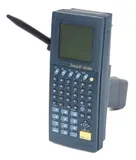
- JANUS 2010 and 2020: hand-held, small LCD display, custom keyboard, bar code input port or built-in scanner p. 21
- Vehicle model
- JANUS 2050: vehicle mounted, monochrome CGA display, custom keyboard, built-in RF, bar code input port p. 21
- Protocol handlers
- PHIMEC.EXE for Intermec protocols, PHPCSTD.EXE for PC standard protocol, RFPH.EXE on RF units p. 33
- Reader Wedge
- RWTSR.EXE, needed by im_receive_input; autoloading it uses about 6K more memory p. 34
- Remote debugging
- Turbo Debugger over a null modem cable with TDREMOTE.EXE on the reader, at 19,200, 38,400 or 115,000 baud p. 31
What this manual walks you through
- Installing the PSK library files on a PC p. 26
- Building a program with Borland C/C++ p. 29
- Building a program with Microsoft C/C++ p. 30
- Remote debugging on the reader with Turbo Debugger p. 31, 32
- Checking returned status codes with the PSK macros p. 32
- Loading and unloading protocol handlers and the Reader Wedge p. 33, 34
- Sharing COM2 between the 2D Decoder and other serial devices p. 228, 229
- Reading the 2D Decoder firmware version p. 227
- Choosing Wedge, Programmer or Desktop input mode p. 243, 244
- Accessing a remote database through Intermec DCM p. 14
Good to know
- Programs that use Intermec interrupt extensions must not be run on a PC without the Simulator; they can lock it up and possibly corrupt its BIOS. p. 23
- Wedge mode does not make full use of power management, so battery life is likely to be shorter. p. 243
- In Desktop or Programmer mode, functions such as getch never receive the input and the application waits forever. p. 244
- When COM2 is shared with another RS-232C device, close it before that device uses the port and reopen it before the 2D Decoder uses it. p. 228
- The protocol handler and Reader Wedge TSRs stay in memory after the application ends and can keep other programs from running. p. 34
Questions this manual answers
Which C compilers work with the 2D JANUS PSK?
Borland C/C++, Microsoft C/C++ and Microsoft Visual C/C++; programs are built as DOS executables with the Large memory model. p. 24, 29
What operating system and memory does a JANUS reader have?
This manual describes a 386-based reader with the Intermec BIOS, MS-DOS 6.2 and 640K of memory, of which about 450K is left for the application. p. 21
Where do I get the JANUS PSK C libraries?
The manual says the PSK Language Libraries are found at www.intermec.com; after copying them, the INSTALL command takes BORLANDC or MICROSFT. p. 24, 26
How do I check the 2D Decoder firmware version on a JANUS?
Call INT 7DH, Function 0AH; it returns UNKNOWN until the decoder has replied with its revision level after boot. p. 227
How do I unload the Reader Wedge TSR?
Enter RWTSR -D at the DOS prompt; RWTSR on its own loads it again. p. 34
The whole text · 40 parts
Read the manual here as text
Its text as extracted from the PDF, unedited, in parts; each page opens the PDF at that page.
- Pages 1 to 101-10
- Pages 11 to 2011-20
- Pages 21 to 3021-30
- Pages 31 to 4031-40
- Pages 41 to 5041-50
- Pages 51 to 6051-60
- Pages 61 to 7061-70
- Pages 71 to 8071-80
- Pages 81 to 9081-90
- Pages 91 to 10091-100
- Pages 101 to 110101-110
- Pages 111 to 120111-120
- Pages 121 to 130121-130
- Pages 131 to 140131-140
- Pages 141 to 150141-150
- Pages 151 to 160151-160
- Pages 161 to 170161-170
- Pages 171 to 180171-180
- Pages 181 to 190181-190
- Pages 191 to 200191-200
- Pages 201 to 210201-210
- Pages 211 to 220211-220
- Pages 221 to 230221-230
- Pages 231 to 240231-240
- Pages 241 to 250241-250
- Pages 251 to 260251-260
- Pages 261 to 270261-270
- Pages 271 to 280271-280
- Pages 281 to 290281-290
- Pages 291 to 300291-300
- Pages 301 to 310301-310
- Pages 311 to 320311-320
- Pages 321 to 330321-330
- Pages 331 to 340331-340
- Pages 341 to 350341-350
- Pages 351 to 360351-360
- Pages 361 to 370361-370
- Pages 371 to 380371-380
- Pages 381 to 390381-390
- Pages 391 to 400391-400
The file