Manual · Intermec
JANUS 2.4 GHz Installation Utility (4MB) User's Manual
Manual119 pagesPDF 556 KB
User's manual for the Intermec JANUS 2.4 GHz Installation Utility, which sets up JG2010, JG2020 and JG2050 devices on a 2.4 GHz RF network.
Names · 2 models
The models it names
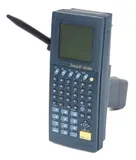 Intermec JG20202.4 GHz wireless portable data collection terminal from$1,295.003 in stock
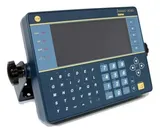 Intermec JG2050802.11 (2 Mbps) vehicle-mounted data collection terminal Call for availability
Filed with · 4 models
Also filed with these models on the old site
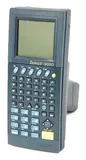 Intermec J2020Portable batch data collection terminal from$1,195.003 in stock
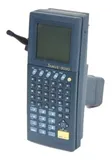 Intermec JR2020Wireless portable data collection terminal from$1,195.0010 in stock
 Intermec J2010Portable batch data collection terminal Call for availability Intermec J2050Vehicle-mounted data collection terminal Call for availability
Summary
What is in it
The user's manual for the JANUS 2.4 GHz Installation Utility (4MB), a DOS program that configures Intermec JANUS RF devices for an Intermec 2.4 GHz RF network. It explains what the utility does, host PC requirements, the network and radio parameters to gather (LAN WorkPlace, NetWare Client and FTP PC/TCP for DOS), running the utility and configuring several devices, and troubleshooting. Appendices list the modified CONFIG.SYS, AUTOEXEC.BAT, NET.CFG and NET.BAT files for the JG2010, JG2020 and JG2050.
Its parts
- Before You Begin
- Learning About the Installation Utility
- Preparing to Run the Installation Utility
- Running the Installation Utility
- Troubleshooting
From the manual
Key facts from this manual
Some pages are scans or cannot be read; this says only what the readable text supports. Each line names its page in the PDF.
User manual P/N 064673-004 for the JANUS 2.4 GHz Installation Utility (4MB), a DOS program that sets up Intermec JANUS RF devices to work in a 2.4 GHz RF network. It names the JG2010, JG2020 and JG2050 and walks through the network, radio and terminal emulation settings, loading the new drive images, and the error messages.
- What it is
- DOS utility that builds network drive images and loads them onto JANUS 2.4 GHz RF devices p. 15
- Manual part number
- P/N 064673-004 p. 1
- Connection
- Null modem cable plus an optical adapter or communications dock (JG2010 or JG2020) p. 19
- Host PC disk
- At least 14MB free hard disk space, a 3.5-inch high-density drive A and a serial port p. 19
- Host PC system
- PC-DOS or MS-DOS v5.0 or above, Windows 3.1 or Windows 95 (DOS prompt) p. 19
- Host PC RAM
- At least 4MB p. 53
- Network software
- LAN WorkPlace for DOS, NetWare Client for DOS, or FTP PC/TCP for DOS p. 26
- Terminal emulation
- VT120/220/320 or ANSI, and IBM 3270 or 5250, over telnet p. 24, 25
- Radio channels
- Channels 1 to 15, each 1.6 Mbps, up to 24 Mbps total in one area p. 31
- Domain and subchannel
- Domain 0 to 15 (default 0); subchannel 1 to 15 (default 1) p. 31
- Radio drivers
- RL2OEM.COM (radio driver) and MINIPM.EXE (radio power management) p. 18
- FTP stack disk
- FTP PC/TCP Stack Disk, P/N 067791, sold separately p. 25
- Character sets
- France, Germany, Italy and Spain; needs 17K to 35K more conventional memory p. 25, 26
- Kit contents
- Installation Utility disk, terminal emulation disks, Security ID Configuration disk, JANUS 2010, 2020 and 2050 (4MB) companion disks p. 15
What this manual walks you through
- Checking the kit and the host PC requirements p. 15, 19
- Making backup copies of the kit disks p. 19
- Changing the drive C and drive D images before they are loaded p. 17, 18
- Creating a HOSTS file for the device p. 23
- Choosing terminal emulation or a network protocol p. 24, 25
- Setting an international character set and switching keypads p. 25, 26
- Entering LAN WorkPlace for DOS network parameters p. 27
- Setting radio parameters: station type, channel, domain and inactivity p. 30, 31
- Solving installation error messages p. 50, 51, 52, 53, 54
- Solving drive A disk errors p. 54, 55
Good to know
- Setting up the first device can take up to 10 minutes and cannot be stopped and resumed midway. p. 23
- An external AC power supply must be plugged into the JANUS device while its flash memory is programmed. p. 51
- The utility deletes the IRL Desktop, the 900 MHz RF Protocol Handler and some DOS utilities to make room. p. 16
- All devices in one subnetwork need the same domain and the same security ID. p. 30
- The JANUS model chosen during installation must match the device connected to the host PC. p. 51
Questions this manual answers
What cable connects a JANUS device to the PC for the 2.4 GHz installation?
A null modem cable, with an optical adapter or communications dock for the JG2010 or JG2020. p. 19
What does the error VPP Programming Voltage not Present mean?
The AC adapter is bad, not plugged in or loose. Connect external AC power to the JANUS device and try again. p. 54
How much disk space does the JANUS 2.4 GHz Installation Utility need?
At least 14MB free on the host PC drive used to build the drive images. p. 53
How many radio channels can a JANUS 2.4 GHz network use?
Channels 1 to 15, each giving 1.6 Mbps. The default channel is 1. p. 31
How large can the HOSTS file be?
It must be less than 50K or it will not fit on the JANUS device. p. 23
The whole text · 12 parts
Read the manual here as text
Its text as extracted from the PDF, unedited, in parts; each page opens the PDF at that page.
The file