Manual · Intermec
Addendum for 4MB JANUS User Manuals
Manual8 pagesPDF 70 KB
Addendum to the 4MB JANUS user manuals describing JANUS software release 4.05: Code 128 and ISBT options, viewport, autobacklight and MakeDisk.
Filed with · 6 models
Also filed with these models on the old site
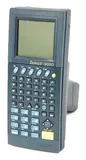 Intermec J2020Portable batch data collection terminal from$1,195.003 in stock
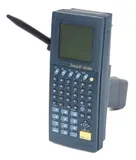 Intermec JG20202.4 GHz wireless portable data collection terminal from$1,295.003 in stock
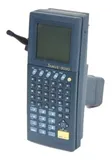 Intermec JR2020Wireless portable data collection terminal from$1,195.0010 in stock
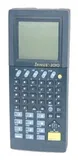 Intermec J2010Portable batch data collection terminal Call for availability
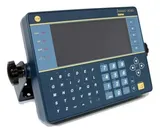 Intermec J2050Vehicle-mounted data collection terminal Call for availability Intermec JG2050802.11 (2 Mbps) vehicle-mounted data collection terminal Call for availability
Summary
What is in it
Intermec's addendum for the 4MB JANUS user manuals, covering the changes in JANUS software release 4.05. It explains the Code 128 enhancements, including Standard, UCC/EAN and ISBT Code 128 with restricted concatenation set by bar codes or the IC.EXE configuration application, true manual viewporting, the autobacklight function, and the new MakeDisk option for extracting files from a drive image. It is meant to be kept with the JANUS user's manual.
Its parts
- Code 128 Enhancements
- Manual Viewport Changes
- Autobacklight Enhancements
- Using the New MakeDisk Option
From the manual · read page by page
Key facts from this manual
Each line names its page in the PDF.
This is the Addendum for 4MB JANUS User Manuals (P/N 067145-001), covering JANUS software release 4.05. It explains the new ISBT Code 128 support and how to configure Code 128, which symbologies were removed and how to restore them, the manual viewport and autobacklight calls for applications, and the new MakeDisk option for extracting files from a drive image.
- What it is
- Addendum to 4MB JANUS user manuals for JANUS software release 4.05 p. 1
- Removed symbologies
- MSI, Plessey, Code 16K and Code 11, removed to make room for ISBT Code 128 p. 1
- Restoring them
- Load DECSCAN.EXE, CFGUMA.EXE, LOADUMA.EXE, RSERUMA.EXE, IC.EXE and IC001.DAT from release 4.04 or earlier on drive D p. 1
- Code 128 modes
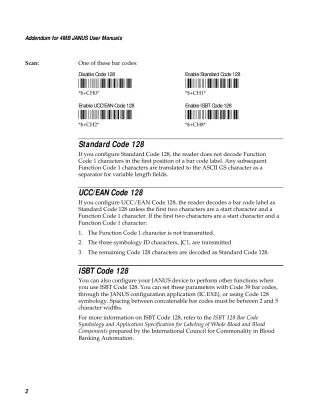
- Disabled, Standard, UCC/EAN or ISBT Code 128; default Standard p. 1, 2
- ISBT setup methods
- Code 39 bar codes, the Interactive Configuration application (IC.EXE), or Code 128 bar codes p. 2
- ISBT concatenation
- Bar codes 2 to 5 character widths apart; scan time 000 to 999 ms (000 one scan, 999 implies 24 scans) p. 2, 4
- ISBT symbology ID
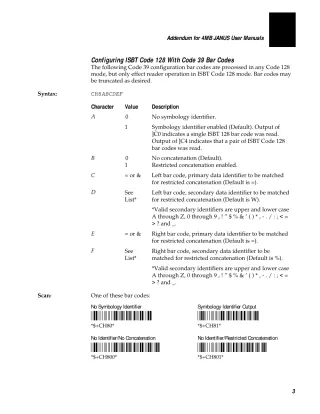
- ]C0 for a single ISBT 128 bar code, ]C4 for a pair; enabled by default p. 3
- Manual viewport
- Software interrupt 7E (hex): command 23 keeps follow-cursor mode unchanged when a DOS program runs, command 24 restores it p. 6
- Autobacklight
- Backlight turns on with a key press or trigger pull; set through interrupt 79 hex, subfunction 01 p. 7
- MakeDisk extract
- makedisk /x extracts files from a drive C or D image file p. 8
- Addendum part number
- P/N 067145-001 p. 8
What this manual walks you through
- Choosing a Code 128 mode with configuration bar codes p. 1, 2
- Configuring ISBT Code 128 with Code 39 bar codes p. 3, 4
- Configuring ISBT concatenation with Code 128 bar codes p. 4, 5
- Setting Code 128 options in the Interactive Configuration application p. 5, 6
- Enabling true manual viewport from an application p. 6
- Turning on autobacklight from an application p. 7
- Extracting and changing files in a JANUS drive image with MakeDisk p. 7, 8
Good to know
- The removed symbologies remain available only by loading release 4.04 or earlier of the decoding and configuration system. p. 1
- The Code 39 ISBT configuration bar codes are read in any Code 128 mode but only take effect in ISBT Code 128 mode. p. 3
- Code 128 configuration commands must follow the exact format the addendum gives. p. 4
- Manual viewport mode can only be switched by application calls to the software interrupt. p. 6
- With Standard Code 128 the reader does not decode a Function Code 1 character in the first position. p. 2
Questions this manual answers
Which bar code symbologies were removed in JANUS release 4.05?
MSI, Plessey, Code 16K and Code 11 were removed to make room for ISBT Code 128. p. 1
How do I get MSI or Plessey decoding back on a JANUS?
Load release 4.04 or earlier of the decoding and configuration files (DECSCAN.EXE, CFGUMA.EXE, LOADUMA.EXE, RSERUMA.EXE, IC.EXE, IC001.DAT) on drive D. p. 1
How do I extract files from a JANUS drive image?
Run makedisk /x on the host PC, optionally naming the output file, source path or a version report. p. 8
What does ]C4 mean on a JANUS reading ISBT Code 128?
]C4 shows that a pair of ISBT Code 128 bar codes was read; ]C0 means a single one. p. 3
How far apart can two ISBT Code 128 labels be for concatenation?
The spacing between the two bar codes must be between 2 and 5 character widths. p. 2
The whole text · 1 part
Read the manual here as text
Its text as extracted from the PDF, unedited, in parts; each page opens the PDF at that page.
The file