Manual · Intermec
Trakker Antares 24XX Terminal User's Manual Addendum, with the Trakker Antares 2420 and 2425 Hand-Held Terminal User's Manual
Manual558 pagesPDF 4.1 MB
User's manual, with a firmware 6.13 addendum, for the Intermec TRAKKER Antares 2420 and 2425 hand-held data collection terminals.
Covers · 2 models
The models it covers


Summary
What is in it
This file combines Intermec's addendum for Trakker Antares 24XX terminals running firmware version 6.13 with the full user's manual for the TRAKKER Antares 2420 and 2425 hand-held terminals. The addendum covers the 802.11B HR radio, running DOS applications with ROM-DOS, and hardware and software updates. The manual explains getting started, the keypad, screen and batteries, scan modules, configuring the terminal, and using serial and RF communications in a network.
Its parts
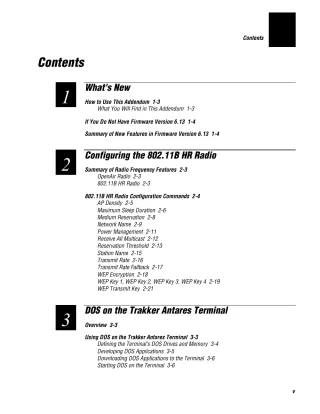
- User's Manual Addendum
- Chapter 1 - What's New
- Chapter 2 - Configuring the 802.11B HR Radio
- Chapter 3 - DOS on the Trakker Antares Terminal
- Chapter 4 - Updates to Hardware and Software
- User's Manual
- Before You Begin
- Chapter 1 - Getting Started
- Chapter 2 - Learning How to Use the Terminal
- Chapter 3 - Configuring the Terminal
- Chapter 4 - Operating the Terminal in a Network
From the manual
Key facts from this manual
Some pages are scans or cannot be read; this says only what the readable text supports. Each line names its page in the PDF.
This file joins two Intermec documents: the Trakker Antares 24XX Terminal User's Manual Addendum (P/N 070451-001, September 2000, for firmware version 6.13) and the Trakker Antares 2420 and 2425 Hand-Held Terminal User's Manual (P/N 064024-007). It covers the T2420 serial terminal and the T2425 terminal with a 2.4 GHz radio: setup, batteries, accessories, specifications, configuration, networking, diagnostics and troubleshooting.
- What it is
- Programmable hand-held data collection terminal; T2420 is serial only, T2425 adds a 2.4 GHz RF radio p. 105
- Main battery
- Rechargeable lithium-ion 1350 mAh pack, sold separately; Intermec pack Part No. 063278 p. 115, 469
- Backup battery
- Rechargeable NiCad 110 mAh, backs up memory and the clock p. 469
- Electrical rating
- 7.2V 500mA p. 469
- Display
- CGA compatible backlit LCD, 16 lines x 20 columns (128 x 160 dots), 25 x 80 virtual display with viewport p. 470
- Keypad
- 56-key alphanumeric (English or multilingual European) or terminal emulation keypads for IBM 3270, IBM 5250, VT/ANSI p. 470
- Memory
- 2MB flash (750K available), 1MB battery-backed RAM (512K available); 4MB flash option; T2420 extended storage 2MB or 4MB p. 471
- Radio (T2425)
- 2.4 GHz frequency hopping spread spectrum, 100 mW maximum, 1.6 Mbits per second, coverage 240 feet (80 meters) or more p. 471
- Serial port
- Optical serial port, RS-232C up to 38400 baud, XMODEM; optional modem up to 33600 baud (RJ11) p. 471, 472
- Serial cables
- 5-wire null modem, 9-pin PC: 059167; 3-wire null modem, 25-pin PC: 047569 (with optical link adapter or TD2400 dock) p. 471
- Scan modules
- Standard range (670 nm laser), long range (650 nm laser), high visibility, high density, or module for cabled scanners p. 473
- Size and weight
- 10.6 in long; T2420 22 oz (623.7 g), T2425 27 oz (765.45 g) with batteries p. 469
- Temperature
- Operating -4°F to +122°F (-20°C to +50°C); charging +32°F to +104°F; 0% to 95% humidity noncondensing p. 470
- Antenna parts (T2425)
- 2.4 GHz SMB antenna Part No. 063825, retaining ring Part No. 064101 p. 294
What this manual walks you through
- Choosing accessories: TZ2400 charger, TD2400 dock, optical link adapter, holster, belt clip, scan modules p. 106, 107
- Comparing the T2420 and T2425 models and their options p. 108
- Listing the equipment needed to get started p. 109
- Installing the main battery pack and fitting the battery door bumper p. 115
- Caring for the main and backup batteries and removing the battery pack p. 160, 161
- Fixing a terminal that will not turn on or appears locked up, including a reset p. 275, 276
- Replacing the T2425 antenna and cleaning the terminal p. 294
- Scanning ranges for each scan module by bar code size p. 473, 474
- COM1 pin assignments for the RS-232 cable p. 472
- Using the 802.11B HR radio, DOS and new features of firmware 6.13 (addendum contents) p. 3, 4
Good to know
- A scan module or serial module must be installed before the terminal will turn on. p. 275
- Removing the battery pack while the terminal is on may lose data. p. 161
- Let cold battery packs warm for half an hour before charging them. p. 160
- The manual states there are no user-serviceable parts inside the terminal. p. 274
Questions this manual answers
What battery does the Intermec 2420 or 2425 use?
A rechargeable lithium-ion 1350 mAh battery pack, sold separately (the Intermec pack is Part No. 063278), plus a NiCad 110 mAh backup battery for memory. p. 115, 469
What is the difference between the T2420 and T2425?
The T2420 sends data to a host over serial communications; the T2425 can also communicate in Intermec's 2.4 GHz RF network. p. 108
Which cable connects a Trakker Antares 2420 to a PC?
A 5-wire null modem cable with a 9-pin PC connector (059167) or a 3-wire null modem cable with a 25-pin connector (047569), used with the optical link adapter or TD2400 dock. p. 471
How far can the standard range scan module read?
From 4 to 15 inches for 10 mil codes and up to 30 inches for 55 mil codes, with longer reach on retroreflective labels. p. 473
How do I reset a locked-up Trakker Antares terminal?
Try turning it off and on; if it will not turn off, use the reset key combination, or remove the main battery and backup battery for 1 minute. p. 276
Contents
Chapters and sections
Each line opens the PDF at its page.
- User's Manual Addendum1
- Chapter 1 - What's New7
- Chapter 2 - Configuring the 802.11B HR Radio11
- Chapter 3 - DOS on the Trakker Antares Terminal33
- Chapter 4 - Updates to Hardware and Software55
- User's Manual79
- Before You Begin95
- Chapter 1 - Getting Started103
- What Are the TRAKKER Antares Terminals?105
- Accessories for the Terminal106
- Models and Options for the Terminals108
- Equipment You Need to Get Started109
- Using the Terminal for the First Time110
- Turning the Terminal On and Off134
- Enabling Bar Code Symbologies135
- What's New on the TRAKKER Antares Terminals137
147 more lines, from page 137 on
- Where Do You Go From Here?137
- Chapter 2 - Learning How to Use the Terminal139
- Chapter 3 - Configuring the Terminal181
- How to Configure the Terminal183
- Learning About Configuration Parameters183
- Configuring the Terminal With the Menu System186
- Configuring the Terminal by Scanning Bar Codes195
- Saving Configuration Changes in Flash Memory197
- Restoring the Terminal's Default Configuration199
- Upgrading the Firmware201
- Recording Your Terminal's Configuration204
- Chapter 4 - Operating the Terminal in a Network213
- Chapter 5 - Using Custom Applications251
- How to Download and Run Applications253
- About the TRAKKER Antares Programmable Terminals254
- Creating Applications for the Terminals256
- Using the Serial Port to Transfer Applications and Files259
- Using the DCS 300 to Download Applications262
- Running the Application on the Terminal267
- Using Screen Mapping (DCS 300 v1.1)270
- Chapter 6 - Troubleshooting271
- Chapter 7 - Running Diagnostics297
- Chapter 8 - Reader Command Reference321
- Chapter 9 - Configuration Command Reference347
- Using Configuration Commands349
- Configuration Commands Listed by Category350
- Entering Variable Data in a Configuration Command352
- Acknowledgement Delay Lower Limit353
- Acknowledgement Delay Upper Limit355
- Append Time356
- Automatic Shutoff357
- Baud Rate359
- Beep Volume361
- Codabar362
- Code 11363
- Code 16364
- Code 2 of 5365
- Code 39367
- Code 49371
- Code 93373
- Code 128374
- Command Processing380
- Configuration Commands Via Serial Port384
- Controller Connect Check Receive Timer386
- Controller Connect Check Send Timer387
- Controller IP Address389
- Data Bits391
- Decode Security392
- Default Router393
- Display Backlight Timeout395
- Display Contrast396
- Display Font Type397
- Display Row Spacing398
- Display Video Mode399
- Dynamic Host Configuration Protocol (DHCP)400
- End of Message (EOM)401
- Flash Memory Configuration403
- Flow Control404
- Handshake407
- Host IP Address408
- Interleaved 2 of 5410
- Keypad Caps Lock412
- Keypad Clicker412
- Keypad Type413
- LRC (Longitudinal Redundancy Check)414
- Maximum Retries415
- Modem Dial Sequence417
- Modem Initialization Sequence419
- MSI421
- Network Activate422
- Network Loopback423
- Network Port424
- Parity426
- Plessey428
- Poll (Polling)429
- Postamble430
- Preamble431
- RAM Drive Size433
- Resume Execution435
- RF Domain436
- RF Inactivity Timeout437
- RF Roaming Flag438
- RF Security Identification439
- RF Transmit Mode440
- RF Wakeup On Broadcast441
- Scan Ahead441
- Scanner Mode442
- Scanner Redundancy443
- Scanner Selection444
- Scanner Timeout446
- Scanner Trigger447
- Serial Port Protocol448
- Start of Message (SOM)450
- Stop Bits452
- Subnet Mask453
- Suspend/Resume Control454
- TCP Maximum Retries455
- TCP/IP Maximum Transmit Timeout456
- Terminal IP Address458
- Time and Date460
- Time in Seconds461
- Timeout Delay462
- UPC/EAN464
- Appendix A - Terminal Specifications467
- Appendix B - Full ASCII Charts483
- Appendix C - International Character Support493
- Appendix D - Using the Default Applications505
- Glossary517
- Index541
The whole text · 64 parts
Read the manual here as text
Its text as extracted from the PDF, unedited, in parts; each page opens the PDF at that page.
- User's Manual Addendum1-6
- Chapter 1 - What's New7-10
- Chapter 2 - Configuring the 802.11B HR Radio, pages 11 to 1811-18
- Chapter 2 - Configuring the 802.11B HR Radio, pages 19 to 2619-26
- Chapter 2 - Configuring the 802.11B HR Radio, pages 27 to 3227-32
- Chapter 3 - DOS on the Trakker Antares Terminal, pages 33 to 4033-40
- Chapter 3 - DOS on the Trakker Antares Terminal, pages 41 to 4841-48
- Chapter 3 - DOS on the Trakker Antares Terminal, pages 49 to 5449-54
- Chapter 4 - Updates to Hardware and Software, pages 55 to 6255-62
- Chapter 4 - Updates to Hardware and Software, pages 63 to 7063-70
- Chapter 4 - Updates to Hardware and Software, pages 71 to 7871-78
- User's Manual, pages 79 to 8679-86
- User's Manual, pages 87 to 9487-94
- Before You Begin95-102
- Chapter 1 - Getting Started, pages 103 to 111103-111
- Chapter 1 - Getting Started, pages 112 to 120112-120
- Chapter 1 - Getting Started, pages 121 to 129121-129
- Chapter 1 - Getting Started, pages 130 to 138130-138
- Chapter 2 - Learning How to Use the Terminal, pages 139 to 147139-147
- Chapter 2 - Learning How to Use the Terminal, pages 148 to 156148-156
- Chapter 2 - Learning How to Use the Terminal, pages 157 to 165157-165
- Chapter 2 - Learning How to Use the Terminal, pages 166 to 174166-174
- Chapter 2 - Learning How to Use the Terminal, pages 175 to 180175-180
- Chapter 3 - Configuring the Terminal, pages 181 to 188181-188
- Chapter 3 - Configuring the Terminal, pages 189 to 196189-196
- Chapter 3 - Configuring the Terminal, pages 197 to 204197-204
- Chapter 3 - Configuring the Terminal, pages 205 to 212205-212
- Chapter 4 - Operating the Terminal in a Network, pages 213 to 222213-222
- Chapter 4 - Operating the Terminal in a Network, pages 223 to 232223-232
- Chapter 4 - Operating the Terminal in a Network, pages 233 to 242233-242
- Chapter 4 - Operating the Terminal in a Network, pages 243 to 250243-250
- Chapter 5 - Using Custom Applications, pages 251 to 260251-260
- Chapter 5 - Using Custom Applications, pages 261 to 270261-270
- Chapter 6 - Troubleshooting, pages 271 to 279271-279
- Chapter 6 - Troubleshooting, pages 280 to 288280-288
- Chapter 6 - Troubleshooting, pages 289 to 296289-296
- Chapter 7 - Running Diagnostics, pages 297 to 304297-304
- Chapter 7 - Running Diagnostics, pages 305 to 312305-312
- Chapter 7 - Running Diagnostics, pages 313 to 320313-320
- Chapter 8 - Reader Command Reference, pages 321 to 329321-329
- Chapter 8 - Reader Command Reference, pages 330 to 338330-338
- Chapter 8 - Reader Command Reference, pages 339 to 346339-346
- Chapter 9 - Configuration Command Reference, pages 347 to 356347-356
- Chapter 9 - Configuration Command Reference, pages 357 to 366357-366
- Chapter 9 - Configuration Command Reference, pages 367 to 376367-376
- Chapter 9 - Configuration Command Reference, pages 377 to 386377-386
- Chapter 9 - Configuration Command Reference, pages 387 to 396387-396
- Chapter 9 - Configuration Command Reference, pages 397 to 406397-406
- Chapter 9 - Configuration Command Reference, pages 407 to 416407-416
- Chapter 9 - Configuration Command Reference, pages 417 to 426417-426
- Chapter 9 - Configuration Command Reference, pages 427 to 436427-436
- Chapter 9 - Configuration Command Reference, pages 437 to 446437-446
- Chapter 9 - Configuration Command Reference, pages 447 to 456447-456
- Chapter 9 - Configuration Command Reference, pages 457 to 466457-466
- Appendix A - Terminal Specifications, pages 467 to 474467-474
- Appendix A - Terminal Specifications, pages 475 to 482475-482
- Appendix B - Full ASCII Charts483-492
- Appendix C - International Character Support493-504
- Appendix D - Using the Default Applications505-516
- Glossary, pages 517 to 524517-524
- Glossary, pages 525 to 532525-532
- Glossary, pages 533 to 540533-540
- Index, pages 541 to 549541-549
- Index, pages 550 to 558550-558
The file