Manual · Intermec
Trakker Antares Application Simulator User's Manual
Manual80 pagesPDF 353 KB
User's manual for the Intermec Trakker Antares Application Simulator, a PC tool for testing and debugging terminal applications.
Filed with · 3 models
Also filed with these models on the old site


Summary
What is in it
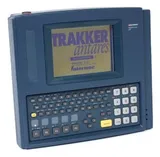
The user's manual for the Trakker Antares Application Simulator, PC software that helps programmers create, test and debug C applications for Trakker Antares terminals with the Programmable Option, such as the T242X hand-held and T248X stationary terminals. It explains installing, starting and exiting the Simulator, how it works and which terminal features it simulates, every INI file parameter, the Simulator Editor for customizing INI files, troubleshooting with error and status messages, and adding the Simulator to the Microsoft Visual C/C++ Tools menu.
Its parts
- Before You Begin
- Getting Started
- Working With the Application Simulator
- INI File Parameter Descriptions
- Customizing INI Files With the Editor
- Troubleshooting
From the manual
Key facts from this manual
Each line names its page in the PDF.
The Intermec Trakker Antares Application Simulator User's Manual (release 006, 1/00), for PC software that lets programmers run and debug Trakker Antares terminal applications on a PC. It applies to the Trakker Antares family, such as the T242X hand-held and T248X stationary terminals with the Programmable Option. It covers installing and starting the Simulator, setting its INI file, using the Simulator Editor, and fixing errors.
- What it is
- PC software that runs and debugs Trakker Antares applications by capturing PSK functions and terminal interrupts p. 15
- For terminals
- Trakker Antares terminals with the Programmable Option, such as T242X hand-held and T248X stationary p. 9, 11
- Installed with
- Trakker Antares Programmer's Software Kit (PSK) p. 16
- Development tools
- Microsoft Visual C/C++ Professional Edition 1.0 or 1.5x and Codeview for DOS p. 17
- PC needs
- DOS 3.0 or greater and 50K of conventional memory p. 69
- Operating systems
- Windows 3.1, 95, 98 or NT (runs as a DOS TSR) p. 18
- Parts
- Simulator TSR, INI file (default IMT24SIM.INI), Windows-based Simulator Editor p. 23
- Commands
- imt24sim to load, imt24sim filename.ini for a custom INI, imt24sim /d to unload p. 19
- Install folders
- C:\INTERMEC\IMT24\SIM, LIB, INCLUDE and SAMPLES p. 16
- Simulated ports
- COM1, COM2 and RF network port NET p. 10
What this manual walks you through
- Installing the Simulator with the PSK p. 16
- Using the Simulator in a Visual C/C++ development process p. 17
- Starting and exiting the Simulator TSR on each version of Windows p. 18, 19
- Simulating incoming serial data with an INI file p. 23, 24
- How the display and Function Left and Right keys are simulated on a PC p. 25, 26
- Fixing wrong-library, wedge input and international character problems p. 67
- Error and status messages of the Simulator and Editor p. 68, 69, 70
Good to know
- The Simulator does not test an application's user interface or performance; test on a real terminal. p. 25
- Start the Simulator before running any Trakker Antares application on the PC. p. 25
- On Windows 95, do not start the TSR from AUTOEXEC.BAT. p. 18
- .BIN applications must link to the Intermec LLIBCA.LIB; ROM-DOS .EXE applications link to LLIBCE.LIB. p. 67
Questions this manual answers
What is the Trakker Antares Application Simulator?
PC software, installed with the Programmer's Software Kit, that lets you run and debug Trakker Antares terminal applications on a PC. p. 15
How do I start the Trakker Antares Simulator?
Type imt24sim at the DOS prompt, or imt24sim filename.ini to use a custom INI file; imt24sim /d unloads it. p. 19
What does the Insufficient memory error mean in the Simulator?
The Simulator TSR needs 50K of conventional memory; free some memory and load it again. p. 69
Which compiler works with the Trakker Antares Simulator?
Microsoft Visual C/C++ Professional Edition version 1.0 or 1.5x, with Microsoft Codeview for DOS. p. 17
The whole text · 8 parts
Read the manual here as text
Its text as extracted from the PDF, unedited, in parts; each page opens the PDF at that page.
The file