Manual · Intermec
EZBuilder Tutorial
Manual114 pagesPDF 3.0 MB
Step-by-step tutorial for Intermec EZBuilder, the code generator that builds applications for Trakker Antares terminals.
Filed with · 3 models
Also filed with these models on the old site


Summary
What is in it
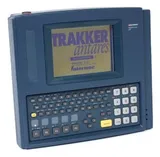
A hands-on tutorial for EZBuilder, Intermec's code generator for creating application programs for Trakker Antares terminals, the T2090 and the 6400. Through numbered exercises it walks the reader through building a sample application: creating menus, screens and data fields, programming function keys and beeps, creating transactions, then building, testing on the simulator and downloading the program. An appendix covers example applications, user function libraries and TCP/IP and TFTP file transfers, and another covers troubleshooting error messages.
Its parts
- Introduction
- Creating Menus
- Creating Screens
- Creating Transactions
- Testing Your Program on the Simulator
From the manual
Key facts from this manual
Each line names its page in the PDF.
Intermec's tutorial for EZBuilder, a Windows code generator that builds application programs for Trakker Antares terminals, the T2090 and the 6400. Through 18 exercises the reader builds a sample job-tracking program with menus, screens and transactions, tests it on the PC simulator and downloads it to a terminal. It names no individual Trakker Antares model.
- What it is
- Code generator that creates application programs for Trakker Antares terminals, the T2090 and the 6400 p. 11
- Part number
- P/N 066449-003 p. 1
- Software version
- Revision 003 (08/00) covers EZBuilder v 2.3, which added 6400 hand-held support p. 4
- PC requirements
- Microsoft Visual C++ compiler plus the PSK libraries and Simulator on the PC p. 74
- PC operating systems
- Windows 95, Windows 98, Windows NT and Windows 2000 p. 76
- Download link
- Serial cable to a PC COM port; default 19200 baud p. 79, 80
- Run drive
- Applications run only from terminal drive C p. 80
- Transaction outputs
- RF network, COM port, a file record, or other fields p. 15
- Build modes
- Debug, Normal (most efficient) and Min externs (smallest file) p. 73, 74
- Tutorial time
- Under two hours for the basic exercises p. 18
What this manual walks you through
- Learning the EZBuilder windows, toolbar and Object Manager p. 11, 12, 13
- Creating a main menu and menu items p. 5
- Designing screens, data fields and function keys p. 6
- Creating transactions that package scanned or keyed data p. 6
- Building the program and setting compiler paths p. 73, 74, 75
- Testing the program on the Trakker Simulator p. 76, 77
- Downloading the program to the terminal over a serial port p. 79, 80, 81, 82
- TCP/IP and TFTP file transfer examples p. 7, 8
- Fixing download error messages p. 113
Good to know
- Rebuilding in EZBuilder regenerates all code and overwrites any C code added by hand. p. 74
- Before starting, a RAM drive (drive E) must exist on the terminal. p. 19
- If the terminal shows Commands Via Serial Port as Disabled, it must be enabled and EOM#1 set before download. p. 81
- A download that stays at 0% for about ninety seconds ends in a timeout error. p. 113
Questions this manual answers
What terminals does EZBuilder make programs for?
The tutorial says EZBuilder creates application programs for Trakker Antares terminals, the T2090 and the 6400. p. 11
What baud rate does EZBuilder use to download to a Trakker Antares?
The example shows the default of 19200 baud; it must match the setting on the terminal. p. 80
What compiler does EZBuilder need?
It uses the Microsoft Visual C++ compiler and the PSK libraries, whose paths are set in Build Options. p. 74
EZBuilder download error File Transfer Error Cannot communicate
This appears when the PC and terminal are not physically connected; check the cable and the COM port settings. p. 113
Which terminal drive do EZBuilder applications run from?
Only drive C; the tutorial says not to change it. p. 80
The whole text · 12 parts
Read the manual here as text
Its text as extracted from the PDF, unedited, in parts; each page opens the PDF at that page.
The file