Manual · Intermec
Trakker Antares Application Development Tools System Manual
Manual340 pagesPDF 1.6 MB
Programming manual for Intermec Trakker Antares terminals: the C Programmer's Software Kit (PSK) and the Application Simulator.
Filed with · 4 models
Also filed with these models on the old site
 Intermec 2420Portable batch data collection terminal from$1,095.0033 in stock
 Intermec 2425Wireless portable data collection terminal from$995.00271 in stock
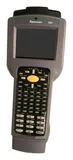 Intermec 24352.4 GHz wireless portable data collection terminal Call for availability
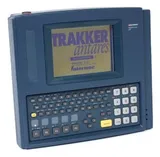 Intermec 2481Stationary data collection terminal for data entry Call for availability
Summary
What is in it
Intermec's system manual for writing Microsoft C (or Borland C) applications for Trakker Antares terminals with the programmable option. Part I is the PSK Reference Manual: installing the kit, programming guidelines, building and downloading applications, converting JANUS applications, and a description of every PSK function. Part II is the Application Simulator User's Manual, which explains how to test and debug applications on a PC, set up its INI files and troubleshoot it.
Its parts
- Part I: Getting Started
- Part I: Programming Guidelines
- Part I: Building Applications
- Part I: Converting Trakker Antares and JANUS Applications
- Part I: PSK Function Descriptions
- Part II: Getting Started
- Part II: Working With the Application Simulator
- Part II: INI File Parameter Descriptions
- Part II: Customizing INI Files With the Editor
- Part II: Troubleshooting
From the manual
Key facts from this manual
Each line names its page in the PDF.
The Trakker Antares Application Development Tools System Manual (2004), which holds two manuals in one: the Trakker Antares PSK Reference Manual for writing C programs for Trakker Antares terminals with the programmable option, and the Trakker Antares Application Simulator User's Manual for running and debugging those programs on a PC. It is a programmer's guide, not a hardware manual for any one terminal.
- What it is
- Programmer's Software Kit (PSK): C language functions for Trakker Antares programmable terminals p. 22
- Workflow
- Build applications on a PC, then download them to the terminal p. 22
- PC requirements
- Windows 95/98/ME/NT v4.0/2000/XP and at least 1MB of free disk space p. 22
- Compilers
- Microsoft Visual C/C++ Professional v1.0, v1.5x or v4.x, or Borland Turbo C++ 4.5 p. 22
- Version rules
- PSK 4.4 and earlier need Visual C/C++ v1.0 or v1.5x; PSK 5.0 and later need Turbo C++ 4.5 p. 24
- Application type
- 16-bit DOS applications only p. 24
- Kit contents
- PSK library, header files, examples, Application Simulator and Editor, FileCopy, EXE2ABS.EXE p. 22, 23
- FileCopy
- Transfers files between the PC and the terminal; may be copied to other PCs (the PSK library may not) p. 23
- Status codes
- Hex return values from 0x000 (success) up, listed with message text in Appendix A p. 242
- Simulator
- A DOS TSR that captures PSK calls so terminal programs run on a PC p. 280
- Simulator memory
- Needs 50K of conventional memory and DOS 3.0 or later p. 325, 326
- Software release
- Manual revision supports software release version 5.0 p. 22
What this manual walks you through
- Installing the PSK, Application Simulator, Simulator Editor and FileCopy p. 22, 23
- Copying FileCopy and EXE2ABS.EXE to a second PC p. 23, 24
- Choosing the right compiler for a PSK version p. 24
- Looking up a PSK status code p. 242, 243, 244, 245, 246
- Using the Simulator inside the Visual C/C++ development cycle p. 282
- Starting the Simulator under each version of Windows p. 283
- Fixing Simulator problems and reading its error messages p. 324, 325, 326, 327
Good to know
- Newer PSK features do not necessarily work with older terminal firmware. p. 24
- Visual C/C++ v5.0 and later lack the 16-bit compiler the kit needs. p. 24
- When building .BIN applications, link the Intermec LLIBCA.LIB, not the Microsoft one, or input errors will fail on the terminal but not show in the Simulator. p. 324
- Under Windows 95, do not start the Simulator TSR from AUTOEXEC.BAT; it may crash the PC. p. 283
- The sample code in the manual is for reference only and not necessarily complete or tested. p. 18
Questions this manual answers
What compiler do I need for the Trakker Antares PSK?
PSK 4.4 and earlier need Microsoft Visual C/C++ Professional v1.0 or v1.5x; PSK 5.0 and later need Borland Turbo C++ 4.5. p. 24
Can I test Trakker Antares programs without a terminal?
Yes. The Application Simulator runs them on a PC by intercepting the PSK functions and terminal interrupts. p. 280
What does Trakker Antares status code 0x07D mean?
The maximum number of bad sequence numbers has occurred; the manual says there may be a duplicate IP address on the network. p. 243
How do I convert an .EXE program to .BIN for a Trakker Antares?
The kit includes EXE2ABS.EXE, which converts .EXE applications to .BIN applications. p. 22, 23
Why does the Simulator say insufficient memory?
It needs 50K of conventional memory; free some memory and load it again. p. 326
Contents
Chapters and sections
Each line opens the PDF at its page.
- System Manual Contents3
- Part I - Trakker Antares PSK Reference Manual5
- Before You Begin17
- Chapter 1 - Getting Started21
- Chapter 2 - Programming Guidelines25
- Chapter 3 - Building Applications43
- Chapter 4 - Converting Trakker Antares and JANUS Applications53
- Chapter 5 - PSK Function Descriptions65
- Appendix A - Status Codes and ASCII Character Set241
- Appendix B - Microsoft Visual C/C++ Settings249
- Index257
- Part II - Trakker Antares Application Simulator User’s Manual267
- Before You Begin275
- Chapter 1 - Getting Started279
- Chapter 2 - Working With the Application Simulator285
- Chapter 3 - INI File Parameter Descriptions295
- Chapter 4 - Customizing INI Files With the Editor315
- Chapter 5 - Troubleshooting323
- Appendix A - Adding the Simulator to the Microsoft Visual C/C++ Tools Menu329
- Index333
The whole text · 36 parts
Read the manual here as text
Its text as extracted from the PDF, unedited, in parts; each page opens the PDF at that page.
- System Manual Contents1-4
- Part I - Trakker Antares PSK Reference Manual, pages 5 to 145-14
- Part I - Trakker Antares PSK Reference Manual, pages 15 to 2415-24
- Part I - Trakker Antares PSK Reference Manual, pages 25 to 3425-34
- Part I - Trakker Antares PSK Reference Manual, pages 35 to 4435-44
- Part I - Trakker Antares PSK Reference Manual, pages 45 to 5445-54
- Part I - Trakker Antares PSK Reference Manual, pages 55 to 6455-64
- Part I - Trakker Antares PSK Reference Manual, pages 65 to 7465-74
- Part I - Trakker Antares PSK Reference Manual, pages 75 to 8475-84
- Part I - Trakker Antares PSK Reference Manual, pages 85 to 9485-94
- Part I - Trakker Antares PSK Reference Manual, pages 95 to 10495-104
- Part I - Trakker Antares PSK Reference Manual, pages 105 to 114105-114
- Part I - Trakker Antares PSK Reference Manual, pages 115 to 124115-124
- Part I - Trakker Antares PSK Reference Manual, pages 125 to 134125-134
- Part I - Trakker Antares PSK Reference Manual, pages 135 to 144135-144
- Part I - Trakker Antares PSK Reference Manual, pages 145 to 154145-154
- Part I - Trakker Antares PSK Reference Manual, pages 155 to 164155-164
- Part I - Trakker Antares PSK Reference Manual, pages 165 to 174165-174
- Part I - Trakker Antares PSK Reference Manual, pages 175 to 184175-184
- Part I - Trakker Antares PSK Reference Manual, pages 185 to 194185-194
- Part I - Trakker Antares PSK Reference Manual, pages 195 to 204195-204
- Part I - Trakker Antares PSK Reference Manual, pages 205 to 214205-214
- Part I - Trakker Antares PSK Reference Manual, pages 215 to 224215-224
- Part I - Trakker Antares PSK Reference Manual, pages 225 to 234225-234
- Part I - Trakker Antares PSK Reference Manual, pages 235 to 244235-244
- Part I - Trakker Antares PSK Reference Manual, pages 245 to 254245-254
- Part I - Trakker Antares PSK Reference Manual, pages 255 to 264255-264
- Part I - Trakker Antares PSK Reference Manual, pages 265 to 266265-266
- Part II - Trakker Antares Application Simulator User’s Manual, pages 267 to 276267-276
- Part II - Trakker Antares Application Simulator User’s Manual, pages 277 to 286277-286
- Part II - Trakker Antares Application Simulator User’s Manual, pages 287 to 296287-296
- Part II - Trakker Antares Application Simulator User’s Manual, pages 297 to 306297-306
- Part II - Trakker Antares Application Simulator User’s Manual, pages 307 to 316307-316
- Part II - Trakker Antares Application Simulator User’s Manual, pages 317 to 326317-326
- Part II - Trakker Antares Application Simulator User’s Manual, pages 327 to 336327-336
- Part II - Trakker Antares Application Simulator User’s Manual, pages 337 to 340337-340
The file