Manual · Microscan
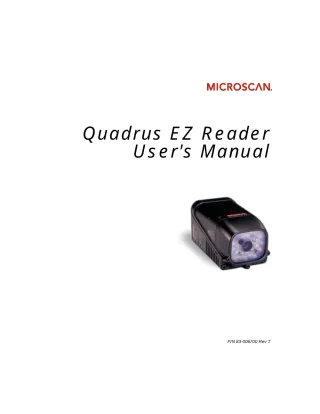
Quadrus EZ Reader User's Manual
Manual366 pagesPDF 2.4 MB
User's manual for the Microscan Quadrus EZ reader, a fixed-mount imager that reads 2D and linear symbols, covering setup and configuration.
Filed with · 1 model
Also filed with these models on the old site
Summary
What is in it
The complete user's manual for the Microscan Quadrus EZ reader, a fixed-mount imager with an EZ button for locating, calibrating and reading symbols. It starts with a quick start using the EZ button and the ESP (Easy Setup Program), then covers host and auxiliary communications, read cycle and trigger settings, symbologies, I/O parameters, symbol quality, matchcode, diagnostics, camera setup, the IP database, terminal and utilities, output format and Ethernet.
Its parts
- Quick Start
- Using ESP
- Communications
- Read Cycle
- Symbologies
- I/0 Parameters
- Symbol Quality
- Matchcode
- Diagnostics
- Camera Setup
- IP Database
- Terminal
- Utilities
- Unique Item Identifiers
- Output Format
From the manual
Key facts from this manual
Each line names its page in the PDF.
The Microscan user's manual (P/N 83-006700 Rev T) for the Quadrus EZ Reader, FIS 6700-XXXX, with appendices on the Quadrus EZ DPM and Quadrus EZ FLEX versions. It walks through hardware hookup, setup with the EZ button or the ESP software, read cycle, symbology and I/O settings, and gives specifications, pinouts and accessory part numbers.
- What it is
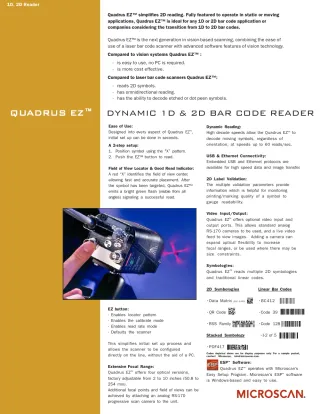
- Reader for 2D and linear symbols with a multi-function EZ button, an X pattern locator and up to 60 reads per second p. 9
- Interfaces
- RS-232/422/485 standard; Ethernet optional p. 307
- Power input
- 10 to 28VDC, 200 mV p-p maximum ripple p. 307
- Maximum power
- CCD: 10 watts; CMOS: 8 watts p. 308
- Image sensor
- CCD array 659 x 494 pixels or CMOS array 640 by 480 pixels, progressive scan p. 306
- Focal range
- 2 to 10 inches, factory-adjustable; pitch and skew ±30°, tilt 360° p. 307
- Symbologies
- Data Matrix (ECC 0-200), QR Code, PDF417, MicroPDF417, GS1 DataBar, Code 39, Code 128, I 2/5, UPC/EAN, Pharmacode, BC412 p. 306
- Size and weight
- 2.25 in (57 mm) high, 2.5 in (64 mm) wide, 4.2 in (107 mm) deep; 12 oz (340 g) p. 306
- Operating temperature
- 0° to 43°C on a Microscan stand; 40°C maximum on a non-metal surface p. 306
- Enclosure
- IP65 standard unit; IP54 with the video I/O option p. 306
- Discrete I/O
- Optoisolated trigger, new master and input 1; three optoisolated outputs rated 1 to 28VDC, under 100mA at 24VDC p. 307
- Starter parts
- IB-150 Kit 98-000040-02 (cable 61-000034-02, IB-150 Interface Box 99-000008-02); power supply 97-100004-15; object detector 99-000017-01 p. 14
- Interface boxes
- IB-150 Kit for host, power, trigger and aux port; IB-151 Ethernet/USB interface; IB-152 terminal strip interface kit p. 314, 315, 316
- Versions
- Quadrus EZ DPM Imager FIS-6700-04XXG-XXXX; Quadrus EZ FLEX FIS-6700-2001G with C-Mount lens, lens/illumination 98-000100-02 or 98-000100-01 p. 312, 313
What this manual walks you through
- Checking the hardware needed to get started p. 14
- Connecting the reader for EZ button setup, RS-232 or TCP/IP p. 15
- Positioning the reader and the symbol p. 16
- Quick start steps: install ESP, select model, calibrate, readability test p. 13
- Host 25-pin connector pinout p. 308
- Wiring optoisolated outputs and inputs p. 309, 310, 311
- IB-150, IB-151 and IB-152 pinouts and wiring the IB-152 terminal strip p. 314, 315, 316
- Summary of the serial configuration commands p. 317, 318, 319, 320
Good to know
- Connect all cables before applying power, and power down before disconnecting any cable. p. 14
- When wiring the interface box to a 25-pin host connector, cross pins 2 and 3; with a 9-pin host connector, do not. p. 15
- The maximum current through the output optoisolator is 100mA. p. 309
- The IB-151 is recommended for Ethernet, because the IB-150 cable lacks the matched impedance of standard CAT 5 cable. p. 315
- Viewing the LED output with magnifiers or other optical instruments within 100 mm could cause eye injury. p. 11
Questions this manual answers
What power supply does the Quadrus EZ reader need?
It takes 10 to 28VDC. The manual lists power supply 97-100004-15 (90-264 VAC, 24VDC) for a basic setup. p. 14, 307
What do I need to connect the Quadrus EZ to a PC by RS-232?
The IB-150 Kit, 98-000040-02, plus the IB-150 Host Communications Cable, 61-000034-02, and a terminal program or Microscan's ESP. p. 14
How do I restore the default configuration with a wire on the host connector?
The default is activated by connecting pin 11 to ground pin 7 on the 25-pin host connector. p. 308
Can the Quadrus EZ connect over Ethernet or USB?
Ethernet is an optional interface. The IB-151 interface gives USB and Ethernet connections and plugs into the reader's host port. p. 307, 315
What barcodes can the Quadrus EZ read?
Data Matrix, QR Code, PDF417, MicroPDF417, GS1 DataBar, Code 39, Code 128, I 2/5, UPC/EAN, Pharmacode and BC412. p. 306
Contents
Chapters and sections
Each line opens the PDF at its page.
- Quadrus EZ Reader User's Manual1
- About the Quadrus EZ Reader9
- Host Communications9
- About the Quadrus EZ Reader User’s Manual10
- Highlighting10
- Warning and Caution Summary11
- Statement of Agency Compliance12
- 1 Quick Start13
- 2 Communications27
- 3 Read Cycle55
- 4 Symbologies85
- 5 I/0 Parameters117
- 6 Symbol Quality173
- 7 Matchcode187
- 8 Diagnostics201
- 9 Camera Setup209
- 10 IP Database233
- 11 Terminal247
- 12 Utilities253
- 13 Unique Item Identifiers273
- 14 Output Format281
- 15 Ethernet295
- Appendices305
- Index347
The whole text · 37 parts
Read the manual here as text
Its text as extracted from the PDF, unedited, in parts; each page opens the PDF at that page.
- Pages 1 to 101-10
- Pages 11 to 2011-20
- Pages 21 to 3021-30
- Pages 31 to 4031-40
- Pages 41 to 5041-50
- Pages 51 to 6051-60
- Pages 61 to 7061-70
- Pages 71 to 8071-80
- Pages 81 to 9081-90
- Pages 91 to 10091-100
- Pages 101 to 110101-110
- Pages 111 to 120111-120
- Pages 121 to 130121-130
- Pages 131 to 140131-140
- Pages 141 to 150141-150
- Pages 151 to 160151-160
- Pages 161 to 170161-170
- Pages 171 to 180171-180
- Pages 181 to 190181-190
- Pages 191 to 200191-200
- Pages 201 to 210201-210
- Pages 211 to 220211-220
- Pages 221 to 230221-230
- Pages 231 to 240231-240
- Pages 241 to 250241-250
- Pages 251 to 260251-260
- Pages 261 to 270261-270
- Pages 271 to 280271-280
- Pages 281 to 290281-290
- Pages 291 to 300291-300
- Pages 301 to 310301-310
- Pages 311 to 320311-320
- Pages 321 to 330321-330
- Pages 331 to 340331-340
- Pages 341 to 350341-350
- Pages 351 to 360351-360
- Pages 361 to 366361-366
The file