Manual · Wenglor
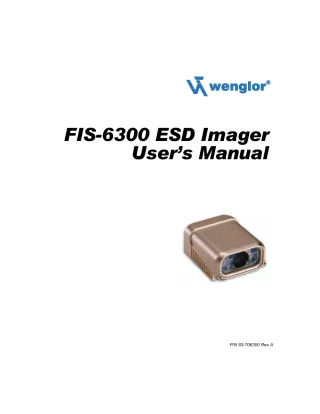
FIS-6300 ESD Imager User's Manual
Manual364 pagesPDF 5.2 MB
User's manual for the wenglor FIS-6300 ESD fixed-mount imager: setup, ESP software, communications, symbologies and outputs.
Covers · 1 model
The models it covers
Summary
What is in it
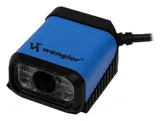
The complete user's manual for the wenglor FIS-6300 ESD Imager, a fixed-mount reader for 2D and linear symbols. It starts with an 11-step quick start, then covers the ESP (Easy Setup Program) software, host and auxiliary port communications, calibration, read cycle and trigger settings, symbologies, I/O parameters, symbol quality output, matchcode, camera and IP setup, the configuration database, terminal, utilities and output formatting, with serial commands for each.
Its parts
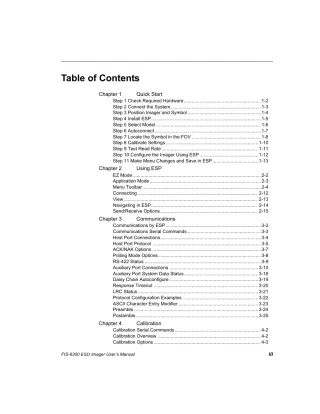
- Quick Start
- Using ESP
- Communications
- Calibration
- Read Cycle
- Symbologies
- I/O Parameters
- Symbol Quality
- Matchcode
- Camera and IP Setup
- Configuration Database
- Terminal
- Utilities
- Output Format
From the manual
Key facts from this manual
Each line names its page in the PDF.
The wenglor user's manual (P/N 83-706300 Rev A, 2008) for the FIS-6300 ESD Imager, a compact reader of 2D and linear symbols. It covers setup, communications, calibration, read cycle, symbologies, I/O, matchcode, camera settings, utilities and output format, with general and electrical specifications, pin assignments and serial commands in the appendices.
- Device
- Imager reading 2D and linear symbols, with mega pixel SXGA optics (1280 by 1024 pixels) p. 8, 316
- Host interfaces
- RS-232, RS-422/485, chosen by software switching p. 8, 337
- Connector
- 3 ft. cable ending in a High Density 15-pin D-Sub socket connector p. 316
- Power
- 5 VDC +/– 5 %, 200 mV p-p max. ripple, 440 mA @ 5 VDC (typ.) p. 319
- Size and weight
- 1" (25.4 mm) high, 1.8" (45.7 mm) wide, 2.10" (53.3 mm) deep; 2 oz. (57 g) p. 316
- Temperature
- Operating 0° to 40°C (32° to 104°F); storage -50° to 75° C (-58 to 167°F) p. 316
- Environment
- IP54 enclosure; humidity up to 90% (non-condensing) p. 316
- Symbologies
- Data Matrix (ECC 0-200), QR Code, PDF417, MicroPDF417, RSS, Code 39, Code 128, BC412, Interleaved 2 of 5, Pharmacode, UPC/EAN, Codabar, Code 93 p. 316
- Read parameters
- Pitch ±30°, skew ±30°, tilt 360°; up to 10 decodes per second p. 316
- Discrete I/O
- Trigger and New Master inputs 5 to 28VDC (0.16 mA); Outputs 1, 2, 3 are 5V TTL, sink and source 10 mA; optoisolated I/O with the IC-332 accessory p. 316
- Density options
- Ultra-High Density, High Density and Standard Density p. 8
- Indicators
- Read Performance, Power and Read Status LEDs; green flash for a good read; blue target pattern; beeper p. 316
- Plug-in power unit
- UL-listed Class II direct plug-in unit rated 5 VDC at 8 watts, or greater with electrical accessories p. 10
- Hardware part numbers
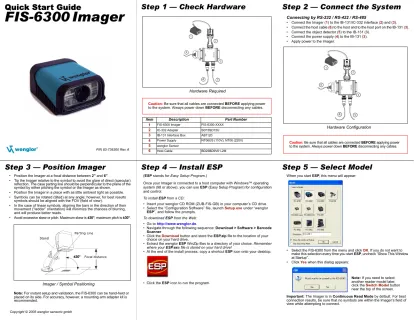
- The required-hardware list gives FIS-6300-110x, SD15SD15U, AB-1120, NT06US (110V) or NT06 (220V), and BD25BD9V01-2M p. 12
What this manual walks you through
- Getting the imager running with the EZ button or ESP (Quick Start) p. 11
- Configuring by EZ button, ESP, serial commands or ESP App Mode menus p. 9
- Setting up host and auxiliary port communications p. 41
- Looking up serial configuration commands by function p. 320
- Requesting firmware part numbers and checksums p. 293, 294
- Restoring customer, software or hardware default parameters p. 297
- Reading the imager status byte and status requests p. 298
- Triggering read cycles with an object detector p. 338
Good to know
- RS-232 cables are limited to 50 feet (19.7m); shielded RS-422 cables can run up to 4000 feet (1219m). p. 337
- A hardware default must be done within 60 seconds of power-on or reset, and connecting the wrong pins could seriously damage the unit. p. 297
- The chassis ground pin is only for earth ground, never for power or signal return. p. 319
- European models must use a Class I or Class II power supply certified to EN 60950. p. 10
- Specifications are typical performance at 25°C (77°F) with grade A labels. p. 318
Questions this manual answers
What symbologies does the wenglor FIS-6300 read?
Data Matrix (ECC 0-200) and QR Code, stacked codes PDF417, MicroPDF417 and RSS, and linear codes including Code 39, Code 128, Interleaved 2 of 5, UPC/EAN, Codabar and Code 93. p. 316
What power supply does the FIS-6300 need?
5 VDC +/– 5 % with at most 200 mV p-p ripple; it draws 440 mA at 5 VDC typically. p. 319
How do I reset the FIS-6300 to wenglor defaults?
Send <Zrd> to recall and save the defaults; if that is not possible, a hardware default by shorting pins within 60 seconds of power-on has the same effect. p. 297
How long can the FIS-6300 RS-232 cable be?
Up to 50 feet (19.7m); RS-422 with shielded cable can reach 4000 feet (1219m). p. 337
How big is the FIS-6300 imager?
1" high, 1.8" wide and 2.10" deep, weighing 2 oz. (57 g). p. 316
Contents
Chapters and sections
Each line opens the PDF at its page.
The whole text · 37 parts
Read the manual here as text
Its text as extracted from the PDF, unedited, in parts; each page opens the PDF at that page.
- Pages 1 to 101-10
- Pages 11 to 2011-20
- Pages 21 to 3021-30
- Pages 31 to 4031-40
- Pages 41 to 5041-50
- Pages 51 to 6051-60
- Pages 61 to 7061-70
- Pages 71 to 8071-80
- Pages 81 to 9081-90
- Pages 91 to 10091-100
- Pages 101 to 110101-110
- Pages 111 to 120111-120
- Pages 121 to 130121-130
- Pages 131 to 140131-140
- Pages 141 to 150141-150
- Pages 151 to 160151-160
- Pages 161 to 170161-170
- Pages 171 to 180171-180
- Pages 181 to 190181-190
- Pages 191 to 200191-200
- Pages 201 to 210201-210
- Pages 211 to 220211-220
- Pages 221 to 230221-230
- Pages 231 to 240231-240
- Pages 241 to 250241-250
- Pages 251 to 260251-260
- Pages 261 to 270261-270
- Pages 271 to 280271-280
- Pages 281 to 290281-290
- Pages 291 to 300291-300
- Pages 301 to 310301-310
- Pages 311 to 320311-320
- Pages 321 to 330321-330
- Pages 331 to 340331-340
- Pages 341 to 350341-350
- Pages 351 to 360351-360
- Pages 361 to 364361-364
The file