Manual · Intermec
TRAKKER Antares 2425 Hand-Held Terminal User's Manual
Manual452 pagesPDF 2.0 MB
User's manual for the Intermec TRAKKER Antares 2425 hand-held RF data collection terminal: setup, configuration, networking and commands.
Names · 1 model
The models it names

Filed with · 1 model
Also filed with these models on the old site

Summary
What is in it
Intermec user's manual for the TRAKKER Antares 2425 hand-held terminal, a radio data collection terminal for a 2.4 GHz network. It covers first-time setup, the keypad, display, batteries and scan module, configuring the terminal by menu or bar code, network operation with the Model 200 controller and access points, 3270, 5250, VT and ANSI terminal emulation, screen mapping, troubleshooting and diagnostics, plus reader, configuration and emulation command references and specifications.
Its parts
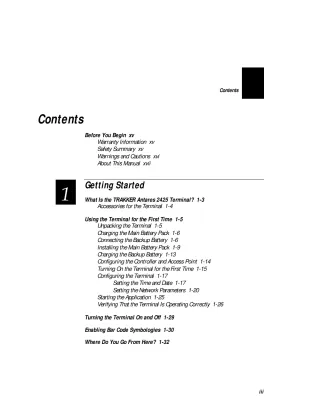
- Getting Started
- Learning How to Use the Terminal
- Configuring the Terminal
- Operating the Terminal in a Network
- Running Applications
- Troubleshooting
- Reader Command Reference
- Configuration Command Reference
- 3270 and 5250 TE Command Reference
- VT100/220/320 and ANSI TE Command Reference
From the manual
Key facts from this manual
Each line names its page in the PDF.
The 1996 Intermec TRAKKER Antares 2425 Hand-Held Terminal User's Manual (P/N 064024-001). It covers only the T2425, the radio model that runs 3270, 5250 or VT/ANSI terminal emulation or screen mapping in a 2.4 GHz network with a Model 200 Controller and 0100 Access Point. It walks through first setup, batteries, the scan module, configuration, networking, troubleshooting and specifications.
- What it is
- Hand-held data collection terminal that sends data by 2.4 GHz radio and emulates 3270, 5250, VT100/220/320 or ANSI terminals p. 25
- Main battery
- Rechargeable lithium-ion pack (1000 to 1350 mAh), shipped separately; charge at least 2 hours p. 79, 369
- Backup battery
- Rechargeable NiCad 110 mAh p. 369
- Display
- CGA compatible backlit LCD, 16 lines x 20 columns, 25 x 80 virtual display with viewport p. 370
- Keypad
- Alphanumeric keypad with 55 keys in English, or emulation keypads for IBM 3270, IBM 5250, VTXXX/ANSI p. 370
- Memory
- 2MB programmable flash, 1MB battery-backed RAM p. 371
- Radio
- 2.4 GHz frequency hopping spread spectrum, 100 mW maximum, 1.6 Mbits per second, coverage 240 feet (80 meters) or more p. 371
- Network
- Host connection through 0100 Access Point and Model 200 Controller; Ethernet with UDP Plus p. 371
- Scan modules
- Standard range scan module (670 nm laser, up to 30 inches) or module for cabled scanners p. 372
- Cabled scanners
- Intermec 146x CCD, 151x, 1545, 155x lasers, 126X and 127X wands, JANUS 7010 imager (wedge cable P/N 062168) p. 372
- Size and weight
- 10.6 in long, 2.8 in high, 3.2 in wide; 27 oz (765.45 g) with batteries p. 369
- Temperature
- Operating -4°F to +122°F (-20°C to +50°C); charging +32°F to +104°F; 0% to 95% humidity noncondensing p. 370
- Antenna parts
- 2.4 GHz SMB antenna Part No. 063825, retaining ring Part No. 064101 p. 220
- In the box
- Terminal, Getting Started Guide, manual supplement, standard range scan module or module for cabled scanners p. 27
What this manual walks you through
- Setting up the terminal for the first time, from charging to verifying operation p. 27
- Choosing accessories: belt clip, handstrap, holster, vehicle-mount holder, scan modules p. 26
- Charging the main battery pack p. 79
- Fixing a terminal that will not turn on p. 193
- Resetting a locked-up terminal and handling POST failed messages and the Boot Menu p. 195, 196
- Restoring the default configuration by scanning a bar code p. 194
- Replacing a damaged antenna p. 220
- Configuring the Model 200 Controller and 0100 Access Point for the terminal p. 5
- Using 3270, 5250 and VT/ANSI terminal emulation p. 6
Good to know
- The terminal will not turn on without a scan module installed. p. 193
- A battery icon on solid and a beep every 15 seconds means only a few minutes of power are left. p. 196
- Code 1 and PDF 417 are read only with the module for cabled scanners and the JANUS 7010 imager. p. 371
- The manual states there are no user-serviceable parts inside the terminal. p. 192
Questions this manual answers
What battery does the Intermec 2425 use?
A rechargeable lithium-ion battery pack (1000 to 1350 mAh), ordered separately, with a NiCad 110 mAh backup battery for memory. p. 369
Why won't my Trakker Antares 2425 turn on?
Check that a scan module is installed and that a charged lithium-ion battery pack is seated; the terminal will not power up without both. p. 193
What does the T2425 need to talk to a host?
It communicates by 2.4 GHz radio through the 0100 Access Point and Model 200 Controller on an Ethernet network using UDP Plus. p. 371
How long does it take to charge the 2425 battery?
Charge the main battery pack in the accessory charger for a minimum of 2 hours. p. 79
Which scanners plug into the 2425 module for cabled scanners?
Intermec 146x CCD scanners, 151x, 1545 and 155x laser scanners, 126X and 127X wands, the JANUS 7010 imager, and compatible Symbol scanners. p. 372
The whole text · 46 parts
Read the manual here as text
Its text as extracted from the PDF, unedited, in parts; each page opens the PDF at that page.
- Pages 1 to 101-10
- Pages 11 to 2011-20
- Pages 21 to 3021-30
- Pages 31 to 4031-40
- Pages 41 to 5041-50
- Pages 51 to 6051-60
- Pages 61 to 7061-70
- Pages 71 to 8071-80
- Pages 81 to 9081-90
- Pages 91 to 10091-100
- Pages 101 to 110101-110
- Pages 111 to 120111-120
- Pages 121 to 130121-130
- Pages 131 to 140131-140
- Pages 141 to 150141-150
- Pages 151 to 160151-160
- Pages 161 to 170161-170
- Pages 171 to 180171-180
- Pages 181 to 190181-190
- Pages 191 to 200191-200
- Pages 201 to 210201-210
- Pages 211 to 220211-220
- Pages 221 to 230221-230
- Pages 231 to 240231-240
- Pages 241 to 250241-250
- Pages 251 to 260251-260
- Pages 261 to 270261-270
- Pages 271 to 280271-280
- Pages 281 to 290281-290
- Pages 291 to 300291-300
- Pages 301 to 310301-310
- Pages 311 to 320311-320
- Pages 321 to 330321-330
- Pages 331 to 340331-340
- Pages 341 to 350341-350
- Pages 351 to 360351-360
- Pages 361 to 370361-370
- Pages 371 to 380371-380
- Pages 381 to 390381-390
- Pages 391 to 400391-400
- Pages 401 to 410401-410
- Pages 411 to 420411-420
- Pages 421 to 430421-430
- Pages 431 to 440431-440
- Pages 441 to 450441-450
- Pages 451 to 452451-452
The file