Manual · Microscan
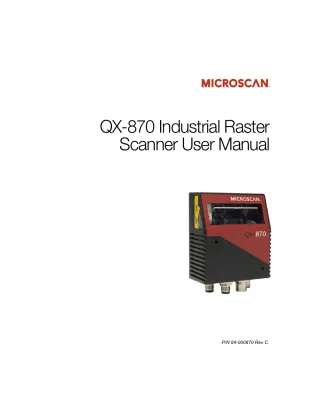
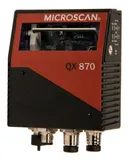
QX-870 Industrial Raster Scanner User Manual
Manual426 pagesPDF 7.0 MB
User manual for the Microscan QX-870 industrial raster laser barcode scanner: setup, ESP software, wiring, parameters and serial commands.
Covers · 1 model
The models it covers
Summary
What is in it
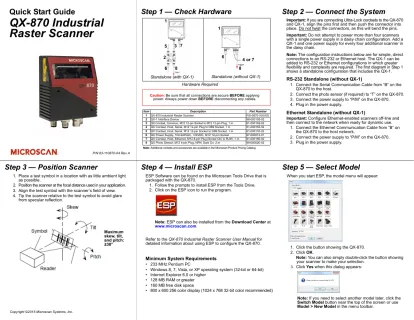
The full user manual for the Microscan QX-870 Industrial Raster Scanner. It starts with a nine-step quick start using ESP (Easy Setup Program), then covers hardware integration with the QX-1 interface device, cordsets and pinouts, calibration and output format, every scanner parameter (communication, read cycle, symbologies, I/O, matchcode, diagnostics), the terminal and utilities, and appendices on specifications, serial commands, Ethernet TCP/IP, EtherNet/IP and Allen-Bradley PLC setup.
Its parts
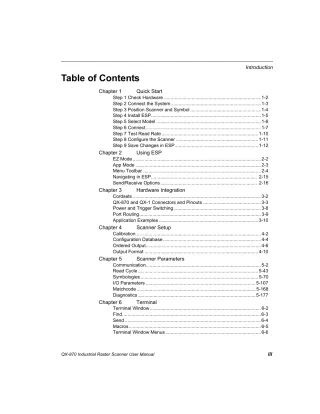
- Quick Start
- Using ESP
- Hardware Integration
- Scanner Setup
- Scanner Parameters
- Terminal
- Utilities
From the manual
Key facts from this manual
Each line names its page in the PDF.
Microscan user manual for the QX-870 Industrial Raster Scanner and its QX-1 Interface Device. It covers setup with the ESP software, hardware integration and connector pinouts, every scanner parameter and serial command, Ethernet and EtherNet/IP setup, and the general and electrical specifications.
- Device
- Industrial raster laser scanner with X-Mode decoding, Ethernet TCP/IP and EtherNet/IP, and an EZ Button p. 5, 288
- Interfaces
- RS-232, RS-422, RS-485, Ethernet p. 288
- Power
- 10-28VDC, 9 Watts max, 200 mV p-p max ripple, 270mA at 24VDC typical p. 292
- Scan rate
- Adjustable from 300 to 1,400 scans per second; default 500 p. 288
- Connectors
- A: M12 12-pin plug; B: M12 12-pin socket (serial models) or 8-pin socket (Ethernet models); P/M: M12 12-pin plug; T: 4-pin Micro-Change socket p. 43
- Operating temperature
- 0° to 50° C (32° to 122° F); humidity up to 90% non-condensing p. 288
- Size and weight
- Width 3.74" (95 mm), depth 1.76" (45 mm); 16 oz. (453 g); die-cast aluminum enclosure p. 288
- Versions
- Low, medium or high density sweeping raster, each as Serial or Serial + Ethernet p. 291
- Laser
- Laser diode, 655 nm, 1.75mW maximum power, operating life 50,000 hours at 25° C p. 288
- Optics
- Rotating 10-faceted mirror; scan width angle typically 60°; pitch ±50° max, skew ±40° max p. 288
- Symbologies
- Code 39, Codabar, Code 93, Interleaved 2 of 5, Code 128, PDF417, MicroPDF417, Pharmacode, UPC, GS1 DataBar; EAN-128, AIAG p. 288
- Discrete I/O
- Input 1 (Trigger / New Master) optoisolated 4.5–28V; Outputs 1, 2, 3 optoisolated 1–28V, NPN or PNP p. 288, 295
- QX-1 Interface Device
- Connectors 1 and 3 (12-pin plugs), 2 (12-pin socket) and T, with Power and Trigger switches; 7 oz. (200 g) p. 289, 294
- Cordsets and mounting
- Flying lead cordsets 61-000166-02 (M12 12-pin plug) and 61-000167-02 (M12 12-pin socket); Isolation Mounting Kit 98-9000038-01 p. 301, 303
What this manual walks you through
- Choosing a way to configure the scanner: ESP, serial commands or the EZ Button p. 5
- Pin assignments of connectors A, B, P/M and T p. 43, 44
- Routing power and trigger signals through the QX-1 switches p. 294
- Grounding the scanner and avoiding ground loops p. 46, 301, 302
- Programming the four EZ Button positions and their modes p. 184, 185, 186, 187
- Read range tables for low, medium and high density models p. 290
- Wiring the flying lead cordsets by wire color p. 303
- Fixing trigger interference from Connector T on older units p. 304, 305
Good to know
- There are no user-serviceable parts; opening the scanner could expose the user to laser power of up to 7mW. p. 6
- Mounting the scanner to grounded conductive material may cause communication problems; use a proper ground or isolate the reader. p. 301
- Outputs can be NPN or PNP, but the two cannot be mixed because the output common is shared. p. 295
- On original units a photo sensor on Connector T could disturb Trigger, New Master and Input 1 on Connectors A and B; newer units swap two pins. p. 304
- The manual states the scanner is a Class 2 laser product; never point the beam at people. p. 6
Questions this manual answers
What power does the Microscan QX-870 need?
10-28VDC, up to 9 Watts, with at most 200 mV p-p ripple; it draws 270mA at 24VDC typical. p. 292
How do the QX-870 serial and Ethernet models differ?
Connector B is an M12 12-pin socket on serial models and an 8-pin socket on Ethernet models; each density comes as Serial or Serial + Ethernet. p. 43, 291
Why does a photo sensor on QX-870 Connector T interfere with other inputs?
On original units the photo sensor switched the input common pin instead of the trigger pin; the pin assignment was later changed by swapping those two pins. p. 304
How do I save QX-870 settings with the EZ Button?
Set a button position to Save for Power-On; selecting it saves all settings to non-volatile memory, like sending <Z>. p. 186
What interfaces does the QX-870 have?
RS-232, RS-422, RS-485 and Ethernet, with Ethernet TCP/IP and EtherNet/IP protocols. p. 288
Contents
Chapters and sections
Each line opens the PDF at its page.
The whole text · 43 parts
Read the manual here as text
Its text as extracted from the PDF, unedited, in parts; each page opens the PDF at that page.
- Pages 1 to 101-10
- Pages 11 to 2011-20
- Pages 21 to 3021-30
- Pages 31 to 4031-40
- Pages 41 to 5041-50
- Pages 51 to 6051-60
- Pages 61 to 7061-70
- Pages 71 to 8071-80
- Pages 81 to 9081-90
- Pages 91 to 10091-100
- Pages 101 to 110101-110
- Pages 111 to 120111-120
- Pages 121 to 130121-130
- Pages 131 to 140131-140
- Pages 141 to 150141-150
- Pages 151 to 160151-160
- Pages 161 to 170161-170
- Pages 171 to 180171-180
- Pages 181 to 190181-190
- Pages 191 to 200191-200
- Pages 201 to 210201-210
- Pages 211 to 220211-220
- Pages 221 to 230221-230
- Pages 231 to 240231-240
- Pages 241 to 250241-250
- Pages 251 to 260251-260
- Pages 261 to 270261-270
- Pages 271 to 280271-280
- Pages 281 to 290281-290
- Pages 291 to 300291-300
- Pages 301 to 310301-310
- Pages 311 to 320311-320
- Pages 321 to 330321-330
- Pages 331 to 340331-340
- Pages 341 to 350341-350
- Pages 351 to 360351-360
- Pages 361 to 370361-370
- Pages 371 to 380371-380
- Pages 381 to 390381-390
- Pages 391 to 400391-400
- Pages 401 to 410401-410
- Pages 411 to 420411-420
- Pages 421 to 426421-426
The file