Manual · Intermec
9154 Line Controller System Manual
Manual330 pagesPDF 7.7 MB
System manual for the Intermec 9154 multi-drop line controller: system design, installation, configuration, host protocol and troubleshooting.
Covers · 1 model
The models it covers
Summary
What is in it
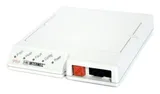
The system manual for the Intermec 9154 Line Controller, a CrossBar network product that polls bar code readers and printers on a multi-drop line and passes their data to a host computer. It covers designing a 9154 system (layout, RS-232 or RS-422/485 host interface, grounding, response time), installing the controller and multi-drop cabling, configuring it from a supervisory CRT, host communication protocols, power failure recovery, troubleshooting, maintenance and specifications.
Its parts
- How to Use This Manual
- Introduction to the 9154
- Designing a 9154 System
- Installing Hardware
- Configuring the Controller
- Configuring Polled Devices
- Host to 9154 Communication
- CRT Control of 9154 Communication
- Power Failure and Recovery
- Troubleshooting
- Maintenance
From the manual
Key facts from this manual
Some pages are scans or cannot be read; this says only what the readable text supports. Each line names its page in the PDF.
A 1987 Intermec system manual for the 9154 Multi-Drop Line Controller, a CrossBar Network product that links a host computer with up to 32 Intermec bar code readers and printers. It covers designing the system, installing the power supply and RS-485 Multi-Drop cabling, configuring from a Supervisory CRT, troubleshooting, maintenance and specifications. The pages are scans read by OCR.
- Device
- Multi-Drop line controller that buffers data between a host computer and up to 32 Intermec bar code readers and printers p. 32
- Host port
- 25-pin D socket, RS-232 or RS-422/RS-485; 20 mA current loop through an external adapter p. 32, 36
- Multi-Drop port
- 9-pin D socket, 4-wire RS-485; one main trunk cable with up to 32 devices p. 36, 307
- Supervisory CRT port
- 9-pin D socket, RS-232; 9-pin to 25-pin adapter cable such as Part No. 041789S p. 34
- Power supplies
- 50-60 Hz: 120 VAC Part No. 046791, 100 VAC 046972, 220 VAC 046973, 240 VAC 046974 p. 84
- Internal battery
- NiCad, charged by the controller; backs up RAM and the real time clock, protecting memory up to two weeks p. 34, 38, 298
- Multi-Drop cables
- Main Trunk Cable 583262 (by the foot); Trunk Cable Test Segment 047661 (six feet); Trunk Cable Connector Kit 047662; Drop Cable 047653 p. 102, 103
- Cable limits
- Trunk up to 2000 feet with up to 32 drop sites at least two feet apart; drops up to 30 feet with 047653, 20 feet recommended for self-wired p. 100, 103
- Custom cable
- Two shielded twisted pairs, 24 gauge or larger, 100 ohms or less, 12.5 pf/ft or less, VW-1 flame test; Belden 9729, 8102, 8162 or 89729 p. 101, 102
- Null modem cable
- Controller to host or CRT: Part No. 043206 (Male/Female) or 043207 (Male/Male) p. 53
- Dimensions
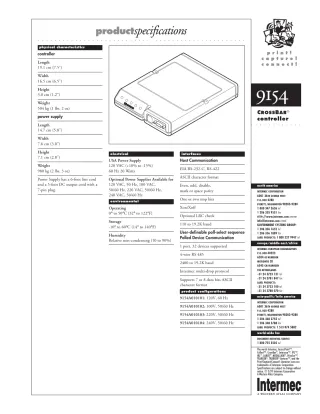
- 1.4 in (3.5 cm) high, 6.5 in (16.5 cm) wide, 7.5 in (19.1 cm) long p. 306
- Environment
- Operates 0° C to +50° C, stored -10° C to +60° C; 10% to 90% relative humidity, non-condensing p. 307
- Lights
- Poll, Host, Fault and Config status lights and a Power light p. 37
- Features
- Data buffering; configurable real time clock that can time-stamp data or broadcast the time; transient voltage suppression on all three ports p. 38
What this manual walks you through
- Locating the front and rear panel connectors and lights p. 34, 36, 37
- Building a small test system before a full installation p. 53
- Choosing and connecting the right power supply p. 84
- Designing the Multi-Drop cable layout p. 100
- Making custom Multi-Drop cables or choosing Intermec cables p. 101, 102, 103
- Troubleshooting controller problems from the status lights p. 278, 279
- Troubleshooting with the Supervisory CRT p. 12
- Power supply and internal maintenance p. 297
Good to know
- Turn the controller off before disconnecting its power supply, or the firmware may not work correctly at power-up. p. 34
- The controller must be connected to a building or earth ground to work properly. p. 36
- The housing is spill resistant but not waterproof. p. 306
- The power supply cannot be repaired; a damaged one must be replaced. p. 297
- Never incinerate, crush, puncture or short-circuit the NiCad battery. p. 298
Questions this manual answers
Intermec 9154 Config light blinks every half second
The EEPROM that holds the configuration is defective. Contact an Intermec service representative. p. 278, 297
All four status lights on the 9154 blink
The ROM test failed, meaning the ROM is defective. Contact an Intermec service representative. p. 37, 297
How many readers can connect to a 9154 controller?
Up to 32 readers or printers on a single 4-wire RS-485 Multi-Drop main trunk cable. p. 32
Which 9154 power supply is for 120 volts?
Part No. 046791, for 120 VAC at 50-60 Hz. p. 84
How long can a 9154 Multi-Drop cable run be?
The main trunk cable can be up to 2000 feet, and each drop cable up to 30 feet. p. 100
The whole text · 33 parts
Read the manual here as text
Its text as extracted from the PDF, unedited, in parts; each page opens the PDF at that page.
- Pages 1 to 101-10
- Pages 11 to 2011-20
- Pages 21 to 3021-30
- Pages 31 to 4031-40
- Pages 41 to 5041-50
- Pages 51 to 6051-60
- Pages 61 to 7061-70
- Pages 71 to 8071-80
- Pages 81 to 9081-90
- Pages 91 to 10091-100
- Pages 101 to 110101-110
- Pages 111 to 120111-120
- Pages 121 to 130121-130
- Pages 131 to 140131-140
- Pages 141 to 150141-150
- Pages 151 to 160151-160
- Pages 161 to 170161-170
- Pages 171 to 180171-180
- Pages 181 to 190181-190
- Pages 191 to 200191-200
- Pages 201 to 210201-210
- Pages 211 to 220211-220
- Pages 221 to 230221-230
- Pages 231 to 240231-240
- Pages 241 to 250241-250
- Pages 251 to 260251-260
- Pages 261 to 270261-270
- Pages 271 to 280271-280
- Pages 281 to 290281-290
- Pages 291 to 300291-300
- Pages 301 to 310301-310
- Pages 311 to 320311-320
- Pages 321 to 330321-330
The file