Manual · Datalogic
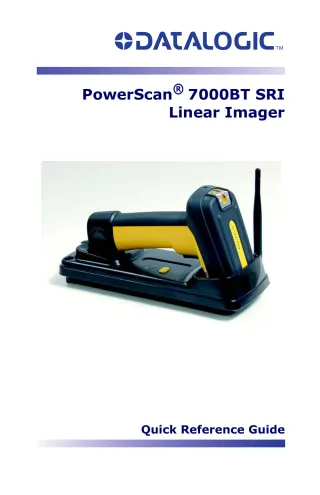
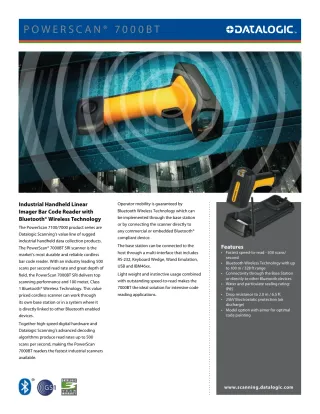
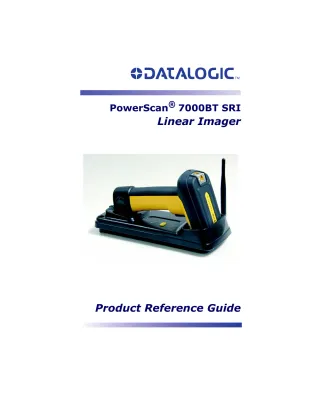
PowerScan 7000BT SRI Linear Imager Product Reference Guide
Manual272 pagesPDF 5.4 MB
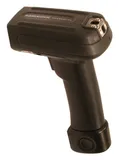
Product reference guide for the Datalogic PowerScan 7000BT SRI cordless Bluetooth linear imager and its base station.
Covers · 1 model
The models it covers
Summary
What is in it
The programming reference for the Datalogic PowerScan 7000BT SRI, a handheld Bluetooth linear imager that talks to a base station or PC. It explains connecting the base station, linking the scanner, and changing settings by scanning the bar codes in the guide. Chapters cover general features such as beeper and LED indicators, the host interfaces (RS-232, IBM, USB, wand emulation, keyboard wedge), data editing, Bluetooth features, and every supported symbology, with specifications, cable pinouts and defaults in the appendices.
Its parts
- Getting Started
- General Features
- Interface Related Features
- Data Editing
- Bluetooth Features
- Symbologies
From the manual
Key facts from this manual
Each line names its page in the PDF.
Product Reference Guide for the Datalogic PowerScan 7000BT SRI linear imager and its Base Station. It gives the programming bar codes for interfaces, data editing, Bluetooth and symbology features, plus specifications, cable pinouts, beeper and LED signals and error codes.
- What it is
- Linear imager that sends bar code data by Bluetooth to its Base Station or a PC; reads 1D and stacked codes p. 9
- Interfaces
- RS-232 Standard, RS-232 Wincor-Nixdorf, IBM 4683 Port 5B, 9B and 17, IBM USB, USB Keyboard, Wand Emulation, Keyboard Wedge A to Y p. 36
- Interface cable
- 10 position RJ connector at the scanner end for each interface cable p. 229, 231
- Scanner size and weight
- 7.5 in (190 mm) high, 4.5 in (115 mm) long, 3.0 in (75 mm) wide; 13.4 ounces/380 g with battery p. 226
- Base Station weight
- 11.5 ounces/326 g p. 226
- Operating temperature
- -4 to +122 F (-20 to +50 C); storage -40 to +140 F (-40 to +60 C); humidity 0 to 95% non-condensing p. 227
- Sealing
- Scanners IPX5 and IP6X; Base Stations and charger IPX4 and IP5X p. 227
- Drop
- 50 drops from 6.5 feet (2 meters) to concrete p. 227
- Depth of field
- 10 mil: 1.5 to 22 in (3.8 to 55.9 cm); 20 mil: 1 to 42 in (2.5 to 106.7 cm); 55 mil: 2 to 80 in p. 225
- Resolution
- 4mil minimum element size p. 225
- Beeper
- 87 dBA at 19 in (50cm) from the operator p. 227
- Firmware updates
- The Base Station can copy its flash memory and configuration to a linked scanner, automatically or by bar code p. 103, 104
What this manual walks you through
- Linking the scanner to a Base Station p. 12, 13
- Linking the scanner to a Bluetooth PC with the serial port profile p. 14
- Paging a missing scanner from the Base Station p. 14
- Entering Programming Mode and restoring factory defaults p. 15
- Selecting the interface and keyboard wedge type p. 36, 37
- Keeping scanner and Base Station configuration and flash memory in sync p. 102, 105
- Setting the battery charge mode, ACK timeout and poll rate p. 105, 107
- Cable pinouts for RS-232, IBM, USB, wand and keyboard wedge cables p. 229, 231
- Reading beeper and LED signals and startup error codes p. 265, 268
Good to know
- Linking with the generic Link to Base Station label is slower and fails if two Base Stations are in link mode at once. p. 13
- A long tone at startup means the scanner failed its self-test; the beep count names the failed part. p. 268
- Depth of field shrinks when the label is not perpendicular to the optical axis. p. 225
Questions this manual answers
What do the PowerScan 7000BT error beeps mean?
After a long startup tone, the flash or beep count shows the fault: 1 Configuration, 2 Interface PCB, 4 Imager Module, 5 Laser Pointer, 6 Digital PCB, 14 CPLD/Code Mismatch. p. 268
How do I find a lost 7000BT scanner?
Press the Base Station Link Button briefly, under one second; the scanner beeps five times at its loudest volume. p. 14
How do I link the 7000BT to a PC over Bluetooth?
Scan the Link to a PC bar code, search for devices on the PC, select Datalogic PS7000 Scanner with secure connection disabled, then connect. p. 14
What does the green LED on the 7000BT Base Station mean?
It blinks once a second while charging and stays on when the charge is complete with the scanner seated. p. 267, 268
How do I reset the PowerScan 7000BT to factory settings?
Scan the Standard Product Default Settings bar code, which restores the factory configuration for the active interface. p. 15
Contents
Chapters and sections
Each line opens the PDF at its page.
The whole text · 31 parts
Read the manual here as text
Its text as extracted from the PDF, unedited, in parts; each page opens the PDF at that page.
- Pages 1 to 81-8
- Getting Started9-16
- General Features, pages 17 to 2517-25
- General Features, pages 26 to 3426-34
- Interface Related Features, pages 35 to 4435-44
- Interface Related Features, pages 45 to 5445-54
- Interface Related Features, pages 55 to 6455-64
- Interface Related Features, pages 65 to 7465-74
- Interface Related Features, pages 75 to 8275-82
- Data Editing, pages 83 to 9183-91
- Data Editing, pages 92 to 10092-100
- Bluetooth Features, pages 101 to 108101-108
- Bluetooth Features, pages 109 to 116109-116
- Symbologies, pages 117 to 126117-126
- Symbologies, pages 127 to 136127-136
- Symbologies, pages 137 to 146137-146
- Symbologies, pages 147 to 156147-156
- Symbologies, pages 157 to 166157-166
- Symbologies, pages 167 to 176167-176
- Symbologies, pages 177 to 186177-186
- Symbologies, pages 187 to 196187-196
- Symbologies, pages 197 to 206197-206
- Symbologies, pages 207 to 216207-216
- Symbologies, pages 217 to 224217-224
- Product Specifications225-228
- Cable Pinouts229-232
- Pages 233 to 241233-241
- Pages 242 to 250242-250
- Keyboard Function Key Mappings251-260
- Pages 261 to 264261-264
- Beeper/LED Indications265-272
The file