Manual · Datalogic
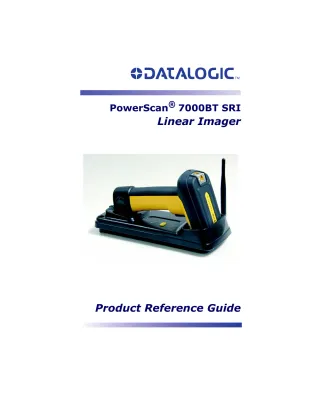
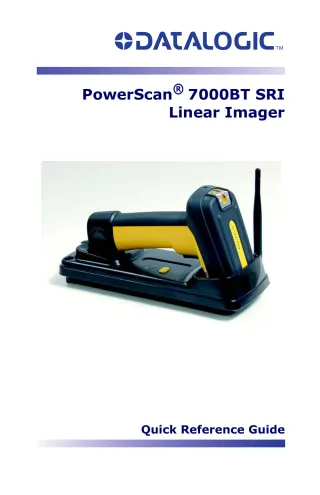
PowerScan 7000BT SRI Linear Imager Quick Reference Guide
Manual28 pagesPDF 844 KB
Quick reference guide for the Datalogic PowerScan 7000BT SRI cordless linear imager and its Base Station: battery, linking, setup and troubleshooting.
Covers · 1 model
The models it covers
Summary
What is in it
The quick reference guide for the Datalogic PowerScan 7000BT SRI, a cordless handheld linear imager that links to a Base Station or another Bluetooth device. After compliance notices, power supply ratings and the software license, it explains installing the battery pack, checking the scanner, connecting the Base Station to a host, linking the scanner, charging the battery, selecting the interface by programming bar codes, resetting defaults, how to scan, and troubleshooting the RF system and the scanner.
Its parts
- Statement of Agency Compliance
- Software Product Policy
- Getting Started
- How to Scan
- Troubleshooting
From the manual
Key facts from this manual
Each line names its page in the PDF.
Quick Reference Guide for the Datalogic PowerScan 7000BT SRI linear imager and its Base Station. It walks through installing and charging the battery pack, connecting the Base Station, linking the scanner to a base or a Bluetooth PC, choosing the host interface, scanning, and troubleshooting.
- What it is
- PowerScan 7000BT SRI linear imager that links to a Base Station or to a PC with Bluetooth p. 1, 15
- Host interfaces
- RS-232 Standard, RS-232 Wincor-Nixdorf, Wand Emulation, IBM 4683 Port 5B, 9B and 17, IBM USB, USB HID Keyboard, USB HID POS, Keyboard Wedge p. 17, 18
- Radio range
- Up to 100 meters from scanner to Base Station p. 24
- Base Station power supply
- Input 100 - 240 VAC; output 9 - 10 VDC, 2.0 A max, 20 W max p. 3
- Battery
- Lithium-ion battery pack, charged in the Base Station or in an accessory charger p. 9, 15
- Charging temperature
- 32 to 113 F (0 to 45 C) p. 10
- Illumination
- Red horizontal illuminating beam while the trigger is pressed p. 22
- Low battery signal
- The amber LED blinks twice on each decode when the battery is low p. 15
- Bluetooth name
- Shows on a PC as Datalogic PS7000 Scanner, using a serial port p. 15
What this manual walks you through
- Installing and removing the battery pack p. 10, 11
- Connecting the Base Station power and interface cables to the host p. 12, 13
- Linking the scanner to a Base Station and reading the link tones p. 13, 14
- Linking the scanner to a PC with Bluetooth p. 15
- Charging the battery pack in the Base Station p. 15
- Selecting the host interface and keyboard wedge type by bar code p. 17, 21
- Restoring the factory default settings p. 21
- Scanning linear and stacked bar codes p. 22
- Troubleshooting the radio link and scanning problems p. 23, 26
Good to know
- The Base Station must use a Datalogic approved power supply; it does not take power from the terminal. p. 12
- Do not discharge the battery in any device other than the scanner. p. 9
- Datalogic recommends replacing rechargeable battery packs every year. p. 9
- Tilt highly reflective labels or the scanner 15 to 18 degrees to avoid reflection. p. 22
Questions this manual answers
How do I link a PowerScan 7000BT to its base?
Hold the Link Button on the Base Station for at least one second, then scan the link bar code with the scanner; three ascending tones mean success. p. 13, 14
What is the range of the 7000BT scanner?
The guide gives a maximum scanner-to-Base Station range of 100 meters. p. 24
Can the PowerScan 7000BT connect to a PC by Bluetooth?
Yes; scan the Link to a PC bar code, then pair with the Datalogic PS7000 Scanner and use its assigned serial port. p. 15
What does a high-low-high-low tone mean when linking?
The link attempt failed; one LED flash means no Base Station was found, two green flashes mean more than one was found. p. 14
How do I reset the 7000BT to factory defaults?
Scan the Standard Product Default Settings bar code in the guide. p. 21
Contents
Chapters and sections
Each line opens the PDF at its page.
The whole text · 4 parts
Read the manual here as text
Its text as extracted from the PDF, unedited, in parts; each page opens the PDF at that page.
The file