Manual · Microscan
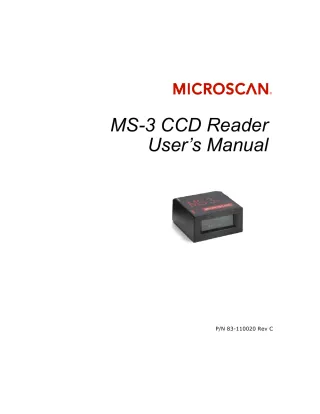
MS-3 Laser Scanner User's Manual
Manual242 pagesPDF 7.8 MB
User's manual for the Microscan MS-3 laser scanner, a compact fixed-mount reader: setup, ESP software, serial commands and specs.
Covers · 1 model
The models it covers
Summary
What is in it
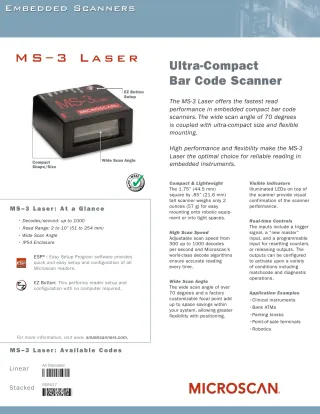
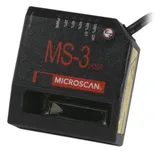
The user's manual for the Microscan MS-3 Laser Scanner, an ultra-compact fixed-mount bar code reader. It starts with a ten-step quick start, then explains the ESP (Easy Setup Program) software, host and auxiliary communications, read cycle and triggering, symbologies, I/O and relay outputs, matchcode, diagnostics, calibration, terminal mode and utilities. Appendices give general and electrical specifications, connectivity, serial commands and multidrop setup.
Its parts
- Quick Start
- Using ESP
- Communications
- Read Cycle
- Symbologies
- I/O Parameters
- Matchcode
- Diagnostics
- Calibration
- Terminal Mode
- Utilities
From the manual
Key facts from this manual
Each line names its page in the PDF.
The user's manual for the Microscan MS-3 Laser Scanner, in its straight-ahead and integral right angle versions. It covers connecting the scanner through the IC-332 converter and IB-131 interface box, multidrop and daisy chain setups, communication and read cycle settings, firmware updates, and the pinouts and specifications.
- Device
- MS-3 Laser: laser bar code scanner, single line or fixed raster p. 194
- Laser
- Semiconductor visible laser diode, 650 nm nominal p. 194
- Scan rate
- MS-3 Laser: adjustable from 300 to 1000 scans/second; default 500 p. 194
- Scan angles
- MS-3 Laser: scan width angle over 70°; pitch ±50°, skew ±40° p. 194
- Power
- MS-3 Laser: 5 VDC ± 5%, 200 mV p-p max. ripple, 260 mA typical; 2 Watts maximum p. 196
- Host ports
- RS-232/422 host port and RS-232 auxiliary port p. 39
- Discrete I/O
- Trigger and new master inputs, 3 to 24 V rated, 1 mA @ 5 VDC; outputs 1, 2, 3 are 5 V TTL, sink 10 mA, source 2 mA p. 196
- Connector
- 3 ft. (914 mm) cable ending in a 15-pin D-sub socket p. 194
- Symbologies
- Code 39, Code 128, I-2/5, Codabar, Code 93, UPC/EAN, Pharmacode; PDF417 as a special option p. 195
- Operating temperature
- MS-3 Laser: 0° to 50° C (32° to 122° F) p. 194
- Indicators
- Beeper; LEDs: 1 status, 1 power, 5 read performance p. 195
- Default serial settings
- 9600 baud, even parity, one stop bit, seven data bits, no flow control p. 39
- Interface parts
- IC-332 interface converter FIS-0001-0035G; IB-131 interface box 99-000018-01; power supply 97-100004-15 (90-264 VAC, 24VDC); object detector P/N 99-000017-01 p. 199
- Cables
- Null modem cable 61-300026-03 (DB-25 plug to DB-9 socket, 6 ft.); multidrop trunk cable 61-100030-03, 10 ft.; IB-131 to concentrator cable 61-230004-10, 10 ft. p. 199, 203
What this manual walks you through
- Hardware needed to connect through an IB-131 interface box p. 14
- Connecting the scanner, IC-332 and IB-131 to a host and power p. 15
- Positioning the symbol and scanner p. 16
- Ways to program the scanner: ESP, serial commands, onboard menus, bar code symbols p. 9
- Setting host communication parameters p. 39
- Updating the scanner firmware with a .mot file p. 184
- Pin assignments of the scanner and IB-131 connectors p. 196, 201
- Wiring trigger inputs and outputs p. 197, 198
- Linking several scanners to an MS-5000 concentrator (multidrop) p. 203
- Linking several scanners to one host in a daisy chain p. 204
Good to know
- With your own power supply, it must be wired correctly and supply 10 to 28 VDC, or failures can result. p. 14
- The scanner cable should not exceed 3 feet; RS232 cabling from the IB-131 to the host can run up to 47 feet if it carries no power input. p. 15
- The laser beam can harm eyesight: avoid eye contact and never point it at people. p. 11
- There are no user serviceable parts inside; opening the scanner could expose the user to laser diode power of up to 7 mW. p. 11
- Do not interrupt power or unplug the host cable during a firmware download. p. 184
Questions this manual answers
What power does the Microscan MS-3 laser scanner need?
The scanner takes 5 VDC ± 5%, about 260 mA typical. In the IB-131 setup, the IC-332 converts an incoming 10 to 28 VDC to 5 VDC. p. 196, 199
How many scans per second does the MS-3 laser do?
The scan rate is adjustable from 300 to 1000 scans per second, with 500 as the default. p. 194
What bar codes can the MS-3 laser scanner read?
Code 39, Code 128, I-2/5, Codabar, Code 93, UPC/EAN and Pharmacode as standard, with PDF417 as a special option. p. 195
What are the MS-3 laser default serial settings?
9600 baud, even parity, one stop bit, seven data bits and no flow control. p. 39
What is the part number of the IB-131 interface box for the MS-3?
The manual lists the IB-131 interface box as 99-000018-01. p. 199
Contents
Chapters and sections
Each line opens the PDF at its page.
The whole text · 25 parts
Read the manual here as text
Its text as extracted from the PDF, unedited, in parts; each page opens the PDF at that page.
- Pages 1 to 101-10
- Pages 11 to 2011-20
- Pages 21 to 3021-30
- Pages 31 to 4031-40
- Pages 41 to 5041-50
- Pages 51 to 6051-60
- Pages 61 to 7061-70
- Pages 71 to 8071-80
- Pages 81 to 9081-90
- Pages 91 to 10091-100
- Pages 101 to 110101-110
- Pages 111 to 120111-120
- Pages 121 to 130121-130
- Pages 131 to 140131-140
- Pages 141 to 150141-150
- Pages 151 to 160151-160
- Pages 161 to 170161-170
- Pages 171 to 180171-180
- Pages 181 to 190181-190
- Pages 191 to 200191-200
- Pages 201 to 210201-210
- Pages 211 to 220211-220
- Pages 221 to 230221-230
- Pages 231 to 240231-240
- Pages 241 to 242241-242
The file