Manual · Wenglor
FIS-0870 Industrial Sweep Raster Scanner User's Manual
Manual381 pagesPDF 4.9 MB
User's manual for the wenglor FIS-0870 industrial sweep raster barcode scanner: setup, ESP software, wiring and serial commands.
Covers · 1 model
The models it covers
Summary
What is in it
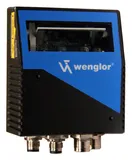
The full user's manual for the wenglor FIS-0870 industrial raster scanner. It starts with a nine-step quick start, then explains the ESP (Easy Setup Program) software, connectors, cordsets and pinouts, calibration and output formats, and every scanner parameter: communication, read cycle, symbologies, I/O, matchcode and diagnostics. Later chapters cover the terminal, utility and serial commands, specifications, read ranges, Ethernet TCP/IP and EtherNet/IP.
Its parts
- Quick Start
- Using ESP
- Hardware Integration
- Scanner Setup
- Scanner Parameters
- Terminal
- Utilities
From the manual
Key facts from this manual
Each line names its page in the PDF.
The 381-page user's manual (P/N 83-000870, 2016) for the FIS-0870 industrial sweep raster scanner, a laser barcode scanner with serial and Ethernet interfaces. It explains hardware hookup, setup with the ESP software, every scanner parameter, serial utility commands and the specifications, connectors and read ranges.
- Device
- Industrial sweep raster laser barcode scanner; X-Mode symbol reconstruction; embedded Ethernet TCP/IP and EtherNet/IP; EZ Button for setup p. 1, 6
- Interfaces
- RS-232, RS-422, RS-485, Ethernet p. 288
- Power
- 10-28VDC, 9 Watts (max.), 200 mV p-p max. ripple, 270mA at 24VDC (typ.) p. 291
- Scan rate
- Adjustable from 300 to 1,400 scans per second; rotating 10-faceted mirror; scan width angle typically 60° p. 288
- Connectors
- A: serial M12 12-pin plug; B: serial M12 12-pin socket or Ethernet M12 8-pin socket; P/M: serial M12 12-pin plug; T: 4-pin Micro-Change trigger socket p. 45
- Discrete I/O
- Input 1 (Trigger / New Master): optoisolated, 4.5–28V (13 mA at 24VDC); Outputs 1, 2, 3: optoisolated, 1–28V (< 100 mA at 24VDC) p. 288
- Symbologies
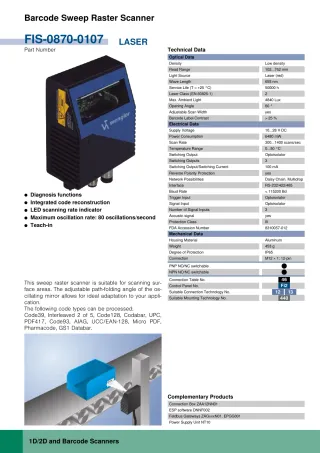
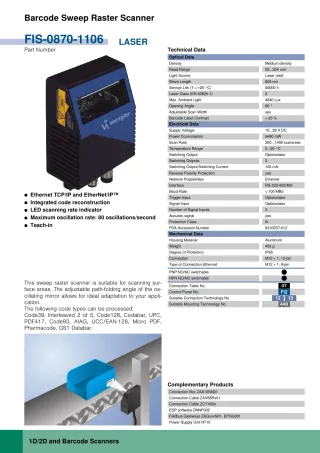
- Code 39, Codabar, Code 93, Interleaved 2 of 5, Code 128, PDF417, MicroPDF417, Pharmacode, UPC, GS1 DataBar; EAN-128, AIAG p. 288
- Laser
- Laser diode, 655 nm nominal; operating life 50,000 hours @ 25° C; the manual states CDRH Class II p. 288
- Raster sweep
- 1° - 10°: 80 sweeps per second; 11° - 20°: 60; 21° - 34°: 40; 35° - 36°: 20 p. 288
- Size and weight
- 4.59" (109 mm) high, 3.74" (95 mm) wide, 1.76" (45 mm) deep; 16 oz. (453 g); die-cast aluminum enclosure p. 288
- Environment
- Operating 0° to 50° C (32° to 122° F); storage –50° to 75° C; humidity up to 90% (non-condensing) p. 288
- Protocols
- Point-to-Point (plain, RTS/CTS, XON/XOFF), Multidrop, Daisy Chain, User-Defined Multidrop, Ethernet TCP/IP, EtherNet/IP p. 288
- Accessories
- Interface Device AB-0830 (7 oz. (200 g)); straight-through Ethernet cordset ZAV88Rx01; the hardware list also gives ZAV12Rx01, ZAV13Rx01 and NT-10 p. 14, 15, 289
- Setup software
- ESP (Easy Setup Program) on Windows Vista, XP or 2000, 64 MB RAM, 40 MB disk minimum; serial commands and the EZ Button also configure the scanner p. 6, 17
What this manual walks you through
- Wiring an RS-232 or Ethernet system, with or without the Interface Device p. 14, 15
- Positioning the scanner and a test symbol p. 16
- Installing ESP and selecting the FIS-0870 model p. 17, 18
- Connecting to the scanner with the Connection Wizard p. 19
- Plugging in Ultra-Lock connectors without bending pins p. 43
- Grounding the scanner and avoiding ground loops p. 46, 293, 294
- Sending data types to chosen ports with Port Routing p. 50
- Programming the four EZ Button positions p. 187, 188
- Resetting, saving and restoring default settings p. 277, 278
- Putting the host PC in the scanner's IP range for Ethernet p. 370, 371, 372
Good to know
- Make all connections before applying power, and power down before disconnecting any cable. p. 14
- The laser beam can harm eyesight; avoid eye contact and never point it at people. p. 7
- There are no user-serviceable parts; opening the scanner can expose the user to laser diode power of up to 7mW. p. 7
- The scanner ships in Continuous Read Mode, so keep decodable symbols out of view while connecting. p. 19
- Mount the scanner free of vibration; vibration can shorten its life. p. 294
Questions this manual answers
What power does the FIS-0870 scanner need?
10-28VDC, 9 Watts maximum, with no more than 200 mV p-p ripple; it draws about 270mA at 24VDC. p. 291
Does the FIS-0870 need an Ethernet crossover cable?
No. The scanner does the crossover internally, so a straight-through cordset such as ZAV88Rx01 is used. p. 15
How do I restore the FIS-0870 to factory defaults?
Send <Ard> to load the wenglor defaults or <Zrd> to load and save them for power-on, or hold the EZ Button while applying power, if that feature is enabled. p. 278
Which barcodes can the FIS-0870 read?
Code 39, Codabar, Code 93, Interleaved 2 of 5, Code 128, PDF417, MicroPDF417, Pharmacode, UPC and GS1 DataBar, plus the EAN-128 and AIAG application standards. p. 288
How is the FIS-0870 configured?
With the Windows ESP (Easy Setup Program) software, with serial commands from a terminal, or with the EZ Button on the side of the scanner. p. 6
Contents
Chapters and sections
Each line opens the PDF at its page.
- FIS-0870 Industrial Sweep Raster Scanner User's Manual1
- Copyright and Disclaimer2
- Introduction3
- About the FIS-08706
- Warning and Caution Summary7
- Statement of Agency Compliance8
- Statement of RoHS Compliance10
- FIS-0870 Quick Start13
- Using ESP25
- FIS-0870 Hardware42
- Scanner Setup54
- Scanner Parameters68
- Terminal252
- Utilities258
20 more lines, from page 265 on
- Device Control265
- Differences from Default266
- Master Database267
- Digital Bar Code273
- Firmware274
- Default / Reset / Save277
- Scanner Status Requests279
- Other Serial Utility Commands280
- Embedded Menus285
- General Specifications288
- Interface Device289
- Read Ranges290
- Electrical Specifications291
- Ground and Shield Considerations293
- Serial Commands295
- Protocol Commands360
- ASCII Table369
- Configuring Ethernet TCP/IP370
- Using EtherNet/IP373
- Interface Standards380
The whole text · 42 parts
Read the manual here as text
Its text as extracted from the PDF, unedited, in parts; each page opens the PDF at that page.
- Pages 1 to 31-3
- Pages 4 to 64-6
- Pages 7 to 97-9
- Statement of RoHS Compliance10-12
- FIS-0870 Quick Start13-24
- Using ESP, pages 25 to 3325-33
- Using ESP, pages 34 to 4134-41
- FIS-0870 Hardware42-53
- Scanner Setup54-67
- Scanner Parameters, pages 68 to 7768-77
- Scanner Parameters, pages 78 to 8778-87
- Scanner Parameters, pages 88 to 9788-97
- Scanner Parameters, pages 98 to 10798-107
- Scanner Parameters, pages 108 to 117108-117
- Scanner Parameters, pages 118 to 127118-127
- Scanner Parameters, pages 128 to 137128-137
- Scanner Parameters, pages 138 to 147138-147
- Scanner Parameters, pages 148 to 157148-157
- Scanner Parameters, pages 158 to 167158-167
- Scanner Parameters, pages 168 to 177168-177
- Scanner Parameters, pages 178 to 187178-187
- Scanner Parameters, pages 188 to 197188-197
- Scanner Parameters, pages 198 to 207198-207
- Scanner Parameters, pages 208 to 217208-217
- Scanner Parameters, pages 218 to 227218-227
- Scanner Parameters, pages 228 to 237228-237
- Scanner Parameters, pages 238 to 247238-247
- Scanner Parameters, pages 248 to 251248-251
- Terminal252-257
- Utilities, pages 258 to 267258-267
- Utilities, pages 268 to 277268-277
- Utilities, pages 278 to 287278-287
- Utilities, pages 288 to 297288-297
- Utilities, pages 298 to 307298-307
- Utilities, pages 308 to 317308-317
- Utilities, pages 318 to 327318-327
- Utilities, pages 328 to 337328-337
- Utilities, pages 338 to 347338-347
- Utilities, pages 348 to 357348-357
- Utilities, pages 358 to 367358-367
- Utilities, pages 368 to 377368-377
- Utilities, pages 378 to 381378-381
The file