Manual · Intermec
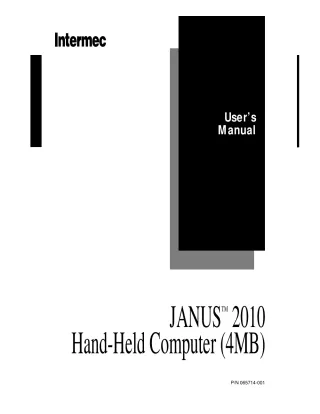
JANUS 2010 Hand-Held Computer (4MB) User's Manual
Manual556 pagesPDF 3.0 MB
User's manual for the Intermec JANUS 2010 (4MB) hand-held bar code reader and DOS computer: setup, software, PC cards and configuration.
Covers · 1 model
The models it covers
Summary
What is in it
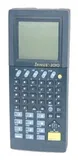
The full user's manual for the Intermec JANUS 2010 hand-held computer, 4MB version, a hand-held bar code reader with a 386 processor and MS-DOS. It covers first-time setup, the keypads, display and batteries, the bundled software and drive C, PC cards, configuring the reader, networking and file transfer, IRL programs, international keypads, booting and resetting, troubleshooting, and complete reader and configuration command references, with specifications in an appendix.
Its parts
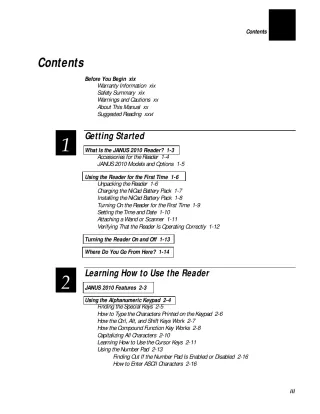
- Getting Started
- Learning How to Use the Reader
- Learning About the Software
- Using PC Cards in the Reader
- Configuring the Reader
- Networking the Reader
- Working With IRL
- Preparing the Reader for International Use
- Booting and Resetting the Reader
- Troubleshooting
- Reader Command Reference
- Configuration Command Reference
From the manual
Key facts from this manual
Each line names its page in the PDF.
This is the JANUS 2010 Hand-Held Computer User's Manual (4MB), covering the J2010 reader and its RF and PCMCIA back versions. It explains the keypad, display, batteries, software, drives and PC cards, configuration, networking, IRL and booting, and gives troubleshooting tables, specifications and the default configuration.
- Display
- CGA compatible backlit LCD, 16 lines x 20 columns, with a 25 by 80 virtual display and viewport p. 442
- Memory
- 512K ROM drive in flash (drive C), 2MB ROM (drive D), 1MB battery-backed RAM p. 442
- PC card drives
- Type I PC card drive; optional Type II drive for Type I and II storage and I/O cards p. 442
- Data communications
- Infrared serial port; RS-232C, RS-422, RS-485; Multi-Drop, PC standard, Polling Mode D and User-Defined protocols p. 442
- Batteries
- Sealed 1200 mAh NiCad battery pack; 90 mAh rechargeable lithium bridge battery p. 441
- Size and weight
- 8.0 x 3.3 x 1.8 inches (20.3 x 8.4 x 4.6 cm); 18 ounces (510 g) without the battery pack p. 441
- Temperature
- Operating -4°F to +122°F (-20°C to +50°C); charging +50°F to +104°F (+10°C to +40°C) p. 442
- Humidity
- 10% to 90% relative humidity, noncondensing, operating and storage p. 442
- Keypads
- Alphanumeric in English, French, German, Italian and Spanish; large numeric in English; IBM 3270 and 5250 terminal emulation p. 443
- Symbologies
- Codabar, Code 39, Interleaved 2 of 5, Code 11, Code 49, MSI, Code 16K, Code 93, Plessey, Code 2 of 5, Code 128, UPC/EAN p. 443
- Host cables
- JL2010 adapter: 5-wire null modem DB9, 059167. JD2010 dock: 3-wire null modem DB25, 052477; 7-wire null modem DB25, 048668 p. 443
- Default serial settings
- 9600 baud, 7 data bits, even parity, 1 stop bit, no flow control p. 444, 445
- Default power settings
- Automatic shutoff 1 minute; display backlight timeout 10 seconds p. 446
- External power
- Through the communications dock or the optical link adapter with a power supply, charging the pack at the same time p. 82
What this manual walks you through
- Using the keypads, display, viewport and audio signals p. 3, 4
- Caring for the NiCad pack and lithium bridge battery p. 4, 80, 81
- Changing drives C and D with Auto-Loader, MakeDisk and PutDisk p. 5
- Inserting, formatting and using PC cards p. 6
- Solving power-up and Boot Loader problems p. 286, 287, 288
- Solving problems while operating the reader p. 289, 290, 291
- Solving NiCad battery pack problems p. 314, 315, 316
- Reader specifications and default configuration p. 441, 444
Good to know
- There are no user-serviceable parts inside the reader; opening it may damage internal components. p. 285
- A cold boot destroys all files on the physical RAM drive. p. 287
- Do not press any keys during a warm boot, or data may be lost. p. 287
- Running Interlnk through the communications dock requires a 3-wire cable. p. 443
- Enabling many symbologies can, on rare occasions, decode a label as the wrong symbology. p. 290
Questions this manual answers
What does Bad BIOS Checksum mean on a JANUS 2010?
The system flash is corrupt. Save the contents of conventional memory and reload the system flash, as Chapter 9 describes. p. 287
What does the Battery icon mean on the J2010?
The NiCad battery pack has about 15 to 45 minutes of power left; replace it soon, and at once on a reader with an RF back. p. 315
What are the JANUS 2010 default serial port settings?
9600 baud, 7 data bits, even parity, 1 stop bit and no flow control. p. 444, 445
Why does IC.EXE say there is not enough memory on the JANUS 2010?
The Configuration Manager TSR needs conventional memory; make sure at least 50K is available. p. 289
Why does the J2010 chirp every 15 seconds and turn off?
The lithium bridge battery is critically low. Keep a charged NiCad pack installed, back up drive E, and have a service representative replace the lithium battery. p. 80
The whole text · 56 parts
Read the manual here as text
Its text as extracted from the PDF, unedited, in parts; each page opens the PDF at that page.
- Pages 1 to 101-10
- Pages 11 to 2011-20
- Pages 21 to 3021-30
- Pages 31 to 4031-40
- Pages 41 to 5041-50
- Pages 51 to 6051-60
- Pages 61 to 7061-70
- Pages 71 to 8071-80
- Pages 81 to 9081-90
- Pages 91 to 10091-100
- Pages 101 to 110101-110
- Pages 111 to 120111-120
- Pages 121 to 130121-130
- Pages 131 to 140131-140
- Pages 141 to 150141-150
- Pages 151 to 160151-160
- Pages 161 to 170161-170
- Pages 171 to 180171-180
- Pages 181 to 190181-190
- Pages 191 to 200191-200
- Pages 201 to 210201-210
- Pages 211 to 220211-220
- Pages 221 to 230221-230
- Pages 231 to 240231-240
- Pages 241 to 250241-250
- Pages 251 to 260251-260
- Pages 261 to 270261-270
- Pages 271 to 280271-280
- Pages 281 to 290281-290
- Pages 291 to 300291-300
- Pages 301 to 310301-310
- Pages 311 to 320311-320
- Pages 321 to 330321-330
- Pages 331 to 340331-340
- Pages 341 to 350341-350
- Pages 351 to 360351-360
- Pages 361 to 370361-370
- Pages 371 to 380371-380
- Pages 381 to 390381-390
- Pages 391 to 400391-400
- Pages 401 to 410401-410
- Pages 411 to 420411-420
- Pages 421 to 430421-430
- Pages 431 to 440431-440
- Pages 441 to 450441-450
- Pages 451 to 460451-460
- Pages 461 to 470461-470
- Pages 471 to 480471-480
- Pages 481 to 490481-490
- Pages 491 to 500491-500
- Pages 501 to 510501-510
- Pages 511 to 520511-520
- Pages 521 to 530521-530
- Pages 531 to 540531-540
- Pages 541 to 550541-550
- Pages 551 to 556551-556
The file