Manual · Intermec
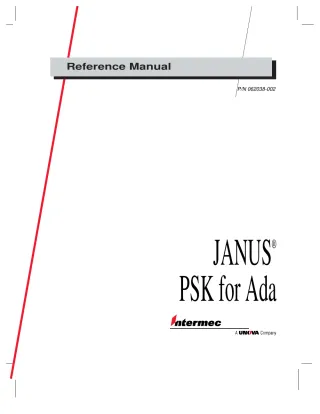
JANUS PSK for Ada Reference Manual
Manual250 pagesPDF 415 KB
Programmer's reference for writing Ada applications on Intermec JANUS PC-compatible readers with the Programmer's Software Kit library.
Names · 3 models
The models it names
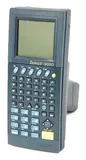 Intermec J2020Portable batch data collection terminal from$1,195.003 in stock
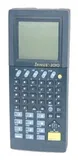 Intermec J2010Portable batch data collection terminal Call for availability
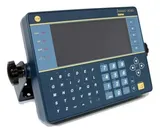 Intermec J2050Vehicle-mounted data collection terminal Call for availability
Filed with · 3 models
Also filed with these models on the old site
Summary
What is in it
Reference manual from the JANUS Programmer's Software Kit (PSK) set for programmers writing applications in Ada for the Intermec JANUS family of PC-compatible readers. It explains what the reader can do, how to install the PSK Ada library, and how to compile, bind, link and debug programs with the JANUS Application Simulator. The Ada Library chapter gives the purpose and syntax of each function, followed by status codes by subsystem and sample programs.
Its parts
- Getting Started
- Working With Ada
- Ada Library
From the manual
Key facts from this manual
Each line names its page in the PDF.
Reference manual P/N 062038-002 for the Intermec JANUS PSK for Ada, the function library for writing Janus/Ada programs that run on JANUS readers. It describes the JANUS 2010, 2020 and 2050, and explains installing the library, compiling, binding and linking a program, the runtime software some functions need, the library functions and the status codes.
- What it is
- Reference for the PSK Ada function library used to write Janus/Ada programs for JANUS readers p. 22
- Reader platform
- 386-based computer with Intermec BIOS and Microsoft ROM DOS 5.0, 640K memory, about 450K left for applications p. 19
- Hand-held models
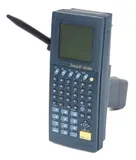
- JANUS 2010 and 2020: hand-held, small LCD, custom keyboard, bar code input port or built-in scanner p. 19
- Vehicle model
- JANUS 2050: vehicle mounted, monochrome CGA display, custom keyboard, built-in RF, bar code input port p. 19
- Drives
- ROM and RAM drives and a PC card drive p. 19
- Tools needed
- Janus/Ada compiler, an ASCII text editor and the Microsoft linker LINK.EXE p. 28, 30
- Library files
- IM20ADAD.LIB (constants), IM20ADAP.LIB (prototypes), IM20_ADA.LIB (object modules) p. 28
- Build commands
- JANUS progname.ADA /O1 /3 /T, then JBIND progname /O1 /M /T, then LINK /NOE @progname.RSP p. 31, 32, 33
- Memory model
- Memory model 1 (M1) for compile and bind p. 30
- Protocol handlers
- PHIMEC.EXE for Intermec devices, PHPCSTD.EXE for PC standard protocol; RFPH.EXE loads automatically on RF units p. 36
- Reader Wedge
- RWTSR.EXE TSR, loaded with RWTSR and unloaded with RWTSR -D p. 37
- Status codes
- 16-bit word: severity (00 success, 01 warning, 10 error, 11 fatal), subsystem code and message code p. 191
- PSK version
- Programmer's Software Kit version 2.1, with functions for the JANUS J2050 VMU p. 4
- Manual part number
- P/N 062038-002 p. 1
What this manual walks you through
- Installing the PSK Ada library from the Language Libraries disk p. 27
- Compiling, binding and linking an Ada program p. 29, 30, 31, 32, 33
- Building the sample programs with a batch file p. 34
- Debugging with the JANUS Application Simulator p. 34
- Running a program on the reader p. 35
- Loading and unloading protocol handlers p. 36, 37
- Which functions need a protocol handler or the Reader Wedge p. 38, 39
- Testing status codes with the PSK macros p. 40
- Looking up status codes and reader messages by hex value p. 191, 192, 193
Good to know
- Programs using Intermec interrupt extensions can lock up a PC and possibly corrupt its BIOS unless the JANUS Application Simulator is installed. p. 21
- Intermec Ada is supported only with the Janus/Ada nonprofessional compiler from R.R. Software, Inc. p. 28
- Only Microsoft C/C++ linkers are certified; QuickBasic, Visual Basic, Visual C and MASM linkers are untested. p. 33
- A protocol handler TSR keeps running after the application ends and can block other programs for lack of memory. p. 36
Questions this manual answers
Which Ada compiler works with the JANUS PSK?
Only the Janus/Ada nonprofessional compiler from R.R. Software, Inc., which can be ordered through Intermec. p. 28
How much memory does a JANUS reader leave for an application?
The reader has 640K, but the operating system and protocol support programs leave about 450K for the application. p. 19
How do I connect a JANUS reader to a PC to copy a program?
Use the communications dock or the optical interface cable, then copy the .EXE file to the reader. p. 34
What do the top two bits of a JANUS PSK status code mean?
They give the severity: 00 success, 01 warning, 10 error and 11 fatal. p. 191
The whole text · 25 parts
Read the manual here as text
Its text as extracted from the PDF, unedited, in parts; each page opens the PDF at that page.
- Pages 1 to 101-10
- Pages 11 to 2011-20
- Pages 21 to 3021-30
- Pages 31 to 4031-40
- Pages 41 to 5041-50
- Pages 51 to 6051-60
- Pages 61 to 7061-70
- Pages 71 to 8071-80
- Pages 81 to 9081-90
- Pages 91 to 10091-100
- Pages 101 to 110101-110
- Pages 111 to 120111-120
- Pages 121 to 130121-130
- Pages 131 to 140131-140
- Pages 141 to 150141-150
- Pages 151 to 160151-160
- Pages 161 to 170161-170
- Pages 171 to 180171-180
- Pages 181 to 190181-190
- Pages 191 to 200191-200
- Pages 201 to 210201-210
- Pages 211 to 220211-220
- Pages 221 to 230221-230
- Pages 231 to 240231-240
- Pages 241 to 250241-250
The file