Manual · Intermec
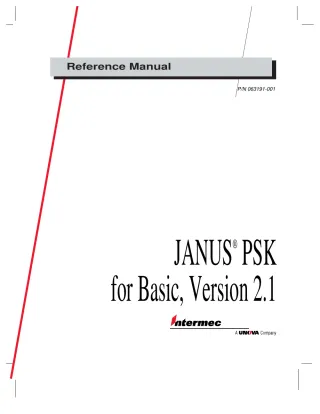
JANUS PSK for Basic, Version 2.1 Reference Manual
Manual362 pagesPDF 601 KB
Programmer's reference manual for the Intermec JANUS PSK v2.1 QuickBasic and Visual Basic function libraries for JANUS readers.
Names · 3 models
The models it names
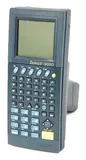 Intermec J2020Portable batch data collection terminal from$1,195.003 in stock
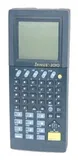 Intermec J2010Portable batch data collection terminal Call for availability
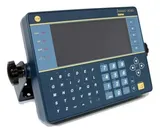 Intermec J2050Vehicle-mounted data collection terminal Call for availability
Filed with · 3 models
Also filed with these models on the old site
Summary
What is in it
Reference manual for the Intermec JANUS Programmer's Software Kit (PSK) version 2.1 for Basic. It covers installing the kit, building and debugging QuickBasic and Visual Basic programs with the JANUS Application Simulator, runtime requirements such as protocol handlers and the reader wedge, and a function-by-function reference for both libraries (display, backlight, contrast, serial communication, power and sound). An appendix lists the status codes by number and by subsystem.
Its parts
- Getting Started
- QuickBasic Library
- Visual Basic Library
- Status Codes
From the manual
Key facts from this manual
Each line names its page in the PDF.
Reference manual P/N 063191-001 for the Intermec JANUS PSK for Basic, Version 2.1, the QuickBasic and Visual Basic for MS-DOS function libraries for programs that run on JANUS readers. It describes the JANUS 2010, 2020 and 2050, and explains installing the libraries, compiling and linking programs, the runtime software some functions need, and Visual Basic specifics such as scanner input and timeouts.
- What it is
- Reference for the PSK v2.1 QuickBasic and Visual Basic library functions for JANUS readers p. 4
- Reader platform
- 386-based computer with Intermec BIOS and Microsoft ROM DOS 5.0, 640K memory, about 450K left for applications p. 21
- Hand-held models
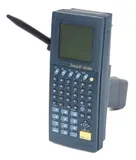
- JANUS 2010 and 2020: hand-held, small LCD, custom keyboard, bar code input port or built-in scanner p. 21
- Vehicle model
- JANUS 2050: vehicle mounted, monochrome CGA display, custom keyboard, built-in RF, bar code input port p. 21
- Drives
- ROM and RAM drives and a PC card drive p. 21
- QuickBasic library
- Works with Microsoft BCOM45.LIB; include IM20BAS1.BI and link with IM20_BAS.LIB p. 29, 30
- Visual Basic library
- Include IM20VBAS.BI and link with IM20_BAS.LIB p. 170
- QuickBasic build
- BC /T /O progname.BAS, progname, NUL.LST, then LINK /NOE @progname.rsp p. 32
- Visual Basic build
- Start with vbdos /l, compile each module with BC /T /O /C:512, then link from DOS p. 176, 177
- Protocol handlers
- PHIMEC.EXE for Intermec devices, PHPCSTD.EXE for PC standard protocol; RFPH.EXE loads automatically on RF units p. 34
- Reader Wedge
- RWTSR.EXE TSR, loaded with RWTSR and unloaded with RWTSR -D p. 35
- Unsupported functions
- QuickBasic light pen and joystick functions (PEN, STICK, STRIG) and LOCK and UNLOCK p. 37
- Manual part number
- P/N 063191-001 p. 1
- Related manuals
- JANUS PSK for C/C++ Reference Manual P/N 062133; JANUS PSK for Ada Reference Manual P/N 062038 p. 24
What this manual walks you through
- Installing the PSK library files from the Language Libraries disk p. 26
- Building the RCVINPUT.BAS QuickBasic sample program p. 30, 31
- Building your own QuickBasic program p. 32
- Fixing the too many segments linker error p. 33
- Debugging with the JANUS Application Simulator p. 33
- Loading and unloading protocol handlers and the Reader Wedge p. 34, 35
- Passing variable addresses in Visual Basic p. 170
- Using timeout values above 32,767 in Visual Basic p. 171
- Getting scanned bar code data into a Visual Basic form p. 171, 172
- Building a Visual Basic for DOS program p. 176, 177
Good to know
- Programs using Intermec interrupt extensions can lock up a PC and possibly corrupt its BIOS unless the JANUS Application Simulator is installed. p. 23
- Programs must be built as standalone executables. p. 29
- In Visual Basic a Timeout value is an integer and must be less than 32,768. p. 171
- For the reader to shut off when idle, a Visual Basic program must poll the keyboard buffer more often than Visual Basic does. p. 169
- Not every QuickBasic function is known to work on the reader; the manual lists the tested ones. p. 38
Questions this manual answers
How do I fix linker error L1049 too many segments with the JANUS PSK?
Link again with LINK /SEG:nnn /NOE @progname.RSP, where nnn is a number between 1 and 16,375. p. 31
Which Basic languages does the JANUS PSK support?
Microsoft QuickBasic and Microsoft Visual Basic for MS-DOS. p. 24
Why does scanned data not show up in my Visual Basic form on the JANUS?
A Visual Basic form waits for a keyboard event before reading the buffer. The manual suggests a 100 ms timer that toggles Num Lock twice. p. 171
How do I load the Reader Wedge on a JANUS reader?
Type RWTSR at the DOS prompt; RWTSR -D unloads it. p. 35
The whole text · 37 parts
Read the manual here as text
Its text as extracted from the PDF, unedited, in parts; each page opens the PDF at that page.
- Pages 1 to 101-10
- Pages 11 to 2011-20
- Pages 21 to 3021-30
- Pages 31 to 4031-40
- Pages 41 to 5041-50
- Pages 51 to 6051-60
- Pages 61 to 7061-70
- Pages 71 to 8071-80
- Pages 81 to 9081-90
- Pages 91 to 10091-100
- Pages 101 to 110101-110
- Pages 111 to 120111-120
- Pages 121 to 130121-130
- Pages 131 to 140131-140
- Pages 141 to 150141-150
- Pages 151 to 160151-160
- Pages 161 to 170161-170
- Pages 171 to 180171-180
- Pages 181 to 190181-190
- Pages 191 to 200191-200
- Pages 201 to 210201-210
- Pages 211 to 220211-220
- Pages 221 to 230221-230
- Pages 231 to 240231-240
- Pages 241 to 250241-250
- Pages 251 to 260251-260
- Pages 261 to 270261-270
- Pages 271 to 280271-280
- Pages 281 to 290281-290
- Pages 291 to 300291-300
- Pages 301 to 310301-310
- Pages 311 to 320311-320
- Pages 321 to 330321-330
- Pages 331 to 340331-340
- Pages 341 to 350341-350
- Pages 351 to 360351-360
- Pages 361 to 362361-362
The file