Manual · Microscan
HawkEye 1500 Series User Manual
Manual338 pagesPDF 3.4 MB
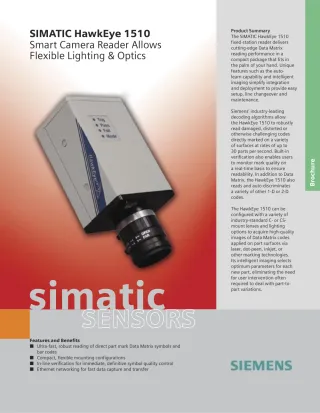
User manual for the Microscan HawkEye 1500 Series smart camera readers (HawkEye 1510, 1515 and 1525) and the ReadRunner software.
Covers · 3 models
The models it covers
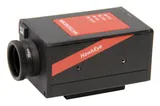
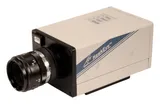
Summary
What is in it
Microscan's user manual for the HawkEye 1500 Series smart camera-based readers, covering the HawkEye 1515, 1525 and 1510. It explains choosing a model, lens and lighting for reading Data Matrix symbols, wiring power, serial, Ethernet and field I/O, application, lighting and retry modes, triggers and outputs, and setting up and tuning applications with the ReadRunner software. Later chapters cover reading difficult symbols and the bootloader, with appendices for troubleshooting, software upgrades, symbologies and specifications.
Its parts
- Preface: Welcome!
- Chapter 1: Configurations
- Chapter 2: Connecting to the HawkEye 1500
- Chapter 3: HawkEye 1500 Series Overview
- Chapter 4: ReadRunner
- Chapter 5: Reading Difficult Symbols
- Chapter 6: The Bootloader
From the manual
Key facts from this manual
Each line names its page in the PDF.
User manual for the Microscan HawkEye 1500 Series smart camera-based readers, covering the HawkEye 1515, HawkEye 1525 and HawkEye 1510, with an appendix on the 1510. It explains choosing a model and lens, connecting power, I/O, serial and Ethernet, the ReadRunner software, troubleshooting, and the specifications.
- Device
- HawkEye 1510: smart camera-based reader that takes off-the-shelf lenses and lighting p. 19, 265
- Connectors
- 24VDC power in; DB15S field I/O; 8 pin mini-DIN serial; RJ45 Ethernet p. 30
- Communications
- Ethernet; RS232 at 1200 bps to 115.2 Kbps p. 308
- Power
- 24 volts @ 350ma typical; optional power supply P/N HEPS-1500 p. 307
- I/O
- 1 opto input, 3 opto outputs, 4 GPIO (optional strobe out on GPIO 1) p. 30
- Decodes
- 1-D: Code 39, Codabar, Code 93, UPC/EAN, UPC-E, UPC Supplementals, Postnet, Pharmacode, Code 128; 2-D: Data Matrix, PDF417 p. 308
- Dimensions
- HawkEye 1510: 44.45mm (1.750") high, 57.15mm (2.250") wide, 93.98mm (3.700") deep p. 307, 311
- Weight
- HawkEye 1510: 0.25 Kg (0.55 lbs) p. 307
- Speed
- Up to 30 parts per second p. 308
- Operating temperature
- 32° F to 104° F (0° C to 40° C); humidity up to 95%, non-condensing p. 308
- Network ports
- UDP 49093 and 49094 for discovery; TCP 49095 for commands; TCP 49096 and 49097 for ReadRunner reports; TCP 49098 to 49101 user connections p. 28
- Lenses
- HawkEye 1510: CS-mount lenses 928-0049-1 to 928-0049-4 (2.8mm to 16mm); C-mount lenses 928-0057-1 to 928-0057-7 (8mm to 75mm) need 5mm extension 928-0047-1 p. 266
- Light port
- HawkEye 1510: 12 VDC out; optional light port cable A1-40118-1; Molex 51090-0200 mating housing p. 71, 72
- I/O cables
- Terminal block adapter 990-0056-1; HD-SUB 15 cables 966-0183-1 (10 Feet), 966-0183-2 (15 Feet), 966-0183-3 (25 Feet) p. 62
What this manual walks you through
- Choosing between the HawkEye 1515, 1525 and 1510 p. 19, 20, 21
- Working out cell size to select a lens p. 21
- Connecting over Ethernet and the TCP/IP ports used p. 27, 28
- Using the serial port and its control characters p. 29
- Wiring the power connector p. 31
- Connecting an external strobe and part sensor p. 62
- Fitting lenses and external lighting on the HawkEye 1510 p. 266, 267
- Finding the camera's communication settings over a serial link p. 273, 274
- Restoring factory defaults p. 275, 276
- Regaining control of the camera from another connection p. 277
Good to know
- There are no user serviceable parts inside. p. 27
- The light port must not draw more than 0.5 amp continuous current, or the camera may be damaged. p. 72
- If the application cannot lose data, do not use DHCP; give the PC and camera static addresses. p. 275
- With the serial port set to 7 bits per character, Hook Reports and Hook Images are not available in ReadRunner. p. 30
- Control over the serial port is released after 2 minutes without input activity. p. 277
Questions this manual answers
What are the default serial settings of a HawkEye 1500?
115200 baud, no parity, 8 data bits, 1 stop bit and no flow control. p. 273, 274
Why does my HawkEye 1500 show a 169.254.x.x address?
It is set for DHCP but found no DHCP server, so it falls back to an address in the 169.254.x.x subnet. p. 274
How do I restore all factory defaults on a HawkEye 1500?
Use the RESET ALL command and reboot. This restores decoder, application mode and communication settings, turns DHCP on and renames the camera HawkEyexxyyzz. p. 275
What lenses fit the HawkEye 1510?
CS mount lenses directly, or C mount lenses with a 5 mm extension, Microscan part number 928-0047-1. p. 266
What power does the HawkEye 1500 need?
24 volts at 350ma typical; the optional power supply is P/N HEPS-1500. p. 307
Contents
Chapters and sections
Each line opens the PDF at its page.
- HawkEye™ 1500 Series User Manual1
- PREFACE Welcome!15
- Purpose of This Manual15
- Manual Conventions15
- CHAPTER 1 Configurations17
- CHAPTER 2 Connecting to the HawkEye™ 150027
- CHAPTER 3 HawkEye™ 1500 Series Overview75
- CHAPTER 4 ReadRunner111
- CHAPTER 5 Reading Difficult Symbols243
- CHAPTER 6 The Bootloader249
- APPENDIX A HawkEye™ 1510265
- APPENDIX B Troubleshooting & Frequently Asked Questions273
- APPENDIX C Upgrading Camera Software283
- APPENDIX D Symbology Reference291
- APPENDIX E Specifications307
- APPENDIX F Custom Programming Using a Serial Connection317
- Index327
The whole text · 34 parts
Read the manual here as text
Its text as extracted from the PDF, unedited, in parts; each page opens the PDF at that page.
- Pages 1 to 101-10
- Pages 11 to 2011-20
- Pages 21 to 3021-30
- Pages 31 to 4031-40
- Pages 41 to 5041-50
- Pages 51 to 6051-60
- Pages 61 to 7061-70
- Pages 71 to 8071-80
- Pages 81 to 9081-90
- Pages 91 to 10091-100
- Pages 101 to 110101-110
- Pages 111 to 120111-120
- Pages 121 to 130121-130
- Pages 131 to 140131-140
- Pages 141 to 150141-150
- Pages 151 to 160151-160
- Pages 161 to 170161-170
- Pages 171 to 180171-180
- Pages 181 to 190181-190
- Pages 191 to 200191-200
- Pages 201 to 210201-210
- Pages 211 to 220211-220
- Pages 221 to 230221-230
- Pages 231 to 240231-240
- Pages 241 to 250241-250
- Pages 251 to 260251-260
- Pages 261 to 270261-270
- Pages 271 to 280271-280
- Pages 281 to 290281-290
- Pages 291 to 300291-300
- Pages 301 to 310301-310
- Pages 311 to 320311-320
- Pages 321 to 330321-330
- Pages 331 to 338331-338
The file