Manual · Microscan
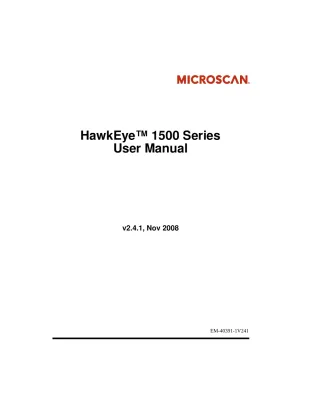
HawkEye 1500 Series Reference & Programmers Manual
Manual276 pagesPDF 1.3 MB
Reference and programmer's manual for the Microscan HawkEye 1500 Series camera reader: remote commands and ReadRunner libraries.
Filed with · 3 models
Also filed with these models on the old site
Summary
What is in it
Microscan's reference and programmer's manual for the HawkEye 1500 Series. Chapter 1 lists every remote command alphabetically, with syntax for action and configuration commands sent from a host computer, covering bar code and Data Matrix decoding, match strings, lighting, I/O, networking, the part queue and verification. Chapter 2 is the ReadRunner programming reference with worked examples and the reader object and ActiveX type libraries. Chapter 3 gives C++ samples for TCP/IP socket communication.
Its parts
- Preface: Welcome!
- Remote Commands Reference
- ReadRunner Programming Reference
- C++ Samples for TCP/IP Socket Communication
From the manual
Key facts from this manual
Each line names its page in the PDF.
Reference and programmer's manual for the Microscan HawkEye 1500 Series readers; it names the series as a whole, not the HE1510 by itself. It lists the remote commands a host sends over RS-232 or Ethernet, explains the ReadRunner programming libraries, and gives C++ samples for TCP/IP socket communication.
- Host commands
- ASCII string commands sent over RS-232 and Ethernet ports, ended with a carriage return p. 15
- TCP ports
- Command port 49095; image ports 49099 (raw format) and 49100 (BMP format) p. 263, 265
- Serial settings
- 600 - 256000bps; parity O, E or None; 7 or 8 data bits; 1 or 2 stop bits; flow control none, hardware or XonXoff p. 200
- Network addressing
- DHCP on by default; static IP set with the IP command; APIPA address when no DHCP server is found p. 65, 66, 92
- Output points
- OPTO_OUT1 to OPTO_OUT3 and GPIO_OUT1 to GPIO_OUT4 p. 90
- Output modes
- Handshake or pulse modes with pass, fail and data valid lines; pulse duration 0 - 30,000ms p. 89
- Symbology mask
- Code 128, Code 39, Code 93, I2of5, Codabar, UPC EN8, UPC E, UPC Supp, PDF417, BC412, Postnet, Pharmacode, RSS-14, RSS-LIMITED, RSS-EXPANDED, RSS-STACKED, RSS-COMPOSITE, QR-CODE p. 30
- Software libraries
- ReadRunner libraries MIOBJ.DLL, MIOBJUI.DLL and RRKIT.OCX for custom applications in a VB project p. 219, 220
- C++ samples
- Two TCP/IP socket console projects, built with Microsoft Visual C++ 6.0 p. 263
- Command groups
- Commands divided into eight categories, listed by the HELP command p. 18
- Manual revision
- Rev 2.4.1, Nov 2008, EM-40392-1V241 p. 1
What this manual walks you through
- Sending commands and querying current settings p. 15, 16
- Getting quick or verbose help on a command p. 17, 18
- Using terminal shortcuts to take or release control of the unit p. 24
- Selecting the barcode symbologies to decode p. 29, 30, 31
- Setting DHCP or a static IP address p. 65, 66, 92
- Assigning results to digital output lines p. 90
- Resetting settings to factory defaults or rebooting p. 162
- Setting the serial port parameters p. 200
- Writing custom applications with the ReadRunner libraries p. 219, 220
- Retrieving PartQ data and images over TCP/IP sockets p. 263, 265
Good to know
- RESET FACTORY also resets all connectivity options, returning the camera to DHCP. p. 162
- Most commands are not case sensitive, but strings in quotes are. p. 17
- LOAD 99 resets the decoder without saving to flash; RESET DECODER saves. p. 17
- Output variables must be defined with SET_CRITERIA before they are assigned to an output bit. p. 90
- With the DHCP retry timer at zero, the camera falls back to an APIPA address if the first DHCP request gets no offer. p. 66
Questions this manual answers
How do I reset a HawkEye 1500 to factory defaults?
Send RESET FACTORY, or RESET ALL, which also saves to flash and reboots. This resets connectivity too, back to DHCP and the camera name HawkEye. p. 162
How do I set a static IP address on a HawkEye 1500?
Turn DHCP off with DHCP N, then send IP followed by the camera name, IP address, subnet mask and gateway. p. 65, 92
Which TCP port takes HawkEye 1500 commands?
The manual's C++ sample connects to the command port 49095; its image sample uses port 49099 (raw) or 49100 (BMP). p. 263, 265
What baud rates can the HawkEye 1500 serial port use?
The TTY command accepts 600 to 256000bps, with odd, even or no parity, 7 or 8 data bits and 1 or 2 stop bits. p. 200
How do I check the HawkEye 1500 software version?
Send the VERSION command (VER for short). p. 210
Contents
Chapters and sections
Each line opens the PDF at its page.
The whole text · 28 parts
Read the manual here as text
Its text as extracted from the PDF, unedited, in parts; each page opens the PDF at that page.
- Pages 1 to 101-10
- Pages 11 to 2011-20
- Pages 21 to 3021-30
- Pages 31 to 4031-40
- Pages 41 to 5041-50
- Pages 51 to 6051-60
- Pages 61 to 7061-70
- Pages 71 to 8071-80
- Pages 81 to 9081-90
- Pages 91 to 10091-100
- Pages 101 to 110101-110
- Pages 111 to 120111-120
- Pages 121 to 130121-130
- Pages 131 to 140131-140
- Pages 141 to 150141-150
- Pages 151 to 160151-160
- Pages 161 to 170161-170
- Pages 171 to 180171-180
- Pages 181 to 190181-190
- Pages 191 to 200191-200
- Pages 201 to 210201-210
- Pages 211 to 220211-220
- Pages 221 to 230221-230
- Pages 231 to 240231-240
- Pages 241 to 250241-250
- Pages 251 to 260251-260
- Pages 261 to 270261-270
- Pages 271 to 276271-276
The file