Manual · Intermec
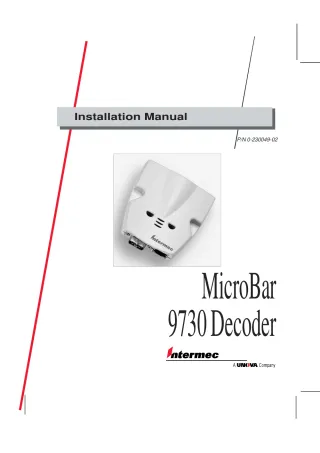
MicroBar 9730 Decoder Installation Manual
Manual200 pagesPDF 1.2 MB
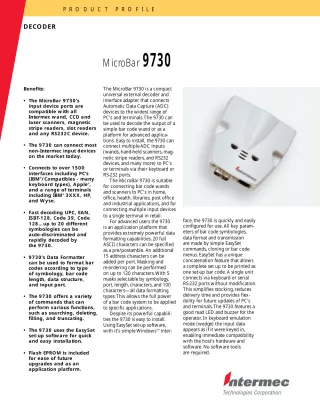
Installation and setup manual for the Intermec MicroBar 9730 bar code decoder: host connections, EasySet configuration and symbologies.
Covers · 1 model
The models it covers
Summary
What is in it
Intermec's installation manual for the MicroBar 9730 decoder. It shows how to set it up with EasySet, connect it to terminals and cash registers by keyboard wedge or RS-232, and set output transmission options such as baud rate, protocols, preambles, postambles and data editing. Further chapters cover the symbologies it reads, input devices (laser and CCD scanners, wands, magstripe readers, scales), beeps and LED, configuration modes, and the input/output port pinouts.
Its parts
- Using EasySet
- Reset all parameters
- Terminal / cash register used in your application
- Output transmission settings
- Symbologies
- Input devices
- Operating settings
- Configuration modes and utilities
From the manual
Key facts from this manual
Each line names its page in the PDF.
Intermec installation manual (P/N 0-230049-02, Edition 1.3) for the MicroBar 9730 Decoder, which links pens, laser and CCD scanners, magstripe readers and RS-232 devices to a terminal, cash register or host system. It explains setup with EasySet or configuration bar codes, host connections and cables, output and symbology settings, input devices, beeps and the port pinouts.
- Device
- Decoder for pen barcode readers, laser or CCD readers in emulation, undecoded magstripe readers and RS-232 input devices p. 1, 115
- Host outputs
- Keyboard wedge (standard, Wyse / HP, DEC VT 220, 320, 420), RS-232 C, dual RS-232C, RS-232 TTL, cash registers (OCIA, IBM) p. 192
- Ports
- Ports 4 and 5 are inputs, ports 1, 2 and 3 outputs; all TTL level, port 4 also RS-232 C level p. 191
- Connectors
- Port 3: 10-pin female modular plug; port 4: 9-pin subD female; port 5: 10-pin modular female (LH key) p. 193, 194
- Power
- 5V power supply; the 5V pins on all ports are interconnected p. 193
- RS-232 cables
- Direct 0-234032-00; dual RS 0-234032-01; adaptor for an RS-232 device on port 4 0-234032-02 p. 17, 18, 126
- Wedge cables
- PC 0-234037-00; DEC VT 220/320/420 Y-cable 0-234037-06; HP 0-235036-01; Wyse 0-235036-00 p. 14, 15, 16
- Terminal cables
- Apple II GS 0-601003-00; Bull Questar 210 0-601069-02; IBM 3151 0-601040-00; IBM 3180 0-601000-00 p. 14
- Laser scanners
- Intermec Sabre 1550 X05 (port 4 default), Sabre 1550 X01 (port 5 default), Symbol LS 3000 LR p. 116, 117
- Magstripe
- Reads 1 track or 2 tracks from a possible 1, 2 or 3 p. 122
- Setup
- EasySet software or printed configuration codes; online setup at 19200 bauds, 8 data bits, no parity p. 9, 10
- Power-up beeps
- 2 beeps = successful power-up; 3 long + 5 short beeps = flash EEPROM integrity error p. 154
- Firmware
- EPROM software, version shown by a configuration code; flash memory upgrade over RS-232 cable 0-234032-00 p. 159, 160
- Input priority
- RS-232 inputs on ports 4, 5 high; wand, laser, magstripe inputs low p. 192
What this manual walks you through
- Setting up online with EasySet and RS-232 cable 0-234032-00 p. 9, 10
- Resetting all parameters to factory defaults p. 11
- Connecting a keyboard wedge or RS-232 host p. 13, 14, 15, 16, 17, 18
- Activating laser and CCD scanners on ports 4 and 5 p. 116, 117
- Choosing magstripe tracks, separators and sentinels p. 122, 123
- Sending a solicitation message to scales p. 124
- Enabling RS-232 input devices on port 4 p. 126
- Setting beep volume, tone, good read beeps and LED p. 154, 155, 156, 157
- Reading the software version and upgrading flash memory p. 159, 160
- Port functions and pinouts p. 193, 194, 195, 196
Good to know
- Do not connect more than one input power supply at a time. p. 193
- Reading the port activation codes while a scanner already reads correctly can deactivate the MicroBar for that scanner. p. 116
- After a global reset, the terminal or cash register must be selected again. p. 11
- If data editing and scale solicitation share an input scenario, data editing wins and no solicitation occurs. p. 124
- Laser and wand emulation outputs are not standard options. p. 191
Questions this manual answers
What cable do I need to set up the MicroBar 9730 from a PC?
RS-232 cable 0-234032-00 on port 3, with the PC serial port at 19200 bauds, 8 data bits, no parity. p. 10
How do I reset the Intermec 9730 to factory defaults?
Read the reset factory defaults code, then select the terminal or cash register again. p. 11
What do 3 long and 5 short beeps mean on the MicroBar 9730?
A flash EEPROM integrity error at power-up; 2 beeps mean a successful power-up. p. 154
Which readers can be connected to the MicroBar 9730?
Pen readers, laser or CCD readers in emulation, undecoded magstripe readers and RS-232 input devices such as scales. p. 115
How do I check the MicroBar 9730 software version?
Read the get version info code; the version is given by beeps or shown on the terminal screen. p. 159
Contents
Chapters and sections
Each line opens the PDF at its page.
The whole text · 25 parts
Read the manual here as text
Its text as extracted from the PDF, unedited, in parts; each page opens the PDF at that page.
- Pages 1 to 81-8
- Pages 9 to 129-12
- 3. Terminal / cash register used in your application13-26
- 4. Output transmission settings, pages 27 to 3527-35
- 4. Output transmission settings, pages 36 to 4436-44
- 4. Output transmission settings, pages 45 to 5345-53
- 4. Output transmission settings, pages 54 to 6254-62
- 4. Output transmission settings, pages 63 to 7163-71
- 4. Output transmission settings, pages 72 to 7872-78
- 5. Symbologies, pages 79 to 8779-87
- 5. Symbologies, pages 88 to 9688-96
- 5. Symbologies, pages 97 to 10597-105
- 5. Symbologies, pages 106 to 114106-114
- 6. Input devices, pages 115 to 124115-124
- 6. Input devices, pages 125 to 134125-134
- 6. Input devices, pages 135 to 144135-144
- 6. Input devices, pages 145 to 152145-152
- 7. Operating settings153-158
- 8. Configuration modes and utilities159-164
- A. ASCII character codes, pages 165 to 172165-172
- A. ASCII character codes, pages 173 to 180173-180
- B. Additional preamble / postamble characters-Keyboard wedge181-186
- Pages 187 to 190187-190
- E. Technical data191-196
- Index197-200
The file