Manual · Intermec
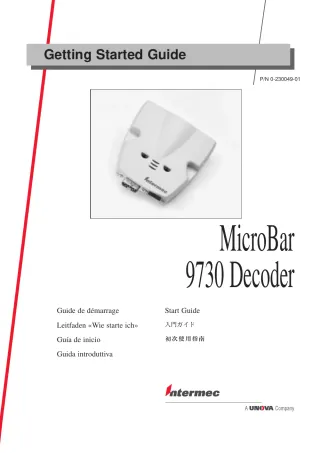
MicroBar 9730 Decoder Getting Started Guide
Manual12 pagesPDF 192 KB
Getting started guide for the Intermec MicroBar 9730 decoder: connecting input devices and terminals, then setting it up by scanning bar codes.
Covers · 1 model
The models it covers
Summary
What is in it
Intermec's multilingual getting started guide for the MicroBar 9730 Decoder, with the minimum setup for the most common host terminals. It shows how to connect an RS-232 C or RS-232 TTL input device, connect to a terminal by keyboard wedge, Y cable or direct or dual RS-232, scan the terminal type for your keyboard layout, select symbologies such as Code 39, Code 128 and UPC/EAN, set the postamble and beeper volume, reset to factory defaults, and use the EasySet software for online setup.
From the manual
Key facts from this manual
Some pages are scans or cannot be read; this says only what the readable text supports. Each line names its page in the PDF.
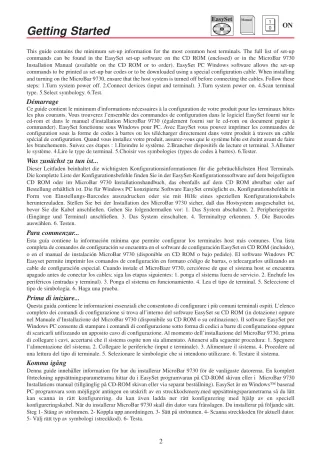
A short multilingual getting started guide for the Intermec MicroBar 9730 decoder. It shows the six set-up steps, how to connect an input device and a host terminal by keyboard wedge or RS-232, and how to set the decoder up online with EasySet software. Much of it is set-up bar codes to scan.
- Device
- MicroBar 9730 bar code decoder p. 1
- Input connections
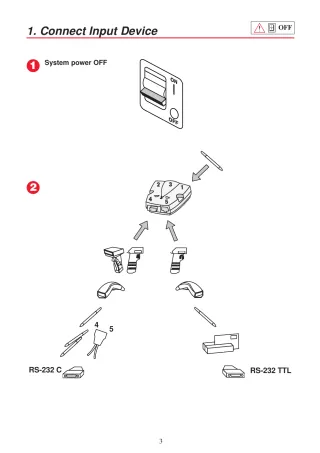
- RS-232 C or RS-232 TTL input device p. 3
- Host connections
- Keyboard wedge (2 cables or Y cable), direct RS-232, dual RS-232 p. 4, 6, 7, 8
- Wedge adapter
- DIN/mini-DIN adapter cable, standard wedge only p. 4
- Set-up cable
- RS-232 direct cable 0-234032-00 for EasySet online set-up p. 11
- Set-up software
- EasySet for Windows PC, on the enclosed CD ROM; prints set-up bar codes or downloads them by cable p. 2
- RS-232 terminal type
- RS232 C (9600, 7, E, 2) p. 7
- Wedge keyboard types
- QWERTY, AZERTY, QWERTZ and QWERTY Swedish/Finnish PC types; DEC 220/320/420 p. 6
- Guide part number
- P/N 0-230049-01 p. 1
What this manual walks you through
- Following the six set-up steps from power off to test p. 2
- Connecting the input device p. 3
- Connecting to a keyboard wedge terminal with two cables p. 4
- Connecting with a keyboard wedge Y cable and choosing the keyboard type p. 6
- Connecting to a direct RS-232 terminal p. 7
- Connecting to a dual RS-232 terminal p. 8
- Setting the decoder up online with EasySet p. 11
Good to know
- Turn the host system off before connecting the cables. p. 2
- The guide gives only the minimum set-up; the full command list is in EasySet or the MicroBar 9730 Installation Manual. p. 2
- The guide states the device complies with Part 15 of the FCC Rules as a Class B digital device. p. 12
Questions this manual answers
What cable sets up the MicroBar 9730 with EasySet?
The RS-232 direct cable 0-234032-00, used for online set-up from EasySet. p. 11
How do I set up a MicroBar 9730?
Turn system power off, connect the input device and terminal, turn power on, scan the terminal type, select the symbology, then test. p. 2
Where is the full list of MicroBar 9730 set-up commands?
In the EasySet set-up software on the CD ROM, or in the MicroBar 9730 Installation Manual. p. 2
Which keyboard layouts does the 9730 wedge set-up list?
QWERTY, AZERTY, QWERTZ and QWERTY Swedish/Finnish PC types, plus DEC 220/320/420. p. 6
The whole text · 3 parts
Read the manual here as text
Its text as extracted from the PDF, unedited, in parts; each page opens the PDF at that page.
The file