Manual · Teklogix
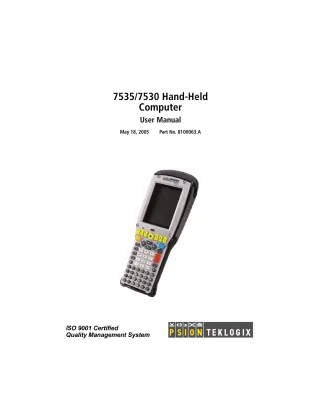
7535/7530 Hand-Held Computer User Manual
Manual440 pagesPDF 7.8 MB
User manual for the Psion Teklogix 7535 and 7530 hand-held computers: setup, Windows CE, configuration, Tekterm and specifications.
Covers · 2 models
The models it covers
Summary
What is in it
The full user manual for the Psion Teklogix 7535 and 7530 hand-held computers. It covers first checkout (battery, IEEE 802.11 radio setup, ActiveSync, touchscreen calibration), the keyboards, display, indicators and internal scanners, working with Windows CE .NET, Control Panel configuration including Bluetooth, narrow band radio (7530 only) and scanner settings, the Tekterm terminal emulation application, chargers, docks and cradles, and specifications for both units, their scanners and battery packs.
Its parts
- Introduction
- Basic Checkout
- Getting To Know Your 7535/7530
- Working With Windows CE
- Configuration
- Tekterm Application
- Peripheral Devices & Accessories
- Specifications
From the manual
Key facts from this manual
Each line names its page in the PDF.
The Psion Teklogix user manual, dated May 2005, for the 7535 and 7530 rugged hand-held computers. It explains setup, the battery and keyboard, Windows CE .NET configuration, the Tekterm terminal emulation application, chargers and docks, and gives specifications and port pinouts.
- Device
- Rugged hand-held computers running Windows CE .NET 4.2; the 7530 is built for freezers, ports and yards p. 38, 375
- Processor
- Intel XScale PXA255 at 400 MHz p. 30, 373, 375
- Memory
- 7530: 128 MB SDRAM, 64 MB flash p. 30, 375
- Display
- 3.5 in. 320 x 240 (1/4 VGA) color TFT, portrait, 5-wire touchscreen; monochrome and non-touch screens optional on the 7535 only p. 31
- Keypad
- 7530: 37-key numeric or 63-key alpha; 7535: 36-key numeric or 58-key alpha; all with 10 function keys p. 32
- Battery
- 7530: 11.1 V Li-Ion, 1900 mAh high capacity or 2400 mAh extra capacity p. 349, 375
- Radios
- 802.11b CompactFlash radio, GSM/GPRS PC Card or CF Card radio, Bluetooth SDIO; 7530 only: RA1001 narrowband Type III PC Card radio p. 31, 377
- Ports
- Tether port: RS232, undecoded scanner, USB host; docking port: RS232 with diagnostics, USB device, USB host, power in/out p. 32, 33
- Expansion slots
- SDIO/MMC slot and Type II CompactFlash slot; 7530 only: Type III extended PC Card slot p. 32
- Size and weight
- 7530: 270 x 100 x 85 mm, 950 g (34 oz); 7535: 244 x 102 x 62.5 mm, 700 g (21.7 oz) p. 373, 375
- Operating temperature
- 7530: -10°C to +60°C standard, -30°C to +60°C with the freezer option; storage -40°C to +60°C p. 376
- Sealing
- 7530: IP67; 7535: IP54 p. 30
- Chargers and docks
- Gang charger for six batteries, combo charger, combo dock and quad dock with 10/100 Ethernet, portable docking module (PDM) p. 43, 352, 358, 359
- USB cables
- 7535: USB cables PN 1010099 and PN 1010057 p. 408, 409
What this manual walks you through
- Charging a new battery before first use p. 43
- Removing and installing the battery pack p. 63, 64
- Configuring the hand-held through the Windows CE .NET Control Panel p. 29
- Using TESS and ANSI terminal emulation in Tekterm p. 29
- Connecting a PowerScan bar code scanner to the tether port p. 349
- Installing the quad dock and combo dock on an Ethernet network p. 358, 359, 360
- Docking connector and battery contact pinouts p. 407, 408
Good to know
- Batteries charge only between 5°C and 39°C; outside that range the charge is suspended. p. 352
- The internal CompactFlash and SD I/O slots are not meant for user changes. p. 43
- Cables for the tether port need a special wiring scheme described in document #1010032; wiring it otherwise may damage the unit. p. 407
- Batteries ship uncharged and may not reach full capacity until about 5 charge cycles. p. 43
- A quad dock can draw up to 3 A at 120 VAC, so check the supply circuit when powering several docks. p. 359
Questions this manual answers
What battery does the 7530 take?
An 11.1 V Lithium-Ion pack, either the 1900 mAh high capacity pack or the 2400 mAh extra capacity pack. p. 349, 375
What voltage does the 7530 or 7535 docking connector need?
The DC power input pin takes 14.5 to 18 V on the 7530 and 13 to 18 V on the 7535. p. 407
How is the 7530 different from the 7535?
The 7530 is rated IP67 against the 7535's IP54, and only the 7530 has the freezer option, a Type III PC Card slot and the narrowband radio. p. 30, 31, 32, 33
Why is my 7535/7530 battery status LED flashing yellow while charging?
The battery is too hot or too cold to charge; charging resumes only between 5°C and 39°C. p. 352
Contents
Chapters and sections
Each line opens the PDF at its page.
- 7535/7530 Hand-Held Computer1
- Program License Agreements15
- Approvals And Safety Summary21
- Introduction 127
- Basic Checkout 241
- Getting To Know Your 7535/7530 359
- 3.1 Features Of The 753561
- 3.2 Features Of The 753062
- 3.3 The Battery63
- 3.4 Switching The Hand-Held On And Off65
- 3.5 The Keyboard66
- 3.6 The Display71
- 3.7 7535/7530 Indicators73
- 3.8 Internal Scanners79
- 3.9 Connecting & Disconnecting Tethered Peripherals85
- 3.10 Monitoring The Battery And Maximizing Run Time86
- 3.11 Monitoring The Network Connection88
- 3.12 Uploading Data In A Docking Station89
- 3.13 General Maintenance89
- Working With Windows CE 491
- Configuration 5111
74 more lines, from page 115 on
- 5.3 The Control Panel115
- Tekterm Application 6243
- 6.1 The Tekterm Application247
- 6.2 Additional Keyboard Functions247
- 6.3 Changing The Screen Font Size251
- 6.4 Panning The Screen Contents251
- 6.5 The Tekterm Status Area253
- 6.6 TESS Emulation253
- 6.7 ANSI Emulation262
- 6.8 The Radio Statistics Screen266
- 6.9 The Tekterm Startup Display Menu269
- 6.10 Working With Menus270
- 6.11 Resetting The 7535/7530 Hand-Held Computer275
- 6.12 The Parameters Menu276
- 6.13 Display Options277
- 6.14 More Parameters277
- 6.15 Radio Parameters278
- 6.16 System Parameters280
- 6.17 Scanner Control Panel286
- 6.18 View Manager286
- 6.19 Applications293
- 6.20 Ports - Tether And Console334
- 6.21 Network343
- Peripheral Devices & Accessories 7347
- Specifications 8371
- 8.1 7535 Hand-Held Computer Specifications373
- 8.2 7530 Hand-Held Computer Specifications375
- 8.3 Radio Specifications377
- 8.4 Internal Scanner Port378
- 8.5 Bar Code Applications378
- 8.6 RFID Applications378
- 8.7 Internal Scanners379
- 8.8 External Scanners379
- 8.9 Internal Scanner Specifications379
- 8.10 External Scanner Specifications392
- 8.11 RD7950 Integrated UHF RFID Reader (7535 Only)395
- 8.12 7535 1900 mAh Lithium-Ion Battery Pack397
- 8.13 7530 1900 mAh Lithium-Ion Battery Pack397
- 8.14 7530 2400 mAh Lithium-Ion Battery Pack398
- Support Services And Worldwide Offices399
- RD7950 Integrated UHF RFID Reader (7535 Only)401
- Port Pinouts407
- USB Setup Application411
The whole text · 48 parts
Read the manual here as text
Its text as extracted from the PDF, unedited, in parts; each page opens the PDF at that page.
- 7535/7530 Hand-Held Computer1-14
- Program License Agreements15-20
- Approvals And Safety Summary21-26
- Introduction 127-40
- Basic Checkout 2, pages 41 to 4941-49
- Basic Checkout 2, pages 50 to 5850-58
- Getting To Know Your 7535/7530 3, pages 59 to 6659-66
- Getting To Know Your 7535/7530 3, pages 67 to 7467-74
- Getting To Know Your 7535/7530 3, pages 75 to 8275-82
- Getting To Know Your 7535/7530 3, pages 83 to 9083-90
- Working With Windows CE 4, pages 91 to 10091-100
- Working With Windows CE 4, pages 101 to 110101-110
- Configuration 5, pages 111 to 120111-120
- Configuration 5, pages 121 to 130121-130
- Configuration 5, pages 131 to 140131-140
- Configuration 5, pages 141 to 150141-150
- Configuration 5, pages 151 to 160151-160
- Configuration 5, pages 161 to 170161-170
- Configuration 5, pages 171 to 180171-180
- Configuration 5, pages 181 to 190181-190
- Configuration 5, pages 191 to 200191-200
- Configuration 5, pages 201 to 210201-210
- Configuration 5, pages 211 to 220211-220
- Configuration 5, pages 221 to 230221-230
- Configuration 5, pages 231 to 240231-240
- Configuration 5, pages 241 to 242241-242
- Tekterm Application 6, pages 243 to 252243-252
- Tekterm Application 6, pages 253 to 262253-262
- Tekterm Application 6, pages 263 to 272263-272
- Tekterm Application 6, pages 273 to 282273-282
- Tekterm Application 6, pages 283 to 292283-292
- Tekterm Application 6, pages 293 to 302293-302
- Tekterm Application 6, pages 303 to 312303-312
- Tekterm Application 6, pages 313 to 322313-322
- Tekterm Application 6, pages 323 to 332323-332
- Tekterm Application 6, pages 333 to 342333-342
- Tekterm Application 6, pages 343 to 346343-346
- Peripheral Devices & Accessories 7, pages 347 to 354347-354
- Peripheral Devices & Accessories 7, pages 355 to 362355-362
- Peripheral Devices & Accessories 7, pages 363 to 370363-370
- Specifications 8, pages 371 to 380371-380
- Specifications 8, pages 381 to 390381-390
- Specifications 8, pages 391 to 398391-398
- Pages 399 to 406399-406
- Port Pinouts407-410
- USB Setup Application, pages 411 to 420411-420
- USB Setup Application, pages 421 to 430421-430
- USB Setup Application, pages 431 to 440431-440
The file