Manual · PSC
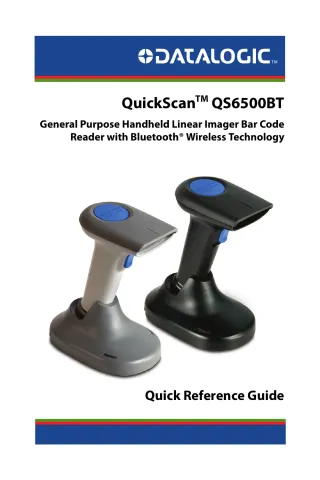
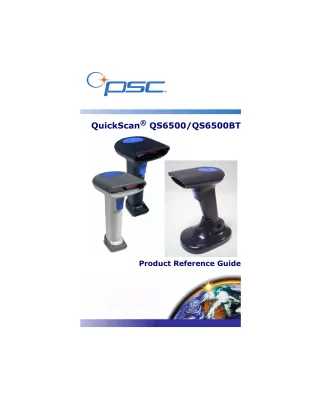
QuickScan QS6500/QS6500BT Product Reference Guide
Manual336 pagesPDF 4.3 MB
Product reference guide for the PSC QuickScan QS6500 and QS6500BT linear imagers: programming bar codes, interfaces, symbologies and specs.
Covers · 2 models
The models it covers


Summary
What is in it
The programming reference for the PSC QuickScan QS6500 corded linear imager and the QS6500BT Bluetooth model with its base station. It explains linking and unlinking the imager with a base station, then gives the bar codes to scan to set general features, RS-232, USB, IBM, keyboard wedge and wand emulation interface options, data editing and every supported symbology. It closes with Bluetooth features, product specifications, cable pinouts and default settings.
Its parts
- Getting Started
- Bluetooth Models
- General Features
- Interface Related Features
- Data Editing
- Symbologies
- Bluetooth Features
- Product Specifications
From the manual
Key facts from this manual
Each line names its page in the PDF.
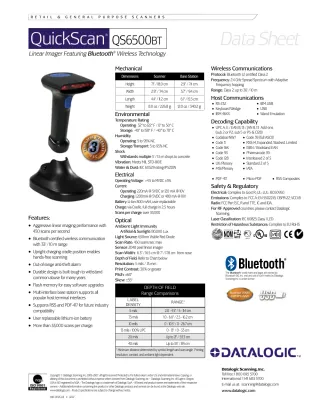
This is the PSC Product Reference Guide for the QuickScan QS6500/QS6500BT linear imagers: the corded QS6500 and the Bluetooth QS6500BT with its Base Station. It holds the programming bar codes for general features, host interfaces, data editing and each symbology, the Bluetooth features and the product specifications.
- System
- Bluetooth linear imager that sends bar code data by radio to its Base Station, which passes it to the host over the host cable p. 297
- Host interfaces
- Base Station: the same set as the corded model, namely RS-232 Standard, RS-232 Wincor-Nixdorf, IBM 4683 Port 5B, 9B and 17, IBM USB, USB Keyboard, Keyboard Wedge types A to Y, Wand Emulation p. 38, 297
- Battery
- Imager: 1000mAh Lithium-Ion rechargeable, up to 12,000 scans over a 12 hour period; charges in the Base Station p. 17
- Scan speed
- Imager: 450 scans per second p. 11
- Reading range
- Imager: a low resolution shipping label at 1.5 meters p. 11
- Symbologies
- UPC-A, UPC-E, EAN-13, EAN-8, RSS-14, RSS Expanded, RSS Limited, Code 39, PharmaCode 39, Code 128, EAN-128, Interleaved, Industrial, Matrix and Standard 2 of 5, Codabar, Code 93, Code 11, MSI/Plessey, UK/Plessey, Telepen, Code 16K, China Post; PDF model also PDF417, Micro PDF 417, EAN UCC Composite p. 13, 315, 316
- Batch memory
- Imager: stores up to 1KB of label data out of range, nominally up to 60 UPC-A labels p. 299
- Other Bluetooth devices
- Imager can link to another Bluetooth device using a four- to six-character PIN; Serial Peripheral Protocol only p. 303
- Ambient light
- Up to 75,000 LUX p. 11
- Skew and pitch
- Skew ± 55°, pitch ± 65° p. 307
- Operating temperature
- 32° F to +122° F (0° C to +50° C) p. 307
- Humidity
- 0 to 95% non-condensing p. 307
- Sealing
- The manual states an IP52 protection rating p. 11
- MTBF
- Exceeds 100,000 hours per MIL-HDBK-217F Ground Benign p. 308
What this manual walks you through
- Linking an imager with a Base Station p. 15
- Unlinking an imager from a Base Station, three ways p. 16
- Charging the battery and reading the charging LED p. 17
- Paging a misplaced imager from the Base Station p. 17
- Returning the imager and Base Station to factory defaults p. 13
- Choosing the host interface p. 37, 38, 39, 40, 41
- Keeping imager and Base Station in sync with Auto Update p. 297, 298
- Storing scans while out of range with Batch Mode p. 299
- Setting Deep Sleep Mode and the Leash Alarm p. 300, 301, 302
- Linking the imager to another Bluetooth device with a PIN p. 303, 304
Good to know
- Paging does not work when the imager is out of range or in Deep Sleep Mode. p. 17
- A red flashing charging LED means a charging fault, and the battery should be replaced. p. 17
- Batch Mode does not work if Auto Update is disabled. p. 299
- The Leash Alarm only works with Deep Sleep Mode disabled. p. 301
- Defaults shown in the programming chapters are for the RS-232 standard interface; other interfaces have listed exceptions. p. 13
Questions this manual answers
How do I pair a QS6500BT scanner with its base station?
Power the Base Station, hold its button three seconds to clear old links, charge the imager in it for a minute, then scan the label on the Base Station. p. 15
How long does the QS6500BT battery last?
A full charge of the 1000mAh Lithium-Ion battery gives up to 12,000 scans over a 12 hour period. p. 17
How do I find a lost QS6500BT scanner?
Briefly press the button on the bottom of the Base Station; the imager sounds six short beeps if it is in range and not in Deep Sleep Mode. p. 17
Can the QS6500BT connect to a PC's Bluetooth instead of the base?
Yes. Its Bluetooth Connectivity Mode links to other Bluetooth devices with a PIN code; only the Serial Peripheral Protocol is supported. p. 303
How do I reset the QS6500BT to factory defaults?
Scan the two reset bar codes in Getting Started: one for the handheld and one for the Base Station. p. 13
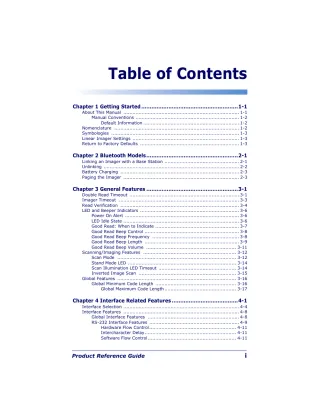
Contents
Chapters and sections
Each line opens the PDF at its page.
The whole text · 38 parts
Read the manual here as text
Its text as extracted from the PDF, unedited, in parts; each page opens the PDF at that page.
- Pages 1 to 101-10
- Getting Started11-14
- Bluetooth Models15-18
- General Features, pages 19 to 2719-27
- General Features, pages 28 to 3628-36
- Interface Related Features, pages 37 to 4637-46
- Interface Related Features, pages 47 to 5647-56
- Interface Related Features, pages 57 to 6657-66
- Interface Related Features, pages 67 to 7467-74
- Data Editing75-88
- Symbologies, pages 89 to 9889-98
- Symbologies, pages 99 to 10899-108
- Symbologies, pages 109 to 118109-118
- Symbologies, pages 119 to 128119-128
- Symbologies, pages 129 to 138129-138
- Symbologies, pages 139 to 148139-148
- Symbologies, pages 149 to 158149-158
- Symbologies, pages 159 to 168159-168
- Symbologies, pages 169 to 178169-178
- Symbologies, pages 179 to 188179-188
- Symbologies, pages 189 to 198189-198
- Symbologies, pages 199 to 208199-208
- Symbologies, pages 209 to 218209-218
- Symbologies, pages 219 to 228219-228
- Symbologies, pages 229 to 238229-238
- Symbologies, pages 239 to 248239-248
- Symbologies, pages 249 to 258249-258
- Symbologies, pages 259 to 268259-268
- Symbologies, pages 269 to 278269-278
- Symbologies, pages 279 to 288279-288
- Symbologies, pages 289 to 296289-296
- Bluetooth Features297-306
- Product Specifications307-310
- Pages 311 to 314311-314
- Default Settings315-318
- Keyboard Function Key Mappings319-326
- Pages 327 to 332327-332
- Sample Symbols333-336
The file