Manual · Datalogic
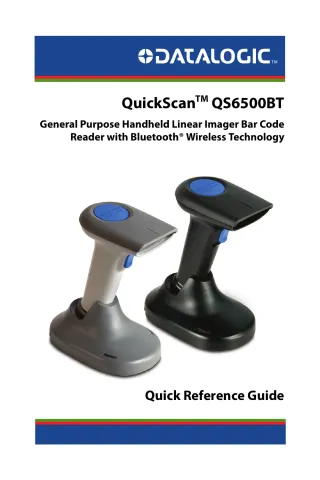
QuickScan QS6500BT General Purpose Handheld Linear Imager Bar Code Reader with Bluetooth Wireless Technology Quick Reference Guide
Manual20 pagesPDF 1.3 MB
Quick reference guide for the Datalogic QuickScan QS6500BT cordless Bluetooth linear imager and its Base Station: setup, linking and care.
Covers · 2 models
The models it covers


Summary
What is in it
Datalogic Scanning's quick reference guide for the QuickScan QS6500BT, a general purpose handheld linear imager bar code reader with Bluetooth wireless technology that works with a charging Base Station. It walks through installing the Base Station cables and power, charging the imager, linking it to the Base Station, battery warnings, power supply requirements, LED and beeper indications, scanning PDF417 bar codes, troubleshooting and regulatory compliance.
From the manual · read page by page
Key facts from this manual
Each line names its page in the PDF.
This is the Datalogic Quick Reference Guide for the QuickScan QS6500BT handheld linear imager with Bluetooth and its Base Station. It walks through installing the Base Station, charging and linking the imager, scanning, battery safety and troubleshooting, and includes the end user software license and compliance statements.
- System
- Handheld Bluetooth linear imager that links to a Base Station; the Base Station takes the interface cable to the host and the power cord p. 1, 9
- Power supply
- Base Station: AC adapter, input 100 - 240 VAC, output 9 - 12 VDC, max 2.5 A, max 30 W p. 9, 13
- Battery
- Imager: internal lithium-ion battery pack, charged in the Base Station p. 10, 11, 15
- Charge time
- Imager: about 2 hours for a full charge from depleted; five minutes gives enough charge to begin reading p. 10
- Charging temperature
- 32° to 113°F (0° to 45°C) p. 12
- USB hosts
- Standard USB in Power Off Terminal applications: USB 1.0, 1.1 or 2.0 host devices only p. 9, 13
- Link check
- A short press of the Base Station link button gives six short beeps when the link is good p. 10
What this manual walks you through
- Installing the Base Station: interface cable, power cord and cable routing p. 9
- Charging the imager before first use p. 10
- Linking the imager to the Base Station p. 10
- Battery warnings and safe handling p. 11, 12
- Holding the imager correctly when scanning p. 14
- Reading PDF417 bar codes p. 14
- Troubleshooting an imager that does not work p. 15, 16
Good to know
- Turn off the host computer before connecting. p. 9
- Do not hold the imager perpendicular to the bar code; tilt it slightly. p. 14
- Do not discharge the battery in any device other than the imager. p. 11
- Use only authorized power supplies, battery packs, chargers and docks. p. 12
- If the battery is fully depleted or has failed, the imager will not work. p. 15
Questions this manual answers
How do I link a QS6500BT to its base station?
Hold the link button under the Base Station for three seconds to clear old links, then scan the bar code on the label on the back of the Base Station. p. 10
How long does the QS6500BT take to charge?
About 2 hours for a full charge from a depleted battery; after five minutes it has enough charge to start reading labels. p. 10
What power supply does the QS6500BT base station need?
The guide gives input 100 - 240 VAC and output 9 - 12 VDC, at most 2.5 A and 30 W. p. 13
Why is my QS6500BT not scanning?
Check the battery, that the interface and power cables are firmly attached, the label quality, and that the Base Station interface type suits the host. p. 15, 16
How do I check the QS6500BT is still linked?
Briefly press the link button; six short beeps mean a good link, and a slowly flashing amber LED on the Base Station means it is unlinked. p. 10
The whole text · 2 parts
Read the manual here as text
Its text as extracted from the PDF, unedited, in parts; each page opens the PDF at that page.
The file