Manual · Allen-Bradley
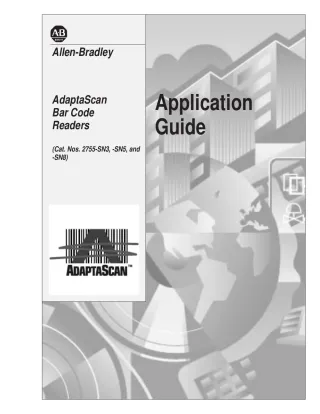
AdaptaScan Bar Code Readers (Cat. Nos. 2755-SN3, -SN5, and -SN8) Application Guide
Manual354 pagesPDF 3.2 MB
Application guide for Allen-Bradley AdaptaScan 2755-SN3, -SN5 and -SN8 bar code readers with SLC, PLC-5 and DeviceNet hosts.
Names · 5 models
The models it names
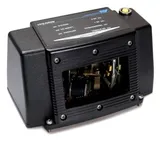 Accu-Sort 2755-SN3Decoded fixed-mount laser barcode scanner from$1,995.001 in stock Accu-Sort 2755-SN5Decoded fixed-mount laser barcode scanner from$1,795.0025 in stock Allen-Bradley 2755-SN5Decoded fixed-mount laser barcode scanner from$1,795.0054 in stock Accu-Sort 2755-SN8Decoded fixed-mount laser barcode scanner from$1,995.009 in stock Allen-Bradley 2755-SN8Decoded fixed-mount laser barcode scanner from$1,995.0014 in stock
Filed with · 1 model
Also filed with these models on the old site

Summary
What is in it
An Allen-Bradley application guide of worked examples for the AdaptaScan bar code readers, catalog numbers 2755-SN3, -SN5 and -SN8. Each chapter lists the hardware and software needed, then walks through wiring, configuring the reader, sending the configuration and running the application: auto-load, ASCII commands, downloading match codes, and talking to SLC 500 and PLC-5 controllers over RS-232, RS-422, DH-485 and DeviceNet (including explicit messaging), a 1746-BAS BASIC module and a 2760-RB module.
Its parts
- Preface
- Using the Auto-Load Function
- Using ASCII Command Input
- Downloading Match Codes from a Host Device
- Downloading Match Codes via DH485 Protocol with an SLC 5/03 or SLC 5/04 Controller
- Communicating with a 1746-BAS BASIC Module
- Communicating with an SLC over an RS-232 Link
- Communicating with an SLC on a DH-485 Network
- Communicating with a PLC-5 over an RS-232 or RS-422 Link
- Communicating with an SLC 5/03 Processor on a DeviceNet Network
- Communicating with an SLC 5/03 Processor on a DeviceNet Network using Explicit Messaging
- Communicating with a PLC-5 Processor on a DeviceNet Network
- Communicating with a PLC-5 Processor on a DeviceNet Network using Explicit Messaging
- Communicating with a 2760-RB Module over an RS-232 Link
- Communicating with a 2760-RB Module on a DH-485 Network
- Downloading Match Codes via DH485 using a PLC-5 Processor and a 2760-RB Module
From the manual
Key facts from this manual
Each line names its page in the PDF.
The Allen-Bradley application guide (Publication 2755-6.8) for the AdaptaScan bar code readers, catalog numbers 2755-SN3, -SN5 and -SN8. Each of its 17 chapters is a worked example of connecting and configuring the reader with a host: terminal emulators, SLC and PLC-5 controllers over RS-232, DH-485 and DeviceNet, 2760-RB modules, other readers and PanelView 900 terminals. It lists the hardware and software each example needs, with wiring and ladder logic.
- Document
- Application guide, Publication 2755-6.8, with 17 example applications p. 14, 15, 16
- Readers covered
- AdaptaScan 2755-SN3, -SN5 and -SN8 p. 1
- Configuration software
- 2755-ASN AdaptaScan Offline Programming Software on Windows 3.1 (or later) or Windows 95 p. 18
- Wiring base
- 2755-NB40 or -NB41 p. 18
- Power supply
- 2755-PW46 or -PW47, wired with shielded cable (Belden 9316 recommended) p. 19
- Configuration cable
- 2755-NC43 or -NC48 p. 18
- Wiring base ports
- RS-232 port, RS-485/RS-422 terminal block, and two DeviceNet terminal blocks p. 29, 58, 141
- Shared power supply
- Linear unregulated supply giving 14 watts to each reader p. 306
- RS-232 cable
- Belden 8303 (or equivalent) from the wiring base RS-232 port (RX, GND, TX) to the computer p. 29
- Host response codes
- 90 = successful, 94 = fail (error response with a general error code) p. 52, 53
- DeviceNet scanners
- 1747-SDN (v2.05 firmware or later) or 1771-SDN (v3.04 firmware or later) p. 323
- Auto-load hardware
- PHOTOSWITCH 42SRU-6203 package detector and 2755-IB5S DC input module p. 18
- DH-485 distance
- Link coupler needed beyond 15.2 meters (50 feet) from the SLC p. 59
- PanelView terminals
- 2711-K9C10, -T9C10, -K9A10 or -T9A10 PanelView 900 p. 323
What this manual walks you through
- Auto-loading the match code table from a discrete input p. 18, 19
- Starting and stopping scans with ASCII commands from a terminal emulator p. 28, 29
- Downloading match codes from a terminal and reading the response codes p. 52, 53
- Downloading match codes from an SLC 5/03 or SLC 5/04 over DH485 p. 57, 58, 59
- Connecting the reader to a 1746-BAS BASIC module p. 83, 84
- Connecting to a New Generation PLC-5 over RS-232 or RS-422 p. 129
- Connecting to an SLC 5/03 on DeviceNet through a 1747-SDN scanner p. 141, 142
- Reading the DeviceNet scanner's status lights and numeric codes p. 160, 161
- Connecting to a 2760-RB module over RS-232 p. 255
- Linking three readers peer-to-peer over DeviceNet p. 304, 305, 306
Good to know
- A circuit powered from the Package Detect terminal block must not draw more than 50mA. p. 19
- Do not connect reader power supplies in parallel; ground V- to earth at a single point. p. 305
- On a DH-485 network the SLC should be node 1 and the AdaptaScan node 2, with no node gaps. p. 59
- Match code strings typed at the terminal must be all uppercase. p. 52
- The original ICOM SLC software is not compatible with the DH485 match code network. p. 57
Questions this manual answers
What power supply does the AdaptaScan reader use?
The examples use a 2755-PW46 or -PW47 power supply, wired with shielded cable (Belden 9316 recommended) and the shield to the wiring base ground screw. p. 19
What does AdaptaScan response code 94 mean?
94 means the command failed; the next bytes give a general error code and an additional code. 90 means success. p. 52, 53
Can several AdaptaScan readers share one power supply?
Yes, a linear unregulated supply that gives 14 watts to each reader, with V- grounded to earth at one point. p. 306
What DeviceNet scanner firmware does the AdaptaScan need?
The PanelView 900 example lists a 1747-SDN with v2.05 firmware or later, or a 1771-SDN with v3.04 firmware or later. p. 323
How do I wire a PC serial port to the AdaptaScan reader?
Make a cable from Belden 8303 (or equivalent) with a connector for the computer's RS-232 port, wired to the RS-232 port in the reader wiring base. p. 29
Contents
Chapters and sections
Each line opens the PDF at its page.
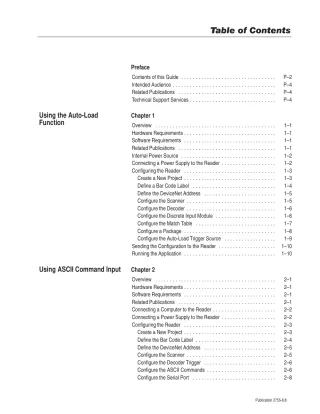
- 2755-6.8, AdaptaScan Bar Code Readers Application Guide1
- Important User Information2
- Preface14
- 1 - Using the Auto-Load Function18
- 2 - Using ASCII Command Input28
- 3 - Downloading Match Codes from a Host Device40
- Overview40
- Hardware Requirements40
- Software Requirements40
- Related Publications40
- Connecting a Computer to the Reader41
- Connecting a Power Supply to the Reader41
- Configuring the Reader42
- Sending the Configuration to the Reader48
- Finding Match Table Instances49
- Connecting the Computer to the RS-232 Port49
- Downloading Match Codes50
182 more lines, from page 54 on
- Downloading Other Host Commands54
- 4 - Downloading Match Codes via DH485 Protocol with an SLC 5/03 or SLC 5/04 Controller57
- Overview57
- Hardware Requirements57
- Software Requirements57
- Related Publications58
- Connecting a Power Supply to the Reader58
- Connecting to the DH-485 Network58
- Configuring Bar Code Reader 162
- Sending the Configuration to the Reader72
- Finding Match Table Instances72
- Downloading Match Codes73
- Configuring the SLC Controller76
- SLC Ladder Logic77
- 5 - Communicating with a 1746-BAS BASIC Module83
- 6 - Communicating with an SLC over an RS-232 Link96
- 7 - Communicating with an SLC on a DH-485 Network107
- Overview107
- Hardware Requirements107
- Software Requirements107
- Related Publications108
- Connecting a Power Supply to the Reader109
- Connecting to the DH-485 Network109
- Configuring the SLC Controller113
- Configuring Bar Code Reader 1114
- Sending the Configuration to Reader 1122
- Configuring Bar Code Reader 2122
- Sending the Configuration to Reader 2128
- Running the Application128
- 8 - Communicating with a PLC-5 over an RS-232 or RS-422 Link129
- 9 - Communicating with an SLC 5/03 Processor on a DeviceNet Network141
- Overview141
- Hardware Requirements141
- Software Requirements141
- Related Publications142
- Connecting to the DeviceNet Network142
- Connecting a Power Supply to the Reader142
- SLC Ladder Logic143
- Configuring the DeviceNet Scanner148
- Configuring the Reader153
- Sending the Configuration to the Reader159
- Running the Application159
- Troubleshooting the Module and Netowkr160
- 10 - Communicating with an SLC 5/03 Processor on a DeviceNet Network using Explicit Messaging163
- Overview163
- Hardware Requirements163
- Software Requirements163
- Related Publications164
- Connecting to the DeviceNet Network164
- Connecting a Power Supply to the Reader164
- SLC Ladder Logic165
- Configuring the DeviceNet Scanner170
- Configuring the Reader175
- Sending the Configuration to the Reader185
- Running the Application185
- Explicit Message Program Control186
- Troubleshooting the Module and Network195
- Downloading Other Host Commands198
- 11 - Communicating with a PLC-5 Processor on a DeviceNet Network201
- Overview201
- Hardware Requirements201
- Software Requirements201
- Related Publications202
- Connecting to the DeviceNet Network202
- Connecting a Power Supply to the Reader202
- PLC Ladder Logic203
- Configuring the DeviceNet Scanner207
- Configuring the Reader212
- Sending the Configuration to the Reader218
- Running the Application218
- Troubleshooting Your Module219
- 12 - Communicating with a PLC-5 Processor on a DeviceNet Network using Explicit Messaging222
- Overview222
- Hardware Requirements222
- Software Requirements222
- Related Publications223
- Connecting to the DeviceNet Network223
- Connecting a Power Supply to the Reader223
- PLC Ladder Logic224
- Configuring the DeviceNet Scanner228
- Configuring the Reader233
- Sending the Configuration to the Reader239
- Running the Application239
- Explicit Message Program Control240
- Troubleshooting Your Module249
- Downloading Other Host Commands252
- 13 - Communicating with a 2760-RB Module over an RS-232 Link255
- 14 - Communicating with a 2760-RB Module on a DH-485 Network271
- 15 - Downloading Match Codes via DH485 using a PLC-5 Processor and a 2760-RB Module286
- Overview286
- Hardware Requirements286
- Software Requirements286
- Related Publications286
- PLC-5 Compatibility287
- Connecting the RB Module to the Reader287
- Configuring the PLC-5 Processor290
- Configuring the 2760-RB Interface Module291
- Configuring the Bar Code Reader293
- Sending the Configuration to the Reader300
- Downloading Match Codes301
- 16 - Communicating with AdaptaScan Bar Code Readers via DeviceNet Peer-to-Peer Protocol304
- Overview304
- Hardware Requirements304
- Software Requirement304
- Related Publications304
- Connecting to the DeviceNet Network305
- Connecting a Power Supply to a Reader305
- Configuring Bar Code Reader 1307
- Configuring Bar Code Reader 2314
- Configuring Bar Code Reader 3318
- Sending the Configurations to the Readers322
- Running the Application322
- 17 - Communicating with PanelView 900 Terminals on a DeviceNet Network323
- Introduction323
- Hardware Requirements323
- Software Requirements323
- Related Publications324
- DeviceNet PanelView Terminals324
- Typical DeviceNet Network325
- Making DeviceNet Connections326
- Making Serial Port Connections327
- Modifying DeviceNet Settings from the Terminal328
- Setting up Communications using PanelBuilder330
- PanelView Message Types333
- PanelView Tag Editor336
- Using the Electronic Data Sheet339
- Downloading Applications over a Serial Link340
- DeviceNet Application Report341
- Error Messages and Codes341
- AdaptaScan Application347
- Back Cover354
The whole text · 41 parts
Read the manual here as text
Its text as extracted from the PDF, unedited, in parts; each page opens the PDF at that page.
- Pages 1 to 71-7
- Pages 8 to 138-13
- Preface14-17
- 1 - Using the Auto-Load Function18-27
- 2 - Using ASCII Command Input28-39
- 3 - Downloading Match Codes from a Host Device, pages 40 to 4840-48
- 3 - Downloading Match Codes from a Host Device, pages 49 to 5649-56
- 4 - Downloading Match Codes via DH485 Protocol with an SLC 5/03 or SLC 5/04 Controller, pages 57 to 6557-65
- 4 - Downloading Match Codes via DH485 Protocol with an SLC 5/03 or SLC 5/04 Controller, pages 66 to 7466-74
- 4 - Downloading Match Codes via DH485 Protocol with an SLC 5/03 or SLC 5/04 Controller, pages 75 to 8275-82
- 5 - Communicating with a 1746-BAS BASIC Module83-95
- 6 - Communicating with an SLC over an RS-232 Link96-106
- 7 - Communicating with an SLC on a DH-485 Network, pages 107 to 114107-114
- 7 - Communicating with an SLC on a DH-485 Network, pages 115 to 122115-122
- 7 - Communicating with an SLC on a DH-485 Network, pages 123 to 128123-128
- 8 - Communicating with a PLC-5 over an RS-232 or RS-422 Link129-140
- 9 - Communicating with an SLC 5/03 Processor on a DeviceNet Network, pages 141 to 148141-148
- 9 - Communicating with an SLC 5/03 Processor on a DeviceNet Network, pages 149 to 156149-156
- 9 - Communicating with an SLC 5/03 Processor on a DeviceNet Network, pages 157 to 162157-162
- 10 - Communicating with an SLC 5/03 Processor on a DeviceNet Network using Explicit Messaging, pages 163 to 172163-172
- 10 - Communicating with an SLC 5/03 Processor on a DeviceNet Network using Explicit Messaging, pages 173 to 182173-182
- 10 - Communicating with an SLC 5/03 Processor on a DeviceNet Network using Explicit Messaging, pages 183 to 192183-192
- 10 - Communicating with an SLC 5/03 Processor on a DeviceNet Network using Explicit Messaging, pages 193 to 200193-200
- 11 - Communicating with a PLC-5 Processor on a DeviceNet Network, pages 201 to 207201-207
- 11 - Communicating with a PLC-5 Processor on a DeviceNet Network, pages 208 to 214208-214
- 11 - Communicating with a PLC-5 Processor on a DeviceNet Network, pages 215 to 221215-221
- 12 - Communicating with a PLC-5 Processor on a DeviceNet Network using Explicit Messaging, pages 222 to 230222-230
- 12 - Communicating with a PLC-5 Processor on a DeviceNet Network using Explicit Messaging, pages 231 to 239231-239
- 12 - Communicating with a PLC-5 Processor on a DeviceNet Network using Explicit Messaging, pages 240 to 248240-248
- 12 - Communicating with a PLC-5 Processor on a DeviceNet Network using Explicit Messaging, pages 249 to 254249-254
- 13 - Communicating with a 2760-RB Module over an RS-232 Link, pages 255 to 262255-262
- 13 - Communicating with a 2760-RB Module over an RS-232 Link, pages 263 to 270263-270
- 14 - Communicating with a 2760-RB Module on a DH-485 Network271-285
- 15 - Downloading Match Codes via DH485 using a PLC-5 Processor and a 2760-RB Module, pages 286 to 294286-294
- 15 - Downloading Match Codes via DH485 using a PLC-5 Processor and a 2760-RB Module, pages 295 to 303295-303
- 16 - Communicating with AdaptaScan Bar Code Readers via DeviceNet Peer-to-Peer Protocol, pages 304 to 313304-313
- 16 - Communicating with AdaptaScan Bar Code Readers via DeviceNet Peer-to-Peer Protocol, pages 314 to 322314-322
- Pages 323 to 330323-330
- Pages 331 to 338331-338
- Pages 339 to 346339-346
- Pages 347 to 354347-354
The file