Manual · Microscan
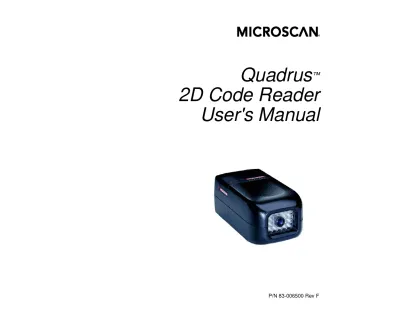
Quadrus 2D Code Reader User's Manual
Manual166 pagesPDF 1.4 MB
User's manual for the Microscan Quadrus 2D code reader: setup, ESP menus, serial commands, calibration and specifications.
Filed with · 1 model
Also filed with these models on the old site
Summary
What is in it
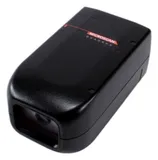
Microscan's user's manual for the Quadrus, a fixed 2D reader that illuminates, reads and decodes Data Matrix symbols. A ten-step quick start covers cabling, mounting, installing the Easy Setup Program (ESP) and setting up static and moving labels. Later chapters configure the reader by ESP menu and by serial command, describe utility commands, calibration and image evaluation, and the appendices give specifications, electrical connectors, maximum symbol sizes, optional mounting equipment, an ASCII table and multidrop communications.
Its parts
- Quick Start
- Menu Configuration
- Serial Configuration
- Utilities
- Calibration
- Evaluation
From the manual
Key facts from this manual
Each line names its page in the PDF.
User's manual for the Microscan Quadrus 2D Code Reader, which reads and decodes Data Matrix symbols, in low density, high density and ultra high density (UHD) versions. It walks through cabling, mounting, setup with the ESP software or by serial command, calibration and image evaluation. The appendices give specifications, connector pinouts, symbol size limits and mounting accessories.
- Device
- Integrated 2D scanner that lights, reads and decodes Data Matrix symbols p. 7
- Interfaces
- RS-232, RS-422, RS-485 p. 134
- Connectors
- 25-pin host connector, power connector and trigger connector p. 14
- Power
- 10 to 28 VDC p. 134
- Power supply
- PN 97-100004-07 (120V) or PN 97-100004-08 (240V) p. 14
- Image sensor
- CCD array, 659 x 494 pixels, progressive scan p. 134
- Reading distance
- UHD 2 in (5.08 cm); high density 4 in (10.16 cm); low density 5 in (12.7 cm) p. 15
- Field of view
- Low density 1.67 x 1.25 in; high density 1.0 x 0.75 in; UHD 0.65 x 0.47 in p. 139, 140, 141
- Weight
- 1 lb (0.5 kg) p. 134
- Operating temperature
- 0 to 40°C; humidity 5% to 90% non-condensing p. 134
- Setup software
- ESP (Easy Setup Program) for Windows 3.1 and Windows 95 p. 16
- Default serial settings
- 38.4K baud, no parity, 8 data bits, 1 stop bit p. 18
- Trigger accessories
- Object detector PN 99-440001-08 or 99-440002-01; power/trigger connector kit 98-200025-03 p. 14, 135
- Mounting parts
- Universal stand 98-200008 (4-inch), 98-200007 (6-inch), 98-200006 (10-inch flex neck); adaptor plate 98-200018 p. 142, 143
What this manual walks you through
- Attaching the host, power and trigger cables p. 14
- Mounting the reader at the right distance and angle p. 15
- Installing and opening the ESP setup program p. 16, 17
- Establishing communications with Auto Baud p. 18
- Configuring the reader by menu or by serial command p. 7
- Calibrating for still and moving symbols p. 7
- Wiring the host, power and trigger connectors by pin p. 135
- Grounding the reader, host and power supplies p. 136
- Saving settings and restoring factory defaults p. 137, 138
- Checking maximum symbol sizes for each density model p. 139
Good to know
- Do not use a host cable with more wires connected than the application needs; unused outputs can cause damage. p. 14
- Mounting screws must not go deeper than 0.200 in (5.08 mm). p. 134
- Connect the reader only to a VDE approved power supply rated between 10 V DC and 28 V DC. p. 8
- The blue bar shown while receiving settings is only a timer and does not confirm a successful transfer. p. 18
Questions this manual answers
What power supply does the Quadrus 2D reader use?
It runs on 10 to 28 VDC. The manual names power supply PN 97-100004-07 for 120V and PN 97-100004-08 for 240V. p. 14, 134
How far from the code should the Quadrus be mounted?
About 2 inches for the UHD model, 4 inches for high density and 5 inches for low density, tilted 10° to 20° to the symbol. p. 15
What serial interfaces does the Quadrus support?
RS-232, RS-422 and RS-485, through a 25-pin D-subminiature host connector. p. 134, 135
What are the Quadrus default communication settings?
38.4K baud, no parity, 8 data bits and 1 stop bit. p. 18
What software is used to set up the Quadrus?
Microscan's Easy Setup Program (ESP), which runs on Windows 3.1 and Windows 95. p. 16
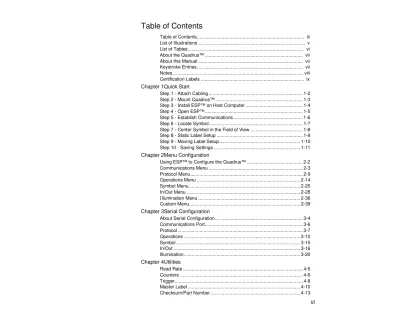
Contents
Chapters and sections
Each line opens the PDF at its page.
The whole text · 17 parts
Read the manual here as text
Its text as extracted from the PDF, unedited, in parts; each page opens the PDF at that page.
- Pages 1 to 101-10
- Pages 11 to 2011-20
- Pages 21 to 3021-30
- Pages 31 to 4031-40
- Pages 41 to 5041-50
- Pages 51 to 6051-60
- Pages 61 to 7061-70
- Pages 71 to 8071-80
- Pages 81 to 9081-90
- Pages 91 to 10091-100
- Pages 101 to 110101-110
- Pages 111 to 120111-120
- Pages 121 to 130121-130
- Pages 131 to 140131-140
- Pages 141 to 150141-150
- Pages 151 to 160151-160
- Pages 161 to 166161-166
The file