Manual · HHP
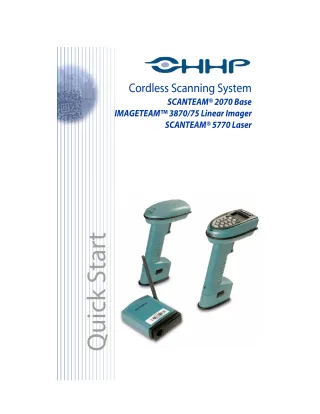
Cordless Scanning System, System Manual: SCANTEAM 2070 Base, IMAGETEAM 3870/75 Linear Imager, SCANTEAM 5770 Laser
Manual232 pagesPDF 3.6 MB
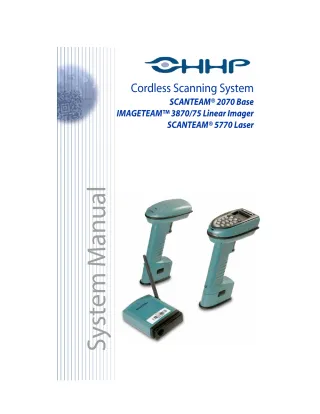
System manual for the HHP cordless scanning system: SCANTEAM 2070 base with IMAGETEAM 3870/3875 imagers and SCANTEAM 5770 laser scanner.
Covers · 3 models
The models it covers

Summary
What is in it
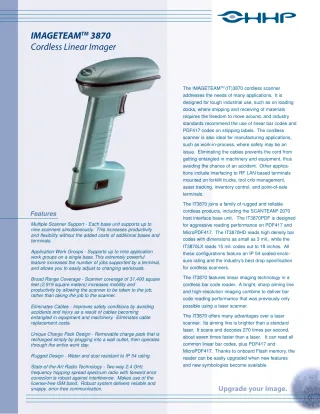
System manual for the HHP cordless scanning system, built around the SCANTEAM 2070 base with IMAGETEAM 3870 and 3875 cordless linear imagers and the SCANTEAM 5770 cordless laser scanner. It explains charge packs, keyboard wedge and RS-232 connections, linking more scanners and the beeper and LED signals, then gives the programming menus for interfaces, communications, IT3875 keypad and display features, work groups and symbologies, plus PC tools, specifications and troubleshooting.
Its parts
- Introduction and Installation
- Quick Start & Interface Menu
- Communications Menu
- IMAGETEAM 3875 Features
- Application Work Group Menu
- Symbology Menu
- PC Software Tools
- Supported Interface Keys
- Product Specifications
- Maintenance and Troubleshooting
- Customer Support
From the manual
Key facts from this manual
Each line names its page in the PDF.
The HHP system manual for the cordless scanning system: the SCANTEAM 2070 base with IMAGETEAM 3870 and 3875 linear imagers and SCANTEAM 5770 laser scanners. It covers charging the charge pack, connecting the base to a host, associating scanners, programming by bar code, specifications, pinouts and troubleshooting.
- System
- Cordless scanning system: a SCANTEAM 2070 base with up to nine IT3870, IT3875 or ST5770 scanners p. 21
- Range
- Real time decoding within 100 feet (30 m) of the base, depending on the environment; up to 31,416 square feet (2,919 square meters) covered p. 21
- Radio
- 2.400 to 2.4835 GHz frequency-hopping spread spectrum, 1 Mbps; 20 co-existing systems p. 190
- Charge pack
- CLESS/NIMH/S rechargeable NiMH pack, 1200 mAh; charges from 85 to 264 VAC in 6 hours maximum p. 194
- Scans per charge
- IT3870/ST5770: 18,000 scans, 25 hours at 720 scans per hour; IT3875: 13,680 scans, 19 hours p. 194
- Scan engines
- IT3870 and IT3875: 630 nm LED linear imager, 270 scans per second; ST5770: 630 to 670 nm laser, 33±3 scans per second p. 191, 192, 193
- Base connectors
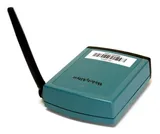
- ST2070: DB-15 host port for keyboard wedge, terminal and RS-232; 10-pin modular Aux RS-232 and wand emulation port; barrel power connector p. 196, 197, 198
- Base power
- ST2070: +4.0 to 14.0 VDC; 285 mA typical at 5 VDC, 140 mA in low power mode; RS-232 use needs an external power supply p. 29, 189
- Aux port settings
- ST2070 Aux RS-232: 300 to 38400 baud, 7 or 8 data bits, 1 or 2 stop bits p. 196
- IT3875 keypad
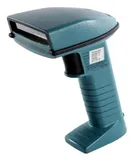
- IT3875: 16-key keypad and backlit 97 x 32 pixel LCD showing 16 characters by 4 lines p. 21
- Operating temperature
- ST2070 and ST5770: -4° F to 122° F (-20° C to +50° C); IT3870 and IT3875: +32° F to +122° F (0° C to +50° C) p. 189, 191, 192, 193
- Size and weight
- ST2070: 1.4 x 4.0 x 4.5 inches, 7.25 ounces without cable; scanners 18 to 18.5 ounces with charge pack p. 189, 191, 192, 193
- Accessories
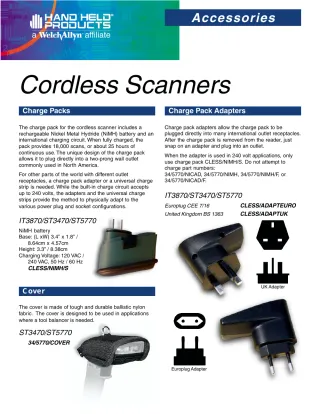
- Charge strips with two or six outlets; CLESS/ADAPTEURO and CLESS/ADAPTUK charge pack adapters; belt holster; standard and industrial wall mount kits; head cover; base wall mount bracket p. 42, 43
- Software
- Visual Menu configures the system and loads firmware from a PC COM port; IQ App Loader and IQ App Designer build scripts for IT3875XXX-X2-1 and ST2070-5 p. 43
What this manual walks you through
- Charging and conditioning the charge pack p. 25, 26
- Discharging a charge pack on purpose p. 26, 27
- Connecting the base by keyboard wedge or RS-232 p. 28, 29
- Associating a scanner with the base and adding more scanners p. 30, 31
- Choosing accessories such as charge strips, adapters, holsters and mounts p. 42, 43
- Base connector pinouts and external power p. 196, 197, 198
- Cleaning the scan window and caring for the charge pack p. 209, 210
- Replacing the host interface and Aux port cables p. 210
- Troubleshooting scanning and wrong output on the host p. 211, 212
Good to know
- Do not leave the charge pack charging for more than two weeks. p. 24
- The base takes nine scanners at most; it rejects a tenth one. p. 31
- The scanner and base housings are not water-tight, and solvents may damage the finish or window. p. 209
- A charge pack stored longer than 6 months should be recharged at least once a year. p. 194
Questions this manual answers
How many scanners can one SCANTEAM 2070 base handle?
Up to nine cordless scanners can be associated with one base; a tenth is rejected. p. 31
How long does the HHP cordless charge pack take to charge?
About 6 hours at 20°C (68°F); a new pack should be charged for 12 hours the first two times. p. 25, 26
How do I link a cordless scanner to the ST2070 base?
Scan the Association Bar Code on top of the base; two quick beeps, clicking and a single beep mean a good association. p. 30
What is the range of the cordless scanner from the base?
Real time decoding works within 100 feet (30 m) of the base, depending on the environment. p. 21
Why does the host show the wrong characters when I scan?
The system may be set for the wrong terminal interface; reprogram it with the correct Plug and Play or Terminal Selection bar code. p. 211
Contents
Chapters and sections
Each line opens the PDF at its page.
- Cordless Scanning System1
- Introduction and Installation21
- Introduction21
- Cordless System: Main Components23
- About the Charge Pack24
- Setting Up and Connecting the Cordless System28
- Connecting More Scanners to the System31
- Beeper and LED Sequences and Meaning – IT3870/IT387532
- Beeper and LED Sequences and Meaning - ST577033
- LED Sequences and Meaning - ST207034
- Basic Operation of the Cordless System34
- Accessories for the Cordless System42
- Quick Start & Interface Menu45
- Communications Menu63
- IMAGETEAM 3875 Features91
- Application Work Group Menu103
87 more lines, from page 111 on
- Font Size Preference (IT3875 and ST2070-5 only)111
- Symbology Menu131
- Introduction131
- Codabar132
- Code 39136
- Code 93141
- Interleaved 2 of 5143
- Code 2 of 5146
- Matrix 2 of 5148
- Code 11150
- Code 128152
- Telepen155
- China Post Code (IT3870/IT3875 only)157
- PDF417 (IT3870PDF/IT3875PDF only)161
- MicroPDF417 (IT3870PDF/IT3875PDF only)166
- EAN•UCC Composite Symbology (IT3870PDF/ IT3875PDF only)168
- EAN•UCC Composite168
- Enable UPC/EAN Version168
- EAN/JAN 8170
- EAN/JAN 13171
- UPC A172
- UPC E0174
- UPC E1175
- EAN/UPC Addenda176
- PC Software Tools179
- Supported Interface Keys183
- Product Specifications189
- SCANTEAM 2070 Cordless Base Product Specifications189
- Radio Specifications190
- IMAGETEAM 3870 Cordless Linear Imager Scanner Product Specifications191
- IMAGETEAM 3875 Cordless Linear Imager Scanner Product Specifications192
- SCANTEAM 5770 Cordless Laser Scanner Product Specifications193
- Charge Pack Specifications (CLESS/NIMH/S)194
- Connectors & Pinouts195
- Cordless Base Dimensions - ST2070199
- Cordless Scanner Dimensions - IT3870200
- Cordless Scanner Dimensions - IT3875201
- Cordless Scanner Dimensions - ST5770202
- Scan Maps - IT3870/IT3875203
- Scan Maps - ST5770207
- Maintenance and Troubleshooting209
- Customer Support213
- Default Chart219
- Country Code Selections219
- Keyboard & Delays Selection219
- Wand Emulation Selections219
- Power Settings219
- Host Port Communications219
- Auxiliary Port Communications220
- Output Selections (User Feedback)221
- Prefix/Suffix Selections221
- Data Formatter Selections221
- Codabar Selections221
- Code 39 Selection222
- Code 93 Selection222
- Interleaved 2 of 5 Selection222
- Code 2 of 5 Selection222
- Matrix 2 of 5 Selection222
- Code 11 Selection223
- Code 128 Selection223
- Telepen Selection223
- China Post Code Selection (IT3870/IT3875 only)223
- RSS-14 Selection (IT3870/IT3875 only)223
- PDF417 Selection (IT3870PDF/IT3875PDF only)223
- MicroPDF417 Selection (IT3870PDF/IT3875PDF only)224
- EAN•UCC Composite Symbology Selection (IT3870PDF/ IT3875PDF only)224
- EAN / JAN 8 Selection224
- EAN / JAN 13 Selection224
- UPC A Selection224
- UPC E0 Selection225
- UPC E1 Selection225
- EAN/UPC Addenda Selection225
- Sample Symbols228
- Programming Chart230
The whole text · 26 parts
Read the manual here as text
Its text as extracted from the PDF, unedited, in parts; each page opens the PDF at that page.
- Cordless Scanning System, pages 1 to 101-10
- Cordless Scanning System, pages 11 to 2011-20
- Introduction and Installation, pages 21 to 2821-28
- Introduction and Installation, pages 29 to 3629-36
- Introduction and Installation, pages 37 to 4437-44
- Quick Start & Interface Menu, pages 45 to 5345-53
- Quick Start & Interface Menu, pages 54 to 6254-62
- Communications Menu, pages 63 to 7263-72
- Communications Menu, pages 73 to 8273-82
- Communications Menu, pages 83 to 9083-90
- IMAGETEAM 3875 Features91-102
- Application Work Group Menu, pages 103 to 112103-112
- Application Work Group Menu, pages 113 to 122113-122
- Application Work Group Menu, pages 123 to 130123-130
- Symbology Menu, pages 131 to 140131-140
- Symbology Menu, pages 141 to 150141-150
- Symbology Menu, pages 151 to 160151-160
- Symbology Menu, pages 161 to 170161-170
- Symbology Menu, pages 171 to 178171-178
- PC Software Tools179-182
- Supported Interface Keys183-188
- Product Specifications, pages 189 to 198189-198
- Product Specifications, pages 199 to 208199-208
- Maintenance and Troubleshooting209-212
- Customer Support213-218
- Default Chart219-232
The file