Manual · HHP
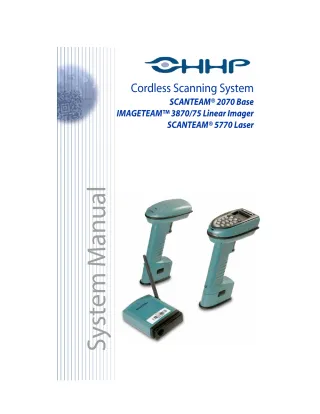
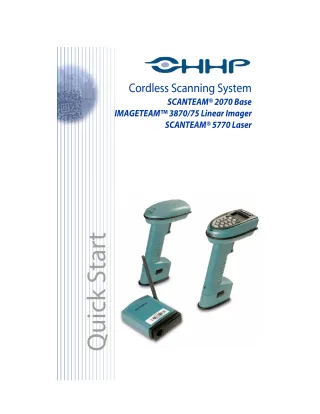
Cordless Scanning System Quick Start: SCANTEAM 2070 Base, IMAGETEAM 3870/75 Linear Imager, SCANTEAM 5770 Laser
Manual20 pagesPDF 949 KB
Quick start guide for the HHP cordless scanning system: SCANTEAM 2070 base with IMAGETEAM 3870/3875 and SCANTEAM 5770 scanners.
Covers · 2 models
The models it covers
Summary
What is in it
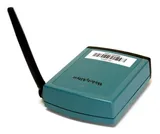
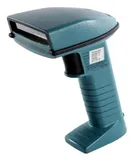
HHP's quick start guide for its cordless scanning system, made up of the SCANTEAM 2070 base and IMAGETEAM 3870 or 3875 cordless linear imagers or SCANTEAM 5770 cordless laser scanners. It explains the charge pack (charging in North America and worldwide, conditioning, discharging and disposal), how to associate a cordless scanner with a base by scanning its bar code, and the keypad, display and scripts of the IMAGETEAM 3875. It ends with factory service, help desk, warranty and agency compliance information.
Its parts
- Introduction
- About the Charge Pack
- Associating the Cordless Scanner to a Base
- IMAGETEAM 3875 Scanner Features
- Obtaining Factory Service
- Help Desk
- Statement of Agency Compliance
From the manual · read page by page
Key facts from this manual
Some pages are scans or cannot be read; this says only what the readable text supports. Each line names its page in the PDF.
This quick start guide covers the HHP cordless scanning system: the SCANTEAM 2070 base with the IMAGETEAM 3870 and 3875 cordless linear imagers and the SCANTEAM 5770 cordless laser scanner. It explains charging, conditioning and discharging the charge pack, associating a scanner to the base, and the IT3875 keypad and display, and shows the regulatory labels and sample bar codes.
- System
- SCANTEAM 2070 base with up to nine IT3870, IT3875 or ST5770 cordless scanners p. 3
- Radio range
- Real time decoding within 100 feet (30 m) of the base, depending on the environment p. 3
- Radio
- Two-way spread-spectrum radio p. 3
- Host interfaces
- POS, keyboard wedge, wand and laser emulation, RS-232 terminals, legacy decoders p. 3
- Coverage
- Up to 31,416 square feet (2,919 square meters) around the base p. 3
- FCC ID
- EHAUL, on the ST2070 base and ST5770 scanner labels p. 16, 17
- Charge pack
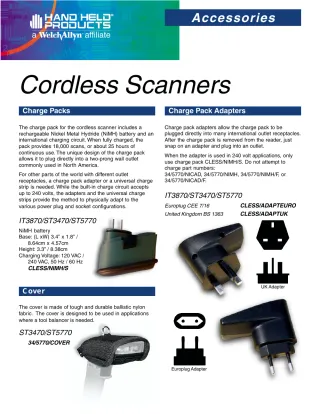
- Cordless scanners: removable, rechargeable CLESS/NIMH/S charge pack that snaps onto the bottom p. 3, 4
- Charging
- Charge pack plugs straight into a 120 V AC outlet in North America; rated 120/240 V, 50/60Hz p. 4, 5
- Recharge time
- 6 hours at any voltage at 20°C (68°F) p. 5
- Charge LED
- Blinks red at start, solid red while charging, green when fully charged p. 5
- Low battery signal
- Yellow LED on top of the scanner pulses in short blinks when the trigger is pulled p. 5
- Script tools
- IQ App Loader and IQ App Designer, for IT3875XXX-X2-1 and ST2070-5 only p. 8
- Base item number
- ST2070: label shows item # 2070-1A p. 17
- Laser
- ST5770: 670 nanometers, continuous wave p. 13
What this manual walks you through
- Charging the charge pack p. 5
- Conditioning a new charge pack p. 6
- Discharging the charge pack with the Battery Discharge Mode bar code p. 6, 7
- Associating a cordless scanner to a base p. 7
- Using the IT3875 keypad, display, scan history and part number scripts p. 8
- Disposing of a worn-out charge pack p. 5
- Reading the regulatory labels on the scanners and base p. 14, 15, 16, 17
- Testing the scanner on sample bar codes p. 18, 19
Good to know
- Charge packs ship uncharged; charge for 12 hours the first two times, fully discharging in between. p. 6
- Do not leave a charge pack charging for more than two weeks. p. 4
- The product must use a certified Class 2 power supply or a certified SELV output. p. 2
- In France the radio is restricted to 2.448 - 2.480 GHz. p. 13
- Do not incinerate the charge pack or put it in general waste. p. 5
Questions this manual answers
How do I pair an ST5770 scanner with an ST2070 base?
With a charged scanner, scan the association bar code on top of the base; two quick beeps, clicking and a single beep mean a good association. p. 7
How many scanners can one ST2070 base handle?
Up to nine IT3870, IT3875 or ST5770 scanners can be associated with one base. p. 3
How long does the ST5770 charge pack take to charge?
6 hours at any voltage at 20°C; a new pack is charged for 12 hours the first two times to condition it. p. 5, 6
What is the range of the ST2070 cordless system?
Scanners decode in real time within 100 feet (30 m) of the base, depending on the environment. p. 3
What does a triple beep mean when associating a scanner?
If the scanner clicks for 30 seconds and then gives a triple beep, it has not associated with the base. p. 7
Contents
Chapters and sections
Each line opens the PDF at its page.
The whole text · 2 parts
Read the manual here as text
Its text as extracted from the PDF, unedited, in parts; each page opens the PDF at that page.
The file