Manual · NCR
NCR 7870 Scanner/Scale Release 1.0 User's Guide
Manual228 pagesPDF 1.3 MB
User's guide for the NCR 7870 bi-optic scanner/scale: site preparation, installation, calibration, operation and programming.
Names · 1 model
The models it names
Filed with · 1 model
Also filed with these models on the old site
Summary
What is in it
The user's guide for the NCR 7870 Scanner/Scale, a bi-optic in-counter scanner that combines a slot (horizontal) and a side (vertical) scanner, offered as scanner-only and scanner/scale models (7870-1000, 2000, 3000, 4000 and 4500). It covers features, displays and kits, checkstand site preparation with wiring, cable lengths and dimensions, installation, scale calibration and verification, operation, programming and troubleshooting, with programming worksheets in an appendix.
Its parts
- Chapter 1: Introduction
- Chapter 2: Features, Functions, and Kits
- Chapter 3: Site Preparation
- Chapter 4: Installation
- Chapter 5: Calibration
- Chapter 6: Operation
- Chapter 7: Programming
- Chapter 8: Troubleshooting
- Appendix A: Programming Worksheets
From the manual
Key facts from this manual
Each line names its page in the PDF.
User's guide for the NCR 7870 bi-optic scanner/scale in its five models, 7870-1000, -2000, -3000, -4000 and -4500; some sections call the scale models NCR 7875-2000, 4000 and 4500. It covers features and kits, site preparation, installation, scale calibration, operation, programming with tags and troubleshooting.
- Device
- Bi-optic scanner/scale combining a slot (horizontal) and a side (vertical) scanner in one cabinet p. 22
- Models
- 7870-1000 scanner only, standard length; 7870-2000 scanner and scale, standard length; 7870-3000 compact scanner only; 7870-4000 compact scanner/scale (third party scale, European market); 7870-4500 compact scanner/scale (NCR scale) p. 22
- Scanning
- 24 line pattern (12 lines per window), 2400 scan lines per second, continuous item speed 2.0 meters per second; scan zone 20.3 cm (8 in.) high p. 29, 32
- Bar codes
- UPC-A, UPC-E, UPC-D (limited set), EAN-8/13, JAN-8/13, Code 39, Code 128, Interleaved 2 of 5, add-on codes p. 25
- Scale capacity
- Load cell for 30 lbs, 9.995 kg or 13.995 kg; settling time 0.9 seconds for items under 2.3 kg (5 lbs.) p. 35
- Power
- 40-watt switching power supply, input 90 to 260 Vac, 47 to 63 Hz, 55 Watts; laser uses 22 watts active, 10 watts in sleep mode p. 32, 51
- Size
- 7870-1000 fits a 20+ inch (51+ cm) wide checkstand; 7870-3000 is 34.3 cm (13.5 in.) long; 7870-4000 is 43 cm (17 in.) long p. 24
- Operating range
- 10° C to 40° C (50° F to 104° F); 5% to 95% relative humidity, non-condensing p. 49
- Displays
- Scale models: NCR 7825 Remote Display (standard, single or dual), integrated display (kit 7870-K480-V001) or no display p. 27, 39
- Top plate and window
- Stainless Steel Top Plate; scan window diamond-coated glass (replaceable) or sapphire glass (permanent) p. 33
- Interface kits
- RS-232 7870-K452-V003; OCIA/IBM single cable 7870-K450; IBM 4682/4693/4694 7870-K459-V002; Datachecker, 2170, ICL and SASI 7870-K455 p. 37, 38, 39
- Upgrade kits
- PACESETTER Plus 7870-K401 (OCIA/IBM) or 7870-K402 (RS-232/Datachecker); Multi-Symbol 7870-K404-V002; 13.995 kg upgrade 7870-K440-V001; Digital Board upgrade 7870-K100-V001 p. 36, 37
- Top plate kits
- Stainless Steel Top Plate 7870-K005-V002; upper windows (qty 5) 7870-K003-V001; top plate with scratch-proof window 7870-K601-V001 (standard) or 7870-K605-V001 (compact) p. 36, 40
- Scale error codes
- Error code 5: scale drift; error code 4: possible scale error, or slight vibration during calibration p. 197
What this manual walks you through
- Telling the models apart and reading the product number p. 22, 23, 24
- Using PACESETTER Plus to track and correct poor labels p. 26, 27
- Checking the site environment and checkstand power wiring p. 49, 50, 51
- Installing the unit in the checkstand and connecting its cables p. 77
- Checking that the unit passed its power-up diagnostics p. 82
- Weighing an item p. 113
- Choosing kits and upgrades by serial number p. 36, 37, 38, 39, 40, 41
- Troubleshooting scanner, scale and voice message problems p. 195, 196, 197, 198
Good to know
- The unit has no ON/OFF switch; a recessed 15 amp circuit breaker the operator can reach must be wired in the checkstand. p. 51
- The scale must be recalibrated when the Top Plate or any of its parts, such as the scan window, is replaced. p. 33
- The scale troubleshooting chart does not apply to the 7870-4000, which uses a Bizerba scale. p. 197
- Without a display, the host terminal must be approved for live/gross scale weight, and some Weights and Measures authorities do not permit it. p. 29
- Voice messages need firmware version 497-0301951 or higher. p. 198
Questions this manual answers
What is the difference between the NCR 7870-4000 and 7870-4500?
The 4000 has a price-computing scale for European requirements; the 4500 is identical except its scale has no price computing and is made by NCR. p. 24
What does error code 5 mean on the NCR 7870 scale?
Scale drift. Check nothing is on or under the Top Plate, push Reset/Scale Zero, then power the unit down and up; if it persists, have the unit repaired. p. 197
How much weight can the NCR 7870 scale take?
It depends on the load cell: 30 lbs, 9.995 kg or 13.995 kg. The scale will not weigh items above its weight class. p. 35, 113
How do I turn the NCR 7870 off?
It has no ON/OFF switch; it is switched with the recessed 15 amp circuit breaker wired in the checkstand. p. 51
What voltage does the NCR 7870 power supply accept?
90 to 260 VAC at 47 to 63 Hz. p. 30
Contents
Chapters and sections
Each line opens the PDF at its page.
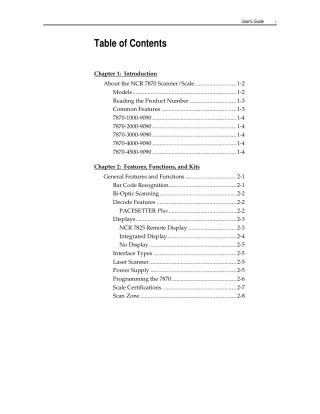
- NCR 7870 Scanner/Scale User's Guide1
- Chapter 1: Introduction21
- Chapter 2: Features, Functions, and Kits25
- Chapter 3: Site Preparation43
- Chapter 4: Installation75
- Chapter 5: Calibration87
- Chapter 6: Operation105
- Chapter 7: Programming117
14 more lines, from page 175 on
The whole text · 26 parts
Read the manual here as text
Its text as extracted from the PDF, unedited, in parts; each page opens the PDF at that page.
- NCR 7870 Scanner/Scale User's Guide, pages 1 to 101-10
- NCR 7870 Scanner/Scale User's Guide, pages 11 to 2011-20
- Chapter 1: Introduction21-24
- Chapter 2: Features, Functions, and Kits, pages 25 to 3325-33
- Chapter 2: Features, Functions, and Kits, pages 34 to 4234-42
- Chapter 3: Site Preparation, pages 43 to 5043-50
- Chapter 3: Site Preparation, pages 51 to 5851-58
- Chapter 3: Site Preparation, pages 59 to 6659-66
- Chapter 3: Site Preparation, pages 67 to 7467-74
- Chapter 4: Installation75-86
- Chapter 5: Calibration, pages 87 to 9587-95
- Chapter 5: Calibration, pages 96 to 10496-104
- Chapter 6: Operation105-116
- Chapter 7: Programming, pages 117 to 126117-126
- Chapter 7: Programming, pages 127 to 136127-136
- Chapter 7: Programming, pages 137 to 146137-146
- Chapter 7: Programming, pages 147 to 156147-156
- Chapter 7: Programming, pages 157 to 166157-166
- Chapter 7: Programming, pages 167 to 176167-176
- Chapter 7: Programming, pages 177 to 186177-186
- Chapter 7: Programming, pages 187 to 194187-194
- Chapter 8: Troubleshooting195-199
- Appendix A: Programming Worksheets, pages 200 to 207200-207
- Appendix A: Programming Worksheets, pages 208 to 215208-215
- Appendix A: Programming Worksheets, pages 216 to 221216-221
- Pages 222 to 228222-228
The file