Manual · Intermec
9560 Transaction Manager User's Manual
Manual309 pagesPDF 1.1 MB
User's manual for the Intermec 9560 Transaction Manager: installation, wiring, operation, configuration commands and IRL programming.
Covers · 1 model
The models it covers
Summary
What is in it
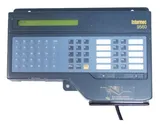
The user's manual for the Intermec 9560 Transaction Manager, a wall-mounted data collection terminal. It explains how to plan and install the unit (mounting, secured or unsecured wiring, wands, scanners, sense inputs, output relays, host connections and power), how to read bar codes with the slot scanner, wand, laser scanner or magnetic card reader, data communications and protocols, configuration methods and every configuration and data entry command, Interactive Reader Language (IRL) programming, troubleshooting and specifications.
Its parts
- Getting Started
- Preparing to Install the 9560
- Installing the 9560
- Starting and Operating the 9560
- Data Communications and Operating Options
- Configuring the 9560
- Configuration Commands
- Data Entry Commands
- Interactive Reader Language
- Troubleshooting
From the manual
Key facts from this manual
Each line names its page in the PDF.
The Intermec 9560 Transaction Manager User's Manual, P/N 059724-005, revised 12/96. It covers installing, wiring, configuring, programming and troubleshooting the 9560, a wall or desk mounted data collection reader, and ends with an addendum about the 9560E terminal port.
- What it is
- Stationary online data collection reader that collects data from input devices and sends it to a host p. 24
- Display
- LCD with LED backlight: 2-line by 40-character, or 1-line by 20-character oversized p. 25
- Keypad
- Full alphanumeric, numeric/function, or numeric/function with large function keys; programmable function keys p. 25
- Internal reader
- Bar code slot scanner (visible or infrared light), magnetic card reader, or none p. 25, 26
- Memory
- 256K of RAM, kept up to 10 days by a NiCad battery if power is lost p. 26
- Interfaces
- RS-232, RS-422 and 4-wire RS-485 multi-drop; current loop with an external adapter p. 27
- Power
- Internal supply, 100 to 240 VAC, 50 to 60 Hz, standard IEC connector; no power switch p. 46
- Connectors
- 25-pin D-subminiature modem port (DTE) and terminal port (DCE), 6-pin wand connector, 9-pin laser scanner connector p. 259
- Sense inputs
- 3 inputs, 5V to 24V (AC or DC), 10mA to 60mA, 1 msec minimum p. 35
- Output relays
- 3 single-pole, double-throw relays, 24V (AC or DC) and 1A maximum p. 37
- Input devices
- 1260/1270 wands, 1350 badge scanners, 1500/1600 laser scanners, 1700 keyboard, 9191 Satellite Wand Station, RS-232 magnetic stripe reader p. 261
- Symbologies
- Code 39, HIBC, Interleaved 2 of 5, Code 2 of 5, Codabar, UPC, EAN, Code 11, Code 93, Code 128 p. 27
- Size
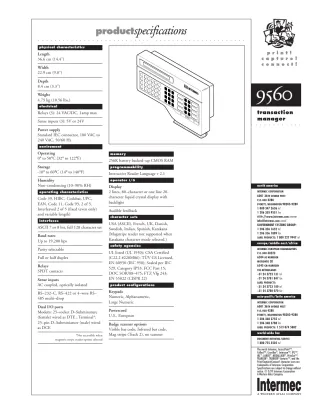
- 14.4 in (36.6 cm) long, 3.3 in (8.4 cm) wide, 9.1 in (23.1 cm) high p. 257
- Operating temperature
- 0°C to +50°C (32°F to 122°F), 10% to 90% relative humidity p. 258
What this manual walks you through
- Overview of the 9560, its options, memory and communications p. 23, 24, 25, 26, 27
- Setting up remote triggering for unattended scanning p. 34, 35
- Wiring the sense inputs and output relays p. 35, 36, 37
- Choosing the cable interface by distance p. 38
- Meeting the power supply requirements p. 46
- Troubleshooting reading, communication and power-up problems p. 249, 250
- Reading the status beeps and adjusting the beep volume p. 251
- Communications errors and data size limits p. 252, 253
- Specifications and connector pin assignments p. 257, 258, 259, 260, 261
Good to know
- The 9560 has no power switch; unplug the power cord to remove power. p. 46
- The power cord needs a right-angle connector no more than 1.77 inches (45 mm) high. p. 46
- With the internal magnetic card reader, no external device can use the terminal plug. p. 34
- The magnetic card reader only accepts numeric data (ANSI Track 2). p. 249
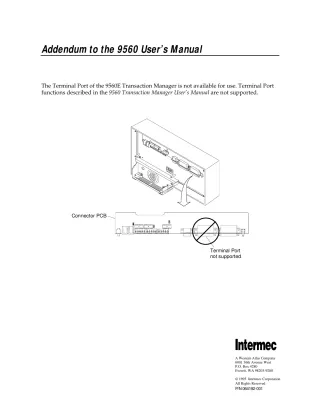
- An addendum states the terminal port of the 9560E is not available. p. 309
Questions this manual answers
What do 4 low beeps mean on the Intermec 9560?
Power was applied or the unit was reset, and RAM and ROM are working properly. p. 251
How do I recover a 9560 that is hung up?
If an IRL program is looping, remove power, then hold the Exit IRL switch on the connector board while restoring power. p. 250
Why does my 9560 beep continually on power up?
With the internal magnetic card reader, changed communication settings cause it; set 9600 baud, even parity, 7 data bits and 1 stop bit. p. 250
How far can a 9560 be cabled from the host?
The maximum is 50 feet with RS-232, 2000 feet with RS-485 multi-drop and 4000 feet with RS-422. p. 38
Does the 9560 keep its programs if power fails?
Yes, a NiCad battery keeps the 256K memory for up to 10 days. p. 26
The whole text · 31 parts
Read the manual here as text
Its text as extracted from the PDF, unedited, in parts; each page opens the PDF at that page.
- Pages 1 to 101-10
- Pages 11 to 2011-20
- Pages 21 to 3021-30
- Pages 31 to 4031-40
- Pages 41 to 5041-50
- Pages 51 to 6051-60
- Pages 61 to 7061-70
- Pages 71 to 8071-80
- Pages 81 to 9081-90
- Pages 91 to 10091-100
- Pages 101 to 110101-110
- Pages 111 to 120111-120
- Pages 121 to 130121-130
- Pages 131 to 140131-140
- Pages 141 to 150141-150
- Pages 151 to 160151-160
- Pages 161 to 170161-170
- Pages 171 to 180171-180
- Pages 181 to 190181-190
- Pages 191 to 200191-200
- Pages 201 to 210201-210
- Pages 211 to 220211-220
- Pages 221 to 230221-230
- Pages 231 to 240231-240
- Pages 241 to 250241-250
- Pages 251 to 260251-260
- Pages 261 to 270261-270
- Pages 271 to 280271-280
- Pages 281 to 290281-290
- Pages 291 to 300291-300
- Pages 301 to 309301-309
The file