Manual · Intermec
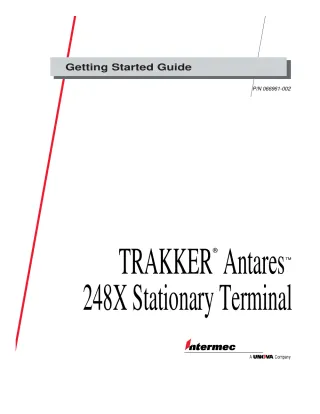
Trakker Antares 248X Stationary Terminal User's Manual
Manual257 pagesPDF 1.9 MB
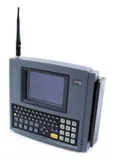
User's manual for the Intermec Trakker Antares 2480, 2481, 2485 and 2486 stationary data collection terminals.
Covers · 1 model
The models it covers
Summary
What is in it
Intermec's user's manual for the Trakker Antares 248X stationary terminals (T2480, T2481, T2485 and T2486). It explains the keypad, screen, status lights, power and memory, then covers installing and mounting the terminal, connecting scanners and external devices, configuring it by menu or bar code, serial, Ethernet and RF networking, downloading custom applications, screen mapping, reader commands and the terminal specifications.
Its parts
- Introducing the TRAKKER Antares 248X Terminal
- Installing the Terminal
- Configuring the Terminal
- Operating the Terminal in a Network
- Using Custom Applications and Screen Mapping
- Reader Command Reference
From the manual
Key facts from this manual
Each line names its page in the PDF.
User's manual (P/N 066960-003, 2000) for the Intermec TRAKKER Antares 248X stationary terminals: the T2480, T2481, T2485 and T2486. It explains the keypad, screen, backup battery and drives, how to install and wire the terminal, configure it for serial, Ethernet or 2.4 GHz RF networks, load applications, and use reader commands.
- Device
- T2486: programmable fixed-position data collection terminal with a 2.4 GHz RF radio and serial port p. 21, 23
- Screen
- T2486: CGA-compatible backlit LCD, 12 lines by 40 characters, configurable up to 25 lines p. 215
- Radio
- T2486: 2.4 GHz (to 2.4835 GHz) OpenAir compatible frequency hopping, 100 mW, 1.6 Mbits per second p. 23, 216
- Memory
- 2MB flash with 750K available; 1MB battery-backed RAM with 512K for the user p. 216
- Power
- External supply on a 12V power supply connector: 95 to 250 VAC, 50 to 60 Hz, 125 mA p. 27, 215
- Backup battery
- Rechargeable NiCd 700 mA pack for memory and clock; not user-serviceable p. 42, 215
- Serial ports
- RS-232C COM1; optional RS-232C/422/485 COM2 and RS-232C COM4 on the enhanced I/O board p. 216
- COM4 adapter cable
- Part No. 067185, for the 12-pin COM4 connector p. 22
- Scanner ports
- Badge scanner (6-pin) connector and external scanner (Stewart 10-pin) connector p. 27
- Scanners supported
- Intermec 1354/1355 badge, 1463A/1463D CCD, 1516A, 1517A, 1517B, 1518, 1519A, 1545, 1550A laser scanners; 126X, 127X, 128X wands p. 217
- Keypads
- 59-key alphanumeric (six languages), 35-key oversized function numeric, IBM 3270, IBM 5250 and VT/ANSI emulation, time and attendance p. 215
- Size and weight
- 10.7 x 9.6 x 3.9 in (27.2 x 24.4 x 9.9 cm); 9.5 lbs (4.3 kg) p. 215
- Operating temperature
- -4°F to +122°F (-20°C to +50°C); 0 to 95% humidity non-condensing p. 215
- I/O option
- Enhanced I/O board: four sense inputs, four output relays, amplified external speaker connectors p. 23
What this manual walks you through
- Models, standard features and options of the 248X family p. 22, 23, 24
- Unpacking the terminal and the back panel connectors p. 25, 26, 27
- Using the keypad options p. 28
- Charging and checking the backup battery p. 40, 41, 42
- Understanding the terminal's memory and drives C, D, E and G p. 42, 43
- Bar code symbologies and input devices p. 217
Good to know
- The backup battery charges only between 32°F and 104°F (0°C and 40°C). p. 41
- Replacing the backup battery erases all data stored in RAM; the terminal must go back to Intermec for a new battery. p. 42
- The terminal needs its power supply connected to operate; the backup battery only protects memory and the clock. p. 40
- Outside North America a local power cord must be bought separately. p. 26
- Drive E, the RAM drive, is erased when the terminal is booted or reset or the backup battery is changed. p. 43
Questions this manual answers
What is the difference between the Intermec T2485 and T2486?
Only the screen size: the T2486 has a 12 line by 40 character screen configurable up to 25 lines, the T2485 a 4 line screen. p. 23
What scanners work with the TRAKKER Antares 2486?
Intermec 1354 and 1355 badge scanners, 1463A and 1463D CCD scanners, 1516A, 1517A, 1517B, 1518, 1519A, 1545 and 1550A laser scanners, and 126X, 127X and 128X wands, through an interface cable. p. 217
How long does the 248X backup battery take to charge?
About 24 hours with the power supply connected. p. 41
What is the part number of the COM4 adapter cable for the T248X?
Part No. 067185; it needs the enhanced input/output board. p. 27
How long does the T248X backup battery keep memory without AC power?
At least 2 weeks with a fully charged pack. p. 40
The whole text · 26 parts
Read the manual here as text
Its text as extracted from the PDF, unedited, in parts; each page opens the PDF at that page.
- Pages 1 to 101-10
- Pages 11 to 2011-20
- Pages 21 to 3021-30
- Pages 31 to 4031-40
- Pages 41 to 5041-50
- Pages 51 to 6051-60
- Pages 61 to 7061-70
- Pages 71 to 8071-80
- Pages 81 to 9081-90
- Pages 91 to 10091-100
- Pages 101 to 110101-110
- Pages 111 to 120111-120
- Pages 121 to 130121-130
- Pages 131 to 140131-140
- Pages 141 to 150141-150
- Pages 151 to 160151-160
- Pages 161 to 170161-170
- Pages 171 to 180171-180
- Pages 181 to 190181-190
- Pages 191 to 200191-200
- Pages 201 to 210201-210
- Pages 211 to 220211-220
- Pages 221 to 230221-230
- Pages 231 to 240231-240
- Pages 241 to 250241-250
- Pages 251 to 257251-257
The file