Manual · Allen-Bradley
Hand-Held Decoded Bar Code Scanners (Cat. No. 2755-HDG-4) Bar Code Programming Guide
Manual146 pagesPDF 615 KB
Programming guide of configuration barcodes for the Allen-Bradley 2755-HDG-4 hand-held decoded scanner and its Synapse cables.
Filed with · 1 model
Also filed with these models on the old site

Summary
What is in it
A book of configuration barcodes for the Allen-Bradley decoded hand-held barcode scanner (Cat. No. 2755-HDG-4). Scanning its symbols sets symbologies, prefixes and suffixes, transmission format, power mode and timeouts, then sets up the RS-232, IBM and DEC keyboard wedge, scanner emulation or AdaptaScan pass through cable. Appendices show setups with Allen-Bradley hosts, including the 2755-DD/DS Enhanced Decoder, SLC 5/03 and 5/04, PLC-5 and DTAM Plus DeviceNet.
Its parts
- Preface - Read this First
- Scanner Configuration (for Synapse Cables)
- Scanner Configuration (for AdaptaScan Pass Through Cable)
- RS-232 Synapse Cable (Communication Setup)
- IBM Keyboard Wedge (Communication Setup)
- DEC VT520 Keyboard Wedge (Communications Setup)
- DEC VT220/320/420 Keyboard Wedge Cable (Communication Setup)
- Scanner Emulation Cable (Communication Setup)
From the manual
Key facts from this manual
Some pages are scans or cannot be read; this says only what the readable text supports. Each line names its page in the PDF.
A bar code programming guide (Publication 2755-6.5) for the Allen-Bradley 2755-HDG-4 hand-held decoded bar code scanner and its Synapse and AdaptaScan pass-through cables. It prints the configuration bar codes for symbologies, cable communications and setups with Allen-Bradley hosts such as the 2755-DD/DS Enhanced Decoder, SLC 5/03 and 5/04, and PLC-5 controllers. The site files it under the 2755-DS, which the guide covers only as a host the scanner connects to.
- Device
- Hand-held decoded bar code scanner, 2755-HDG-4 p. 1, 9
- Configuration symbols
- All Code 128, which the scanner always reads; defaults are marked with an asterisk p. 9
- RS-232 cables
- 2755-HFC-SR2-01 (25-pin) and 2755-HFC-SR3-01 (9-pin) Synapse cables p. 12
- Keyboard wedge cables
- 2755-HFC-SP1-01 (IBM XT/AT) and 2755-HFC-SP2-01 (PS/2) p. 12
- Scanner emulation cable
- 2755-HFC-SA1-01 p. 12, 95
- AdaptaScan cable
- 2755-HDC-GA2-08 pass-through cable, configured with its own set of bar codes p. 35
- Scanner defaults
- With a Synapse cable: all symbologies enabled, continuous power mode, 3-second laser on timeout, 60-minute hands-free stand timeout p. 14
- RS-232 cable defaults
- 9600 baud, no parity, 1 stop bit, 8 data bits, no hardware or software handshaking, 2-second response timeout p. 69
- AdaptaScan cable defaults
- 9600 baud, even parity, 2 stop bits, 7 data bits; for the AdaptaScan reader the guide recommends no parity, 1 stop bit, 8 data bits p. 59
- Keyboard wedge defaults
- IBM PC/AT host, North American country setting, 5 millisecond intercharacter delay p. 80
- Allen-Bradley hosts
- Enhanced Decoder (2755-DD/DS), Flexible Interface Module (2760-RB), SLC 5/03 and 5/04, PLC-5, AdaptaScan reader, DTAM Plus DeviceNet p. 10, 102, 109, 115
- Enhanced decoder hookup
- Scanner emulation cable 2755-HFC-SA1-01 plus gun adapter 2755-NC16; AUX port pass-through uses 2755-HFC-SR2-01 and a null modem adapter p. 103, 106
- Other host hookups
- Flexible Interface Module (2760-RB): 2755-HFC-SR2-01 and an SFC2 Protocol Cartridge; PLC-5 Channel 0: 2755-HFC-SR2-01; DTAM Plus: 2755-HFC-SR3-01 p. 109, 110, 123, 135
- Pass-through power
- Cable pin 9 takes +V 4.8 to 14.0V DC from the AdaptaScan 12V package detect terminal; custom cable at most 18 inches (.46 meter) p. 130
What this manual walks you through
- Choosing the right bar code chapters for the cable and host p. 10
- Resetting the scanner to defaults for Synapse cables p. 13, 14
- Configuring the scanner for the AdaptaScan pass-through cable p. 35, 36, 37
- Setting up the RS-232 Synapse cable p. 69
- Setting up the IBM keyboard wedge cables p. 80
- Setting up the DEC VT520 and VT220/320/420 keyboard wedge cables p. 85, 90
- Setting up the scanner emulation cable p. 95
- Connecting the scanner to an Enhanced Decoder, including AUX port pass-through p. 102, 103, 106
- Connecting the scanner to SLC 5/03, 5/04 and PLC-5 controllers p. 115, 116, 122, 123
- Wiring the custom cable to an AdaptaScan wiring base p. 129, 130
Good to know
- Do not install a Synapse cable while power is applied to the cable or the host (decoder, interface module, SLC or PLC); it may damage the equipment. p. 102, 109, 115, 122
- The Synapse cable configuration codes must not be used with the AdaptaScan pass-through cable, which has its own chapter. p. 12
- On an AdaptaScan wiring base the scanner gets no power until the reader is installed on the base. p. 129
- The condensed AdaptaScan setup in Appendix E does not include codes for every option. p. 35
Questions this manual answers
How do I reset the 2755-HDG-4 scanner to its default settings?
For Synapse cables, scan the two default labels in sequence, then scan the Enable Synapse Cable Communication label. p. 13
What are the RS-232 Synapse cable default settings?
9600 baud, no parity, 8 data bits and 1 stop bit, with no hardware or software handshaking. p. 69
How does the 2755-HDG-4 scanner connect to an Allen-Bradley Enhanced Decoder?
Through a scanner emulation Synapse cable (2755-HFC-SA1-01) and a 2755-NC16 gun adapter into a decoder input port, with the power supply connected last. p. 103
What serial settings should the AdaptaScan pass-through cable use?
Its defaults are 9600 baud, even parity, 2 stop bits and 7 data bits; for the AdaptaScan reader the guide recommends no parity, 1 stop bit and 8 data bits. p. 59
Where are the scanner configuration settings explained?
In the user manual for the decoded hand-held scanners, Publication 2755-6.2. p. 9
Contents
Chapters and sections
Each line opens the PDF at its page.
- Front Cover1
- Important User Information2
- Preface - Read this First9
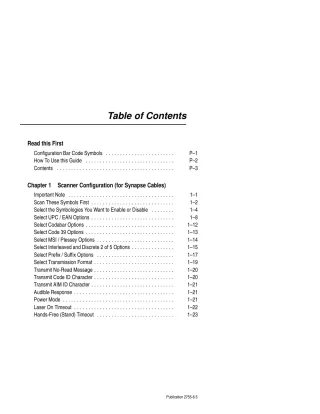
- 1 - Scanner Configuration (for Synapse Cables)12
- Important12
- Scan These Symbols First13
- Select The Symbologies You Want to Enable or Disable15
- Select UPC / EAN Options19
- Select Codabar Options23
- Select Code 39 Options24
- Select MSI / Plessey Options25
- Select Interleaved and Discrete 2-of-5 Options26
- Scan 2 Digit Code Length27
- Select Prefix / Suffix Options28
- Scan 4 Digit ASCII Equivalent Value29
- Select Transmission Format30
- Transmit No-Read Message31
- Transmit Code ID Character31
- Transmit AIM ID Character32
- Audible Response32
- Power Mode32
- Laser On Timeout33
- Hands-Free (Stand) Timeout34
- 2 - Scanner Configuration (for AdaptaScan Pass Through Cable)35
- Important35
- Before You Configure the Scanner35
- Scan These Symbols First36
- Select The Symbologies You Want to Enable or Disable38
- Select UPC / EAN Options42
- Select Codabar Options46
- Select Code 39 Options47
- Select MSI / Plessey Options48
- Select Interleaved and Discrete 2-of-5 Options49
- Scan 2 Digit Code Length50
- Select Prefix / Suffix Options51
- Scan 4 Digit ASCII Equivalent Value52
97 more lines, from page 53 on
- Select Transmission Format53
- Transmit No-Read Message53
- Transmit AIM ID Character54
- Transmit Code ID Character54
- Audible Response55
- Power Mode55
- Laser On Timeout56
- Hands-Free (Stand) Timeout58
- AdaptaScan Pass Through Cable Configuration59
- AdaptaScan Pass Through Baud Rate60
- AdaptaScan Pass Through Parity Options61
- AdaptaScan Pass Through Stop and Data Bits62
- AdaptaScan Pass Through Hardware Handshaking63
- AdaptaScan Pass Through Software Handshaking64
- AdaptaScan Pass Through Beep on <BEL>65
- Set Intercharacter Delay66
- 3 - RS-232 Synapse Cable (Communication Setup)68
- Set RS-232 Synapse Cable Defaults69
- RS-232 Synapse Cable Fixed Format Hosts70
- RS-232 Synapse Cable Baud Rate71
- RS-232 Synapse Cable Parity Options72
- RS-232 Synapse Cable Stop and Data Bits73
- RS-232 Synapse Cable Hardware Handshaking74
- RS-232 Synapse Cable Software Handshaking75
- RS-232 Synapse Cable Beep On <BEL>76
- RS-232 Synapse Cable Unknown Characters76
- RS-232 Synapse Cable Response Timeout77
- RS-232 Synapse Cable Advanced Features79
- 4 - IBM Keyboard Wedge (Communication Setup)80
- 5 - DEC VT520 Keyboard Wedge (Communications Setup)85
- 6 - DEC VT220/320/420 Keyboard Wedge Cable (Communication Setup)90
- DEC VT220/320/420 Keyboard Wedge Interface Cable Defaults90
- DEC VT220/320/420 Keyboard Wedge Synapse Cable Host91
- DEC VT220/320/420 Keyboard Wedge Country Selection91
- DEC VT220/320/420 Keyboard Wedge Unknown Characters93
- DEC VT220/320/420 Keyboard Wedge Intercharacter Delay93
- DEC VT220/320/420 Keyboard Wedge Advanced Features94
- 7 - Scanner Emulation Cable (Communication Setup)95
- Scanner Emulation Synapse Cable Defaults95
- Scanner Emulation Host96
- Scanner Emulation Variable Leading Margin97
- Scanner Emulation Check for Decode LED97
- Scanner Emulation Timeout98
- Scanner Emulation Polarity99
- Send Bar Codes with Unknown Characters99
- Scanner Emulation Convert All to Code 39100
- Scanner Emulation Code 39 to Code 39 Full ASCII100
- Scanner Emulation Cable Advanced Features101
- A - Enhanced Decoder Application102
- B - Flexible Interface Module Application109
- C - SLC 5/03, 5/04 Controller Application115
- D - PLC-5 Controller Application122
- E - AdaptaScan Pass Through Application129
- F - DTAM Plus DeviceNet Application134
- G - ASCII Chart140
- Test Symbols145
- Back Cover146
The whole text · 21 parts
Read the manual here as text
Its text as extracted from the PDF, unedited, in parts; each page opens the PDF at that page.
- Pages 1 to 81-8
- Preface - Read this First9-11
- 1 - Scanner Configuration (for Synapse Cables), pages 12 to 1912-19
- 1 - Scanner Configuration (for Synapse Cables), pages 20 to 2720-27
- 1 - Scanner Configuration (for Synapse Cables), pages 28 to 3428-34
- 2 - Scanner Configuration (for AdaptaScan Pass Through Cable), pages 35 to 4335-43
- 2 - Scanner Configuration (for AdaptaScan Pass Through Cable), pages 44 to 5244-52
- 2 - Scanner Configuration (for AdaptaScan Pass Through Cable), pages 53 to 6153-61
- 2 - Scanner Configuration (for AdaptaScan Pass Through Cable), pages 62 to 6762-67
- 3 - RS-232 Synapse Cable (Communication Setup)68-79
- 4 - IBM Keyboard Wedge (Communication Setup)80-84
- 5 - DEC VT520 Keyboard Wedge (Communications Setup)85-89
- 6 - DEC VT220/320/420 Keyboard Wedge Cable (Communication Setup)90-94
- 7 - Scanner Emulation Cable (Communication Setup)95-101
- A - Enhanced Decoder Application102-108
- B - Flexible Interface Module Application109-114
- C - SLC 5/03, 5/04 Controller Application115-121
- D - PLC-5 Controller Application122-128
- E - AdaptaScan Pass Through Application129-133
- F - DTAM Plus DeviceNet Application134-139
- Pages 140 to 146140-146
The file