Manual · PSC
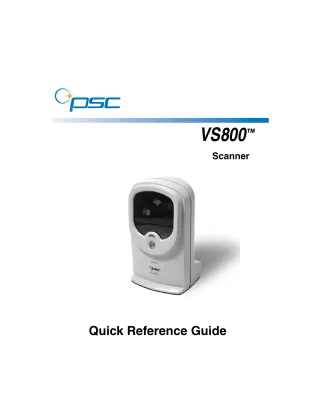
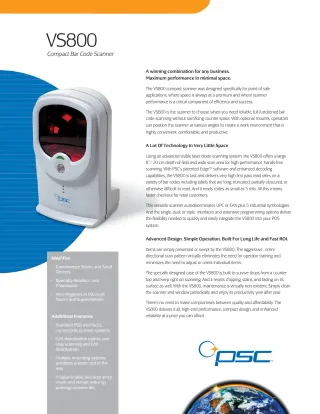
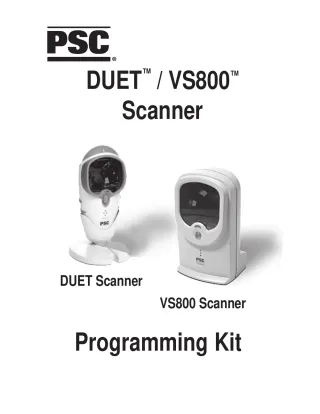
Duet and VS800 Scanner Programming Kit
Manual386 pagesPDF 1.2 MB
Programming kit with bar code labels for setting up the PSC Duet and VS800 countertop scanners: interfaces, symbologies and timeouts.
Covers · 2 models
The models it covers
Summary
What is in it
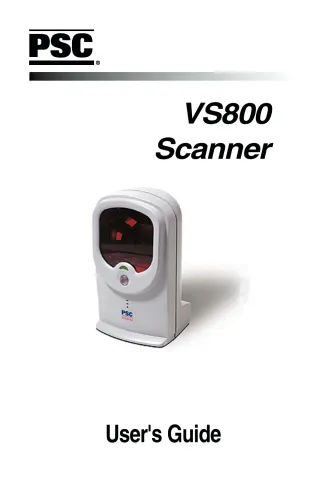
Programming kit for the PSC Duet and VS800 scanners. It explains how to power up the scanner, enter and leave Programming Mode with the Programming Switch bar code, and return to factory settings, then gives programming bar codes for every feature: rear scan line, speaker, LED lamps, laser, motor and double read timeouts, interface selection (RS-232, OCIA, wand, keyboard wedge, IBM 46xx), label transmit format and options for UPC/EAN, Code 39, Code 128, Interleaved 2 of 5, Codabar and MSI/Plessey.
Its parts
- Programming Your Scanner
- Programmable Features
- Return to Factory Settings
- Additional Features
- Programmable Rear Scan Line
- Programmable Speaker Features
- LED Lamp/Indication Features
- Timeouts
- Interface Selection
- RS-232 Interface Configuration
- OCIA Interface Configuration
- Wand Interface Configuration
- Keyboard Wedge Interface Configuration
- IBM 46xx Configuration
- Label Transmit Format Configuration Items
From the manual
Key facts from this manual
Each line names its page in the PDF.
PSC programming kit (R44-1740) for the Duet and VS800 scanners, made of procedures and bar code labels for every programmable feature. It shows how to enter programming mode and set the host interface, RS-232 and other interface options, timeouts, speaker and LED behavior, and the options for each bar code symbology.
- Document
- Programming kit of bar code labels that set the scanner's programmable features p. 5
- Host interfaces
- OCIA (PSC, NCR, NCR 9-bit, SNI), RS-232 (PSC, SNI), IBM 4683 ports 17, 5B, 9B, IBM 4682/3 port E, Wand Emulation, Keyboard Wedge p. 51
- Symbologies
- UPC/EAN family, Code 39, Code 128, Codabar, Interleaved 2 of 5, MSI/Plessey, read with autodiscrimination p. 176
- RS-232 baud rates
- 1200 to 38400 p. 77, 82
- RS-232 options
- Baud rate, parity, data bits, stop bits, CTS flow or scan control, Xon/Xoff, host echo, intercharacter delay p. 75
- Keyboard wedge PCs
- IBM AT and compatibles, PS/2 models, PC/XT, IBM 317x, 318x, 319x, 34xx (122 key) and IBM 31xx (102 key), Japanese DOS 101 key (TDOS), NEC 9801 p. 51
- Power for programming
- AC/DC adapter on the interface cable connector or pigtail, or power off the terminal (POT) p. 6
- Laser and motor timeouts
- Laser 5, 10 or 15 minutes; motor 5, 15, 30 or 60 minutes p. 36, 40
- Double read timeout
- 400, 500, 600 or 800 milliseconds, or 1 second; 600 ms is typical p. 45
- Rear scan line
- Standard: always on; can be set to stay off until the button is pressed p. 13
- Speaker settings
- Good read tone on or off, three tone lengths, three volume levels, three pitches, power-up tone on or off p. 15
- Label I.D. characters
- UPC-A 'A', UPC-E 'E', EAN-8 'FF', EAN-13 'F', Code 39 '*', Codabar '%', Interleaved 2 of 5 'i', Code 128 '#', MSI/Plessey '@' p. 169
- Minimum read
- 1, 2, 3 or 4 matching decodes before a good read, set per symbology p. 213, 240
- Idle LED
- Off or dim while the scanner is idle p. 32
What this manual walks you through
- Entering and leaving Programming Mode with the Programming Switch bar code p. 8
- Powering up the scanner for programming p. 6, 7
- Returning all settings to factory defaults for the current interface p. 10
- Changing the host interface p. 52
- Configuring RS-232 communication settings p. 75, 76
- Configuring OCIA, Wand Emulation, Keyboard Wedge and IBM 46xx options p. 118, 125, 138, 161
- Setting laser, motor and double read timeouts p. 35, 36, 40, 45
- Enabling or disabling bar code symbologies p. 176, 177
- Adding label identifiers as a prefix or suffix p. 168, 169
- Setting UPC/EAN, Code 39, Code 128, I 2 of 5, Codabar and MSI/Plessey options p. 190, 234, 267, 278, 340, 359
Good to know
- RS-232 hardware (CTS/RTS) and software (Xon/Xoff) flow control should not both be enabled; the result is unpredictable. p. 76
- Before changing the interface, the matching interface board must be in the scanner. p. 52
- Returning to factory settings loses all earlier programming. p. 10
- With Code 39 stitching on, only Code 39 and the UPC/EAN family can be read. p. 176
- Some features, such as RS-232 ACK/NAK and full label editing, are not in this kit. p. 11, 12
Questions this manual answers
How do I put a PSC VS800 into programming mode?
Scan the Programming Switch bar code; the green LED flashes. Scan it again to leave, and the scanner resets with four beeps. p. 8
How do I reset a VS800 scanner to factory defaults?
Scan the Return to Factory Settings bar code; it restores the defaults for the current interface. p. 10
What host interfaces can the VS800 use?
OCIA, RS-232, IBM 4683 and 4682/3 ports, Wand Emulation and Keyboard Wedge, if the matching interface board is fitted. p. 51, 52
What RS-232 baud rates does the VS800 support?
Programming bar codes set rates from 1200 to 38400 baud. p. 77, 82
What does a chirping sound mean while programming the VS800?
The bar code just scanned is not a valid programming bar code. p. 8
Contents
Chapters and sections
Each line opens the PDF at its page.
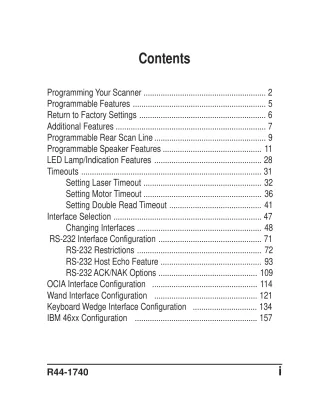
- Programming Your Scanner6
- Programmable Features9
- Return to Factory Settings10
- Additional Features11
- Programmable Rear Scan Line13
- Programmable Speaker Features15
- LED Lamp/Indication Features32
- Timeouts35
- Interface Selection51
- RS-232 Interface Configuration75
- OCIA Interface Configuration118
- Wand Interface Configuration125
- Keyboard Wedge Interface Configuration138
- IBM 46xx Configuration161
- Label Transmit Format Configuration Items168
- Symbology Selection176
- UPC/EAN Options190
- Code 39 Options234
- Code 128 Options267
- Interleaved 2 of 5 Options278
- Codabar Options340
- MSI/Plessey Options359
- Index372
The whole text · 39 parts
Read the manual here as text
Its text as extracted from the PDF, unedited, in parts; each page opens the PDF at that page.
- Pages 1 to 101-10
- Pages 11 to 2011-20
- Pages 21 to 3021-30
- Pages 31 to 4031-40
- Pages 41 to 5041-50
- Pages 51 to 6051-60
- Pages 61 to 7061-70
- Pages 71 to 8071-80
- Pages 81 to 9081-90
- Pages 91 to 10091-100
- Pages 101 to 110101-110
- Pages 111 to 120111-120
- Pages 121 to 130121-130
- Pages 131 to 140131-140
- Pages 141 to 150141-150
- Pages 151 to 160151-160
- Pages 161 to 170161-170
- Pages 171 to 180171-180
- Pages 181 to 190181-190
- Pages 191 to 200191-200
- Pages 201 to 210201-210
- Pages 211 to 220211-220
- Pages 221 to 230221-230
- Pages 231 to 240231-240
- Pages 241 to 250241-250
- Pages 251 to 260251-260
- Pages 261 to 270261-270
- Pages 271 to 280271-280
- Pages 281 to 290281-290
- Pages 291 to 300291-300
- Pages 301 to 310301-310
- Pages 311 to 320311-320
- Pages 321 to 330321-330
- Pages 331 to 340331-340
- Pages 341 to 350341-350
- Pages 351 to 360351-360
- Pages 361 to 370361-370
- Pages 371 to 380371-380
- Pages 381 to 386381-386
The file