Manual · PSC
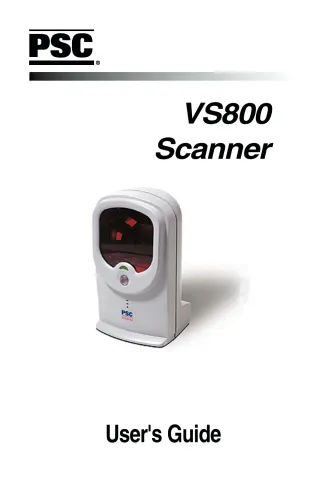
VS800 Scanner User's Guide
Manual28 pagesPDF 722 KB
User's guide for the PSC VS800 compact omnidirectional countertop bar code scanner: setup, connection, scanning, care and specifications.
Covers · 2 models
The models it covers
Summary
What is in it
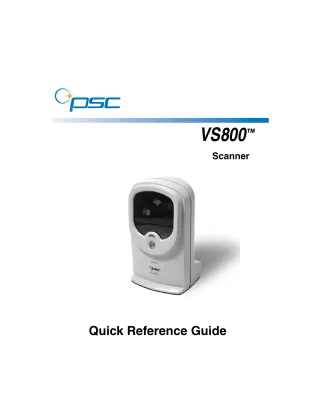
User's guide for the PSC VS800, a compact omnidirectional bar code scanner for the point of sale. It explains the selftest, operational and sleep modes, the LED, speaker, switch and motion sensor, unpacking and mounting options, connecting to the host POS terminal with power from the terminal or an AC/DC adapter, verifying operation, sweep and presentation scanning, changing the volume, cleaning, specifications, laser safety, troubleshooting, regulatory information and the warranty.
Its parts
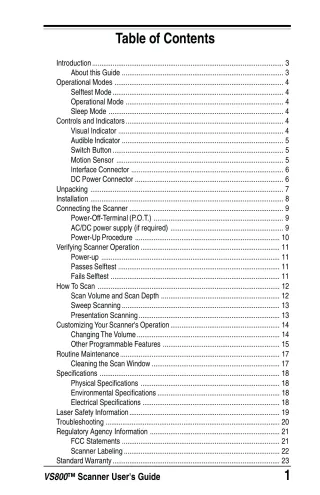
- Introduction
- Operational Modes
- Controls and Indicators
- Unpacking
- Installation
- Connecting the Scanner
- Verifying Scanner Operation
- How To Scan
- Customizing Your Scanner's Operation
- Routine Maintenance
- Specifications
- Laser Safety Information
- Troubleshooting
- Regulatory Agency Information
- Standard Warranty
From the manual · read page by page
Key facts from this manual
Each line names its page in the PDF.
The PSC user's guide R44-2000 (1999) for the VS800 omnidirectional bar code scanner for point-of-sale counters. It shows how to unpack, mount and connect the scanner to a host terminal, check its power-up selftest, scan, change the beeper volume and clean the window. It also gives the specifications, the programmable features and a troubleshooting chart.
- Device
- Omnidirectional bar code scanner in a small housing for sweep and presentation scanning p. 5
- Host interfaces
- RS-232, OCIA, Keyboard Wedge, Wand or IBM POS, through an interface cable with a modular connector at the scanner p. 11
- Interface combinations
- Dual: RS-232 with IBM 46xx, OCIA or Keyboard-Wedge; triple: RS-232, IBM 46xx and Keyboard-Wedge p. 17
- Power
- From the host terminal over the interface cable (Power-Off-Terminal) or from an optional AC/DC power adapter p. 11
- Power adapter
- 12 VDC @ 600 mA output p. 20
- Host power
- A 12V host must supply at least 250 mA (3 Watts) p. 20
- Scan range
- Scan volume about 8 inches (20 cm) in front of the window; best at about 4 inches (10 cm) p. 14
- Symbologies
- UPC-A, UPC-E, EAN-8, EAN-13, Jan-8, JAN-13, UPC P2 and P5 add-ons, Code 128, Interleaved 2 of 5, Code 39, Codabar, MSI/Plessey p. 17
- Programming guide
- Duet/VS800 Programming Guide, Part Number R44-1740 p. 6
- Sleep mode
- Laser and motor turn off after long inactivity; the switch or the motion sensor wakes the scanner p. 6, 7
- Indicators
- LED and speaker; one bright flash and four tones at power-up mean the selftest passed p. 6
- Mounting options
- Countertop, side of the POS terminal, under a shelf, or left or right of the POS p. 10
- Ambient light
- 200 foot candles maximum (2153 Lux) p. 20
What this manual walks you through
- Unpacking the scanner and checking the package contents p. 9
- Choosing a mounting position p. 10
- Connecting the scanner with host power or with an AC/DC power adapter p. 11, 12
- Checking the power-up selftest p. 13
- Sweep and presentation scanning p. 14, 15
- Changing the speaker volume with a bar code p. 16
- Cleaning the scan window p. 19
- Troubleshooting power-up failures, error tones and poor reading p. 22
Good to know
- Do not clean the window with alcohol, petroleum, acetone, abrasive cleaners or abrasive pads. p. 19
- A volume change made with the Increment Volume bar code returns to the factory default after power-off or reset. p. 16
- Switch off all equipment before connecting cables. p. 11
- Use only AC/DC power adapters approved by PSC for the VS800. p. 20
- The optics cavity must not be opened; the optics are a factory-only repair. p. 21
Questions this manual answers
What does it mean when the VS800 LED flashes and it beeps repeatedly?
The scanner may have an internal malfunction; the guide says to contact system support personnel. p. 22
How far away can the VS800 read a bar code?
Its scan volume reaches about 8 inches (20 cm) from the window, and the best distance is about 4 inches (10 cm). p. 14
What power adapter does the VS800 scanner use?
An AC to DC adapter with a 12 VDC @ 600 mA output, unless the host terminal powers the scanner. p. 20
Which programming guide goes with the VS800?
The Duet/VS800 Programming Guide, part number R44-1740. p. 6
What interfaces does the PSC VS800 support?
RS-232, OCIA, Keyboard Wedge, Wand or IBM POS, chosen by the interface cable. p. 11
Contents
Chapters and sections
Each line opens the PDF at its page.
- Introduction5
- Operational Modes6
- Controls and Indicators6
- Unpacking9
- Installation10
- Connecting the Scanner11
- Verifying Scanner Operation13
- How To Scan14
- Customizing Your Scanner's Operation16
- Routine Maintenance19
- Specifications20
- Laser Safety Information21
- Troubleshooting22
- Regulatory Agency Information23
- Standard Warranty25
The whole text · 3 parts
Read the manual here as text
Its text as extracted from the PDF, unedited, in parts; each page opens the PDF at that page.
The file