Manual · Symbol
Series 3800 Product Reference Guide
Manual138 pagesPDF 1.6 MB
Product reference guide for Symbol Series 3800 hand-held terminals (LRT 3800, LRT 3824, LRT 3840): setup, operation and troubleshooting.
Covers · 2 models
The models it covers
Summary
What is in it
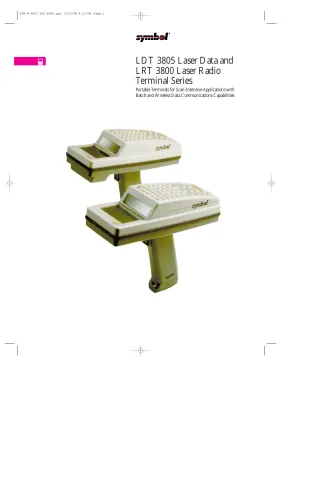
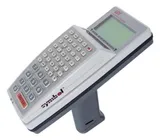
Symbol's product reference guide for the Series 3800 hand-held, battery-powered data collection terminals with an integrated laser scanner, including the LRT 3800 and LRT 3824 Spectrum One radio models and the LRT 3840 Spectrum24 model. It covers terminal parts and accessories, setting up the 3865 and 3866 cradles, 3860 CCM and PC adapter, batch, Spectrum One and Spectrum24 terminal setup, operation and keyboards, batteries and maintenance, error recovery and troubleshooting, plus pinouts and specifications.
Its parts
- About This Manual
- The Series 3800 System
- Hardware Setup
- Batch and Spectrum One Terminal Setup
- Spectrum24 RF Terminal Setup
- Operating the Series 3800
- Maintaining the Series 3800
- Error Recovery and Troubleshooting
From the manual
Key facts from this manual
Each line names its page in the PDF.
Symbol's Series 3800 Product Reference Guide (70-32230-01, Revision B, May 2001) for the 3805 batch terminal and the 3800, 3824 and 3840 radio terminals. It explains setting up the cradles and the PC Adapter, operating, booting and charging the terminals, and troubleshooting, with error and status codes and specifications.
- Device
- Hand-held, battery-powered data collection terminal with keyboard and integrated laser scanner p. 17
- Radio
- LRT 3800: Spectrum One radio; LRT 3824: 2.4 GHz radio for use in Europe; LRT 3840: Spectrum24 radio; 3805: batch, no radio p. 17, 21
- Operating system
- Caldera DR DOS, MS-DOS feature compatible p. 17
- Display
- Eight lines of 20 characters; backlighting if the program allows it p. 19
- Battery
- NiCd battery pack (standard P/N 3872-103) or one 9-Volt alkaline battery in a carrier p. 19, 81
- Operating temperature
- -9°F to 104°F (-23°C to 40°C) p. 109
- Cradles and chargers
- 3860 CCM (four slots), 3865 Cradle Base Unit (one slot), 3866 Cradle Base Module (four slots); spare packs also charge in the UBC 1000 Charger p. 20, 84
- Cradle host cable
- RS-232 serial cable, DB-25 connector at the cradle, to the host serial (COMM) port p. 27
- PC Adapter
- Used with the Printer Interface Module (PIM) for host communications and NiCd charging without a cradle; RS-232 25-pin port, 16-Volt power supply p. 20, 33, 34
- PC Adapter charge time
- 14 hours for a full charge p. 84
- Scan element
- Standard 1-D: 36 (± 3) scans/sec, .9 mW max laser power, 5 mil minimum element resolution, 34 in. max typical working distance p. 110
- Environment
- 0 to 90% humidity (noncondensing); up to 10,000 feet; withstands multiple 4-foot drops to concrete p. 109
- Storage temperature
- -4°F to 140°F (-20°C to 60°C) p. 109
- Development kit
- Series 3000 Application Developer's Kit (ADK) p. 14
What this manual walks you through
- Powering the 3865 and 3866 cradles and connecting them to a host p. 26, 27
- Setting up the PC Adapter with the Printer Interface Module p. 33, 34
- Powering on, powering off and forcing power off p. 64, 65
- Warm booting and cold booting the terminal p. 66, 67
- Removing, installing and charging the NiCd battery pack p. 81, 82, 83
- Charging spare battery packs in the cradle p. 84
- Using a 9-Volt alkaline battery p. 86, 87
- Error messages and the troubleshooting table p. 92, 93
- Fixing Spectrum24 (3840) initialization problems p. 94, 95
- Running Self Test and the keyboard test p. 96, 97, 98
Good to know
- A cold boot permanently erases all data and software that are not in NVM. p. 66
- With the battery removed, backup power keeps data for about 15 minutes, as long as the lithium backup batteries are in place. p. 82
- Charge between 0°C and 38°C (32°F to 100°F); a battery's voltage does not show its charge level. p. 85
- Do not restart with the PWR key after a forced power off caused by defective software in NVM; the program would resume the failed operation. p. 65
- The terminals are MS-DOS feature compatible but not one hundred percent MS-DOS compatible. p. 17
Questions this manual answers
What battery does the LRT 3800 use?
A NiCd battery pack (standard P/N 3872-103), or one 9-Volt alkaline battery in a carrier. p. 19, 81
How long does an LRT 3800 battery take to charge with the PC Adapter?
A full charge with the PC Adapter takes 14 hours. p. 84
How do I cold boot a Series 3800 with the 46-key keyboard?
With the terminal off, hold A, B and D, press and release PWR, then release the keys. This erases everything not stored in NVM. p. 66, 67
What does a program loader status code mean on the 3800?
0000 means the transfer succeeded and any other code means it failed; for example, 0100 means insufficient NVM for the image. The codes add together. p. 107
Contents
Chapters and sections
Each line opens the PDF at its page.
- 70-32230-01 Revision B, May 20012
- Series 3800 Product Reference Guide3
- Symbol Technologies, Inc. One Symbol Plaza, Holtsville N.Y. 117422
- Product Reference Guide1
- About This Manual7
- Chapter 1. The Series 3800 System7
- Chapter 2. Hardware Setup8
- Chapter 3. Batch and Spectrum One Terminal Setup8
- Chapter 4. Spectrum24 RF Terminal Setup8
- Chapter 5. Operating the Series 38009
- Chapter 6. Maintaining the Series 38009
- Chapter 7. Error Recovery and Troubleshooting10
- Documents Available from Symbol Technologies14
- Service Information15
- Terminal Parts and Basic Operation18
- Accessories20
255 more lines, from page 24 on
- 3865 and 3866 Cradles24
- 3860 CCM28
- The PC Adapter33
- Loading the Program37
- Standard Spectrum24 Software42
- Initializing the Series 384X43
- Installing Application Software on Flash Disk53
- Updating System Software on Flash Disk56
- Normal Power On Techniques64
- Booting a Series 3800 Terminal66
- Entering Data70
- Scanning76
- NiCd Battery Pack81
- Alkaline Batteries86
- Cleaning89
- Error Messages92
- Troubleshooting Guide93
- Self Test Function96
- Memory Transfer Program100
- Scanning Problems104
- Appendix A Null Modem Pin-outs105
- Null Modem Pin-outs for Half-Duplex106
- Scanning110
- CFG24114
- STAT24123
- DIAG24125
- FLASH.BAT131
- 3860 CCM133
- 3865 cradle133
- 3866 cradle133
- access point 4-11133
- adapter 6-8, 6-9133
- adapter, pc 2-11133
- alarm 5-2133
- alarm power-on 5-2133
- alkaline battery 6-8, 6-9133
- alkaline battery adapter, removing 6-8133
- allocating IP addresses 4-2133
- AP ping tests E-16133
- applications133
- associating with access point 4-11133
- back lighting 5-7133
- Backspace Key 5-11133
- batch files, _L.BAT 4-13133
- battery133
- battery charge LED, PC adapter 2-12133
- battery storage 6-7133
- BKSP 5-11133
- boot options 4-2133
- booting133
- BOOTP134
- break, key sequence for 5-11134
- CCM134
- CCM 3860 2-1134
- CFG24 E-2134
- charging134
- charging and communications module 2-1134
- checking status of radio connection E-11134
- cold boot D-1134
- Command Mode 3-2134
- communications134
- configuration parameters134
- connecting for communications134
- connecting to power134
- conventions ix134
- copying files to flash disk E-20134
- cradles134
- cursors 5-13134
- D Ring 6-4, 6-8134
- deleting files from flash disk E-19134
- DIAG24134
- diagnosing Spectrum24 radio problems E-13134
- display134
- documents available from Symbol Technologies x134
- downloading134
- downloading a program134
- editing the radio configuration parameters E-2135
- ending self test 7-9135
- entering data135
- entering data with the scanner 5-14135
- error codes, communications B-1135
- error messages135
- field diagnostics, Spectrum24 radio E-14135
- flash disk135
- flash disk utilities135
- FLASHDSK.SYS 4-1135
- FLASH.BAT E-19135
- FUNC Key 5-9135
- initializing the PDT 384X 4-3135
- installing an alkaline battery 6-9135
- installing the NiCd battery pack 6-4135
- internet addressing135
- IP address, allocating 4-2135
- key definitions 5-10, 5-12135
- keyboard135
- laser scanner 5-14135
- LEDs135
- lighting, back 5-7135
- loading a program 3-2135
- locked states 5-9135
- low battery 7-2135
- low battery indicators 5-13135
- LWP.HEX 4-12135
- messages135
- momentary states 5-9135
- multiple applications on same terminal 4-20136
- NET.CFG, changing parameters in E-2136
- NiCd battery136
- normal power on D-1136
- notational conventions ix136
- NVM, erasing 3-4136
- PC adapter136
- pc adapter, parts of 2-11136
- PDT 384X, out-of-box initialization 4-3136
- PIM 2-11136
- PIM, used with PC adapter 2-11136
- ping test E-13, E-16136
- power connection136
- power fault 7-2136
- Power Key 5-11136
- power off 5-3136
- power on 5-2136
- power, restoring after automatic shutdown 5-3136
- printer interface module (PIM) 2-11136
- program loader 3-2136
- PWR Key 5-11136
- radio configuration136
- RAM disk 4-20136
- real-time clock 5-2136
- recharging spare battery packs 6-6136
- related documentation x136
- removing an alkaline battery 6-8136
- removing the NiCd battery 6-3136
- replacing the NiCd battery 6-3136
- restoring power after automatic shutdown 5-3136
- scanner specifications C-2136
- scanning136
- self test136
- SENDHEX 3-2136
- setting RAM disk size 4-20137
- setting the keyboard speed 5-9137
- spare battery packs, charging 6-6137
- specifications137
- Spectrum24137
- Spectrum24 configuration137
- Spectrum24 flash disk137
- Spectrum24 utilities137
- startup failures 7-3137
- STAT24 E-1, E-11137
- states137
- system software, Spectrum24 4-2137
- table mounting137
- temperature137
- terminal initialization137
- testing components, self test 7-6137
- testing hardware components 7-6137
- time required for charging 6-5137
- tips137
- troubleshooting 7-3137
- TSRs, STAT24 E-11137
- updating software on flash disk using _L.BAT 4-13137
- updating system software on flash disk using _L.BAT 4-15137
- using the keyboard 5-8137
- using the scanner 5-14137
- utilities138
- viewing Spectrum24 configuration parameters 4-5138
- wall mounting138
- warm boot D-1138
- warm start D-1138
The whole text · 25 parts
Read the manual here as text
Its text as extracted from the PDF, unedited, in parts; each page opens the PDF at that page.
- Pages 1 to 141-14
- Service Information15-17
- Pages 18 to 2318-23
- 3865 and 3866 Cradles24-27
- 3860 CCM28-32
- The PC Adapter33-36
- Loading the Program37-41
- Pages 42 to 5242-52
- Installing Application Software on Flash Disk53-55
- Updating System Software on Flash Disk56-63
- Pages 64 to 6964-69
- Entering Data70-75
- Scanning, pages 76 to 8076-80
- NiCd Battery Pack81-85
- Alkaline Batteries86-88
- Cleaning89-91
- Pages 92 to 9592-95
- Self Test Function96-99
- Memory Transfer Program100-103
- Pages 104 to 109104-109
- Scanning, pages 110 to 113110-113
- CFG24114-122
- Pages 123 to 130123-130
- Pages 131 to 133131-133
- Pages 134 to 138134-138
The file