Manual · Symbol
Series 3800 Quick Reference
Manual72 pagesPDF 469 KB
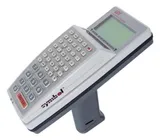
Multilingual quick reference guide for the Symbol Series 3800 hand-held terminals with built-in laser scanner and keyboard.
Covers · 1 model
The models it covers
Summary
What is in it
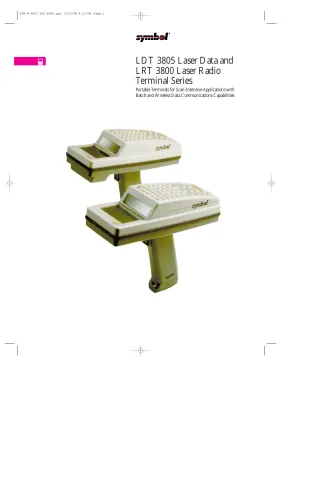
A short operator's quick reference for Symbol Series 3800 portable terminals (3800, 3805, 3824 and 3840), which combine a laser scanner and keyboard in one hand-held unit. It shows how to power on and off, use the 35-key and 46-key keyboards, scan bar codes, set backlight and contrast, charge the terminal in its cradle, and change NiCad battery packs or alkaline battery adapters. The guide is printed in English, French, German, Italian and Spanish, with warranty and regulatory information.
Its parts
- English
- French
- German
- Italian
- Spanish
- Warranty
- Ergonomic Recommendations
- Regulatory Information
From the manual
Key facts from this manual
Each line names its page in the PDF.
A multilingual quick reference for Symbol's Series 3800 portable terminals (59042-00-82, Revision G, December 1999), summarized here from its English section. It covers the 3800, 3824, 3840 and 3805 terminals and shows the operator how to power the unit, scan, adjust the display, charge, change batteries and read error messages.
- Device
- Hand-held portable terminal combining a laser scanner and keyboard p. 3
- Radio
- 3800 and 3824: Spectrum One; 3840: Spectrum 24; 3805: direct communications p. 3
- Scanner
- Long-range or high-visibility laser with a two-level trigger: a narrow aiming beam, then the decoding beam p. 3, 6
- Keyboard
- 35-key or 46-key, programmable by the application p. 4, 5
- Battery
- NiCad battery pack, 8 hours to fully charge; an alkaline battery adapter is also used p. 8, 12, 13
- Display
- Backlit, eight contrast levels; backlight turns off after about 15 seconds p. 7
- Charging
- In a cradle; the green CHARGING indicator lights if the terminal is on p. 8
- Error messages
- Double Key Error, Low Battery, Replace Cells, Power Fault p. 14
- Laser label
- The manual's scanner label states 680nm, 1.0 milliwatt max output, Class II laser product p. 71
- Regulatory
- The manual states FCC Part 15 and Industry Canada RSS 210 compliance, and CE marking for EU sale p. 68, 69
What this manual walks you through
- Turning the terminal on and off, and forcing power off p. 3
- Using the 35-key and 46-key keyboards p. 4, 5
- Scanning a bar code p. 6
- Turning on the display backlight and setting contrast p. 7
- Charging the terminal in a cradle and removing it p. 8, 9
- Removing and installing the NiCad battery pack p. 10, 11
- Using an alkaline battery in the battery adapter p. 12, 13
- Error messages and their solutions p. 14
- Ergonomic recommendations p. 68
Good to know
- Do not charge the NiCad battery below 0˚ C (32˚ F). p. 8
- After removing the battery, a charged one must go in within about 20 minutes or data is lost. p. 10
- Do not take the terminal out of the cradle while the red COMM light is blinking. p. 9
- After a forced power off, do not keep using the terminal; the system administrator recovers the data. p. 3
- Do not use the cradle or change batteries in potentially hazardous environments. p. 8
Questions this manual answers
How long does the Series 3800 battery take to charge?
The NiCad battery pack takes 8 hours to charge fully. p. 8
How do I force a Series 3800 terminal to turn off?
Press and hold the PWR button for 15 seconds until it powers down. p. 3
What does Replace Cells mean on the 3800?
The main battery is very low and the terminal turns itself off. Replace or recharge the battery pack immediately. p. 14
Can the LRT 3800 run on alkaline batteries?
Yes, an alkaline battery fits in a battery adapter that slides into the battery compartment. p. 13
How do I turn on the 3800 display backlight?
Press FUNC and L on either keyboard. The light turns off by itself after about 15 seconds. p. 7
Contents
Chapters and sections
Each line opens the PDF at its page.
The whole text · 8 parts
Read the manual here as text
Its text as extracted from the PDF, unedited, in parts; each page opens the PDF at that page.
The file