Manual · Sick
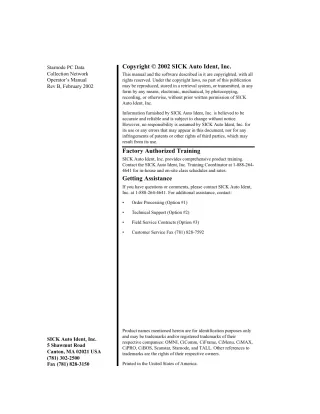
Starnode PC Data Collection Network Operator's Manual
Manual172 pagesPDF 2.1 MB
Operator's manual for the SICK Starnode PC data collection network that links fixed-station laser scanners and data collection terminals.
Filed with · 19 models
Also filed with these models on the old site
Summary
What is in it
The operator's manual for a Starnode barcode data collection network run from a PC fitted with the Starnode PC interface board. It describes the controllers, installing the board, T-tap boxes, cabling and scanners, Starnode accessories, the Starndem utility, the DOS device driver, writing application programs with the interface routines, commands for controlling data collection terminals, and network maintenance and troubleshooting. It does not name individual scanner models.
Its parts
- Introduction
- Installation
- Starnode Accessories
- Software & Programming Overview
- Using Starndem
- Starnode DOS Device Driver
- Writing an Application Program
- Using Interface Routines
- Controlling System's Data Collection Terminals
- Maintenance & Troubleshooting
From the manual
Key facts from this manual
Each line names its page in the PDF.
Starnode PC Data Collection Network Operator's Manual (EM-67043-1B, Rev B, February 2002) from SICK Auto Ident. It explains how to install and run a Starnode network of fixed-station laser scanner/decoders and data collection terminals from a PC with a Starnode PC interface board: the board, cabling, T-Taps, repeaters, software, programming routines and troubleshooting. It does not name the scanner or terminal models the site files it under.
- What it is
- Two-way bar code data collection network linking multi-dropped fixed-station laser scanner/decoders or data collection terminals in a tree/bus layout p. 13
- Network link
- RS-485 at 125K bits per second p. 14
- PC interface board
- ISA slot board for an IBM PC or compatible; up to 4,095 Starnode addresses; 16K character message buffer p. 14, 15
- Board versions
- A1-66965-1 (256K), A1-66965-2 (512K), A1-66965-3 (1024K), A1-66965-4 (2048K) download table space p. 15
- Other controllers
- Starnode AC/CICALP (A1-66676-1) and AC/MUX (A1-66676-2 with 256K-byte file memory, A1-66676-3 with none), up to 1,023 addresses each p. 16
- Network cable
- Shielded twisted pair 20 AWG, 78-ohm twin-ax, equivalent to Belden 9463, Alpha 9815, Manhattan 4227; plenum cable also offered p. 24, 25
- Termination
- 75-ohm, 1/2-Watt resistor across the blue and white strips of the last T-Tap box on each branch p. 23
- Board I/O address
- 300 hex from the factory, changed with the JH4 jumpers p. 20
- Interface cable
- Blue Starnode interface cable with a 9-pin male connector to the board p. 22
- Included software
- DOS and Windows 3.11 drivers; DOS and Windows 95 utilities (Starndem, Starn); Starnode dll for Windows applications p. 18
- Optional software
- Drivers for Windows NT/2000, SCO UNIX, OS/2; OLE Servers; CiMenu32, DataManager+ 32, CiView, OPC Server p. 29, 30, 31
- Repeater
- Starnode Repeater adds up to seven branch circuits; eight LEDs show line activity p. 31, 33
- Backup controller
- Starnode Switch moves the main branch to a backup controller; cable A1-70184-1 is 25 feet with 9-pin connectors p. 31
- Program download
- The controller can download TALL or C programs to Starnode devices at power-up p. 13
What this manual walks you through
- Installing the Starnode software from the Developers Disk p. 19
- Installing the PC interface board and setting its JH4 address jumpers p. 19, 20, 21, 22
- Wiring T-Tap boxes and the terminating resistor p. 23, 24
- Choosing network cable and checking connections with an ohmmeter p. 24, 25
- Optional drivers and applications for Starnode p. 29, 30, 31
- Adding branch circuits with a Starnode Repeater p. 31, 32, 33
- Setting up a backup controller with the Starnode Switch p. 31
- Troubleshooting common network problems p. 157, 158, 159, 160, 161, 162, 163
Good to know
- Only the last T-Tap box on a branch may hold a terminating resistor, and never the T-Tap closest to the Starnode board. p. 161
- Keep at least 50 feet of branch cable between the PC or Repeater and a device drop cable. p. 161
- A branch circuit should be one long wire with short drops, not split in a Y. p. 161
- Touch a grounded metal surface before handling the board, and hold it only by the edges. p. 19
- For cable in a plenum, check the state and local fire codes for the site. p. 25
Questions this manual answers
What terminating resistor does a Starnode network need?
A 75-ohm, 1/2-Watt resistor across the blue and white strips of the last T-Tap box on each branch circuit. p. 23
What cable does Starnode use?
Standard twin-ax 78-ohm cable, equivalent to Belden 9463, Alpha 9815 or Manhattan 4227. p. 25
How many devices can a Starnode network address?
The PC interface board supports up to 4,095 Starnode addresses; the AC/CICALP and AC/MUX controllers up to 1,023. p. 15, 16
Why is the PC not receiving messages from a Starnode terminal?
The PC may be too fast for the Starnode board; call the SDLAY routine before the first SINIT with delay values between 2 and 50. p. 160
What is the default I/O address of the Starnode PC board?
300 hex, set with the JH4 jumpers. p. 20
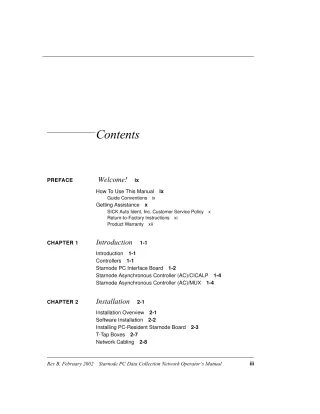
Contents
Chapters and sections
Each line opens the PDF at its page.
- Starnode PC Data Collection Network Operator’s Manual1
- CHAPTER 1 Introduction13
- CHAPTER 2 Installation17
- CHAPTER 3 Starnode Accessories29
- CHAPTER 4 Software & Programming Overview35
- CHAPTER 5 Using Starndem39
- CHAPTER 6 Starnode DOS Device Driver71
- CHAPTER 7 Writing an Application Program97
- CHAPTER 8 Using Interface Routines107
- CHAPTER 9 Controlling System’s Data Collection Terminals145
- CHAPTER 10 Maintenance & Troubleshooting157
- APPENDIX A ASCII Equivalence165
- Index171
The whole text · 18 parts
Read the manual here as text
Its text as extracted from the PDF, unedited, in parts; each page opens the PDF at that page.
- Pages 1 to 101-10
- Pages 11 to 2011-20
- Pages 21 to 3021-30
- Pages 31 to 4031-40
- Pages 41 to 5041-50
- Pages 51 to 6051-60
- Pages 61 to 7061-70
- Pages 71 to 8071-80
- Pages 81 to 9081-90
- Pages 91 to 10091-100
- Pages 101 to 110101-110
- Pages 111 to 120111-120
- Pages 121 to 130121-130
- Pages 131 to 140131-140
- Pages 141 to 150141-150
- Pages 151 to 160151-160
- Pages 161 to 170161-170
- Pages 171 to 172171-172
The file