Spec sheet · Sick
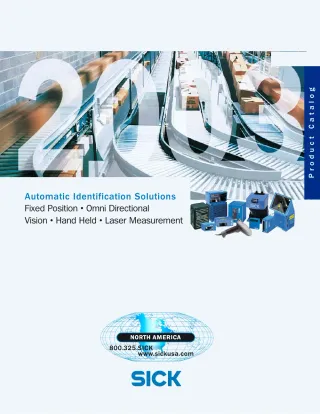
Product Catalog: Automatic Identification Solutions
Spec sheet145 pagesPDF 2.6 MB
SICK Auto Ident 2002 product catalog of fixed position, omni directional, vision, hand held and laser measurement ID products, incl. CiMAX 7555A.
Names · 3 models
The models it names
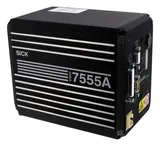 RVSI CiMatrix 7555ADecoded fixed-mount laser barcode scanner from$1,295.0013 in stock Sick 7555ADecoded fixed-mount laser barcode scanner from$1,295.0013 in stock Siemens 7555ADecoded fixed-mount laser barcode scanner Call for availability
Filed with · 2 models
Also filed with these models on the old site
Summary
What is in it
The 2002 product catalog from SICK Auto Ident, Inc. covering its automatic identification line: fixed position bar code scanners (CLP 100, the CLV 400 series and the CiMAX 7500A/7550A/7555A), omni directional and tunnel scanning systems (CLX 490, OPS, OMNI, ALIS, VMS, RDT 400), machine vision systems (ICR 850, MHV-1000, MHV-2020), hand held scanners, laser measurement systems and setup software. Each product has a specification table, and the catalog ends with part numbers and accessories.
Its parts
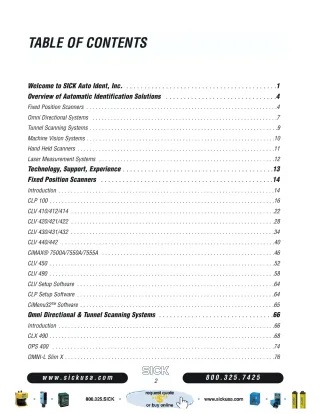
- Welcome to SICK Auto Ident, Inc.
- Overview of Automatic Identification Solutions
- Technology, Support, Experience
- Fixed Position Scanners
- Omni Directional & Tunnel Scanning Systems
- Machine Vision Systems
- Hand Held Scanners
- Laser Measurement Systems
- Part Numbers & Accessories
From the sheet
Key facts from this sheet
Each line names its page in the PDF.
SICK Auto Ident's 2002 product catalog of automatic identification products: fixed position scanners (CLP 100, CLV 410 to CLV 490 and CiMAX 7500A/7550A/7555A), omni directional and tunnel systems (CLX 490, OPS 400, OMNI-L Slim X), vision, hand held and laser measurement products. This summary uses the CiMAX 7500A/7550A/7555A pages: features, specifications, pinouts, drawings and the option codes and accessories for ordering.
- Device
- CiMAX 7555A: front emitting line scanner with integrated scanner and decoder p. 48, 130
- Reading range
- CiMAX 7555A: 2.0 to 38.0 in (51 to 965 mm), 0.008 in (0.20 mm) resolution, 1200 Hz scan rate p. 48
- Communications
- CiMAX 7555A: RS 422/232 host port, RS 232 terminal port, RS 485 LAN port (Starnode), optional Ethernet 10 base 2, SDS or DeviceNet p. 50
- Connectors
- CiMAX 7555A: two 9-pin D-Sub (1 male, 1 female) and one 25-pin D-Sub female p. 50
- Bar codes
- CiMAX 7555A: Code 39, Interleaved 2/5, Codabar, Code 93, EAN, UPC, Code 128 p. 50
- Processor and memory
- CiMAX 7555A: 32-bit processor, 256 K or 1 MB non-volatile RAM, C programmable; memory options with or without CIX p. 50, 131
- Laser
- CiMAX 7555A: visible laser diode (670 nm); diode options from 4.0 in (5 mW) to 36.0 in (10 mW) p. 50, 131
- Inputs and outputs
- CiMAX 7555A: 8 inputs (presence, tachometer, height sensors) and 8 outputs (no read, match, no match, beeper and more) p. 51
- Housing
- CiMAX 7555A: epoxy powder-coated aluminum, NEMA 12 / IP 65 dust and drip proof p. 50
- Environment
- CiMAX 7555A: 32 to 122° F (0 to 50° C); 5 to 95% humidity, non-condensing p. 50
- Setup
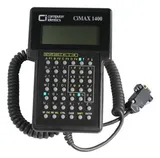
- CiMAX 7555A: Windows-based CiMenu32 software or the CiMAX 1400 hand held setup / diagnostic terminal (971-0161-1) on the terminal port p. 50, 133
- Ordering code
- CiMAX 7555A: 7555A-A B C D E F (scan line, laser, beam diverger, voltage and communication, memory, adjustment options) p. 51, 131, 132
- Network options
- CiMAX 7555A: SDS, DeviceNet, Ethernet 10 base 2 or Ethernet RJ45, each needing an 888 or 895 I/O box p. 131
- Mounting adapters
- CiMAX 7555A: A4-62877-1 offset, A4-62879-1 machined plate, A4-62883-1 3-way p. 132
What this sheet walks you through
- Choosing among SICK fixed position, omni directional and tunnel scanners p. 4
- CiMAX 7500A reading range charts for the 8, 14 and 20 in diodes p. 49
- CiMAX technical specifications p. 50
- CiMAX connector pinouts: host, I/O, Starnode and setup p. 51
- CiMAX dimensions for front and side emitting scanners p. 52
- Connecting a CiMAX through the 888 interface unit p. 53
- Building a CiMAX part number from the option codes p. 131, 132
- CiMAX accessories: interface boxes, opto modules, light trees, speaker kit p. 132, 133
Good to know
- The CiMAX specifications are tuned for each application during factory configuration. p. 50
- The SDS, DeviceNet and Ethernet options need an 888 or 895 I/O box. p. 131
- Leave a minimum area of 3.0 in (76.2 mm) for cable access at the CiMAX connectors. p. 52
- The scanner window carries a laser warning: avoid direct exposure. p. 52
Questions this sheet answers
What is the reading range of the CiMAX 7555A?
2.0 to 38.0 in (51 to 965 mm) for bar codes down to 0.008 in (0.20 mm), at 1200 Hz. p. 48
How do I set up a CiMAX 7555A scanner?
Through the terminal port, with a CiMAX 1400 terminal or a PC running the Windows-based CiMenu32 software. p. 50
What is the CiMAX 1400?
A hand held setup and diagnostic terminal for the CiMAX scanners, part number 971-0161-1. p. 133
What do the letters in a CiMAX 7555A part number mean?
7555A-A B C D E F: A scan line and angle, B laser, C beam diverger, D voltage and communication, E memory, F adjustment. p. 51, 131, 132
Does the CiMAX 7555A support Ethernet or DeviceNet?
Yes, as ordered options (Ethernet 10 base 2 or RJ45, SDS, DeviceNet), each needing an 888 or 895 I/O box. p. 131
The whole text · 15 parts
Read the sheet here as text
Its text as extracted from the PDF, unedited, in parts; each page opens the PDF at that page.
- Pages 1 to 101-10
- Pages 11 to 2011-20
- Pages 21 to 3021-30
- Pages 31 to 4031-40
- Pages 41 to 5041-50
- Pages 51 to 6051-60
- Pages 61 to 7061-70
- Pages 71 to 8071-80
- Pages 81 to 9081-90
- Pages 91 to 10091-100
- Pages 101 to 110101-110
- Pages 111 to 120111-120
- Pages 121 to 130121-130
- Pages 131 to 140131-140
- Pages 141 to 145141-145
The file