Manual · Microscan
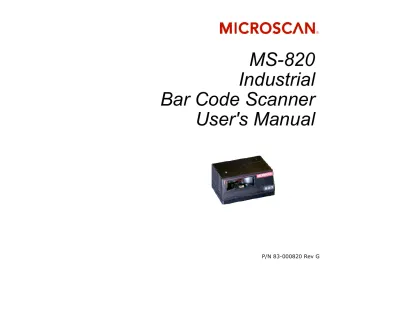
MS-820 Industrial Bar Code Scanner User's Manual
Manual222 pagesPDF 4.3 MB
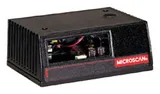
User's manual for the Microscan MS-820 industrial fixed-mount laser bar code scanner: quick start, setup, configuration and specifications.
Names · 1 model
The models it names
Filed with · 1 model
Also filed with these models on the old site
Summary
What is in it
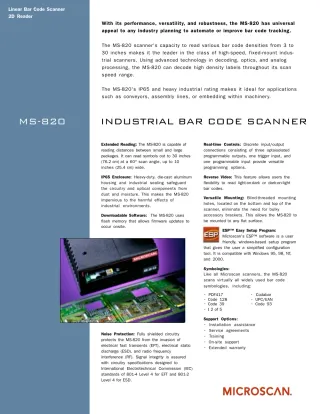
The user's manual for the Microscan MS-820 industrial bar code scanner, a fixed-mount laser scanner for conveyors, assembly lines and machinery. It gives a step-by-step quick start with the ESP-MP setup program, then covers communications and protocol settings, read cycle and trigger modes, symbologies, scanner setup, matchcode and master label database, outputs, discrete I/O, diagnostics and utilities. The appendices hold general and electrical specifications, the IB-131 interface module, serial commands and multidrop communications.
Its parts
- Quick Start
- Communications
- Protocol
- Read Cycle/Trigger
- Codes
- Scanner Setup
- Matchcode
- Outputs
- Discrete I/0
- Diagnostics
- Utilities
From the manual
Key facts from this manual
Each line names its page in the PDF.
The 2002 Microscan user's manual (P/N 83-000820 Rev G) for the MS-820 fixed-mount industrial laser bar code scanner. It walks through connecting the scanner with the IB-131 interface module, setting it up with the ESP-MP software, testing read range, and restoring defaults, and gives electrical specifications, pinouts and cable part numbers.
- Device
- Fixed-mount industrial laser bar code scanner with a rotating 10-faceted mirror, single line or raster p. 177
- Communication
- RS-232, RS-422/485, daisy chain, DeviceNet and Ethernet (Modicon) through the IB-131 interface accessory p. 177
- Power
- 10 to 28VDC, 200mV p-p maximum ripple, 120 mA at 24VDC typical; 3.6 watts maximum p. 179
- Host connector
- 15-pin connector: power +10 to 28 VDC on pin 1, power/signal ground on pin 4, RS-232 or RS-422/485 data p. 179
- Read range
- Low density: 4 to 30 in. on .040 in. bars; high density: 4 to 5.5 in. on .005 in. bars (grade A Code 39) p. 177
- Laser
- Visible laser diode, 650nm; optional 780nm infrared; operating life 50,000 hours at 25 C p. 176
- Code types
- Code 128, Code 39, Code 93, Codabar, Interleaved 2 of 5, UPC/EAN, PDF417; AIAG and UCC/EAN-128 p. 177
- Discrete I/O
- Trigger and New Master inputs 4.5 to 28 VDC; outputs 1, 2, 3 rated 1 to 28VDC, under 100mA; all optoisolated p. 179
- IB-131 module
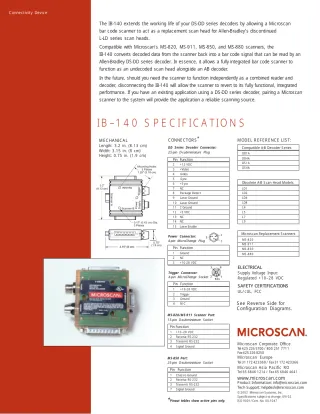
- IB-131 interface module 99-400005-02 with separate host, power, trigger and network ports p. 183, 184
- Cables
- Scanner to IB-131 61-100011 (6 feet); RS-232 61-300026; multidrop 61-100030; daisy chain 61-100029 p. 184
- Power supply
- P/N 97-100004-1005 (120V) or 97-100004-06 (240V); trigger/object detector 99-440001-10 p. 14
- Setup software
- ESP-MP (Windows), serial commands from a terminal program, or embedded menus opened with a <D> command p. 10
- Environment
- IP65 enclosure; operating 0 to 50 C; humidity up to 90% non-condensing p. 176
- Size and weight
- 2.59 in. deep, 3.47 in. wide, 1.38 in. high; 7.5 oz. (212g) p. 176
What this manual walks you through
- Connecting the scanner, IB-131, host computer and power supply p. 14, 15
- Installing ESP-MP and connecting with Auto Connect p. 16, 17, 18, 19
- Retrieving and comparing scanner settings p. 20, 21
- Positioning the scanner and label p. 22
- Testing read rate and depth of field p. 23
- Saving configuration changes to the scanner p. 24
- Wiring optoisolated outputs and inputs to a PLC or relay p. 180, 181, 182
- Restoring defaults by serial command, ESP or hardware pins p. 194, 195
- Operational tips for mounting and decode rates p. 204
Good to know
- A user-supplied power supply must be wired correctly and stay within +10 to 28 VDC, or failures can result. p. 14
- No more than 100 mA can pass through an output optoisolator. p. 180
- When resetting by hardware, connecting the wrong pins can seriously damage the unit. p. 195
- Restoring flash defaults overwrites user-saved NOVRAM settings. p. 195
- Do not aim the scanner into direct light or sunlight, or tie scanner and host chassis to different ground potentials. p. 204
Questions this manual answers
How do I reset a Microscan MS-820 to factory defaults?
Send the <Zd> command, or with power on, briefly connect pins 4 and 8, then connect them again within 3 seconds until a longer beep sounds. p. 195
What power supply does the MS-820 use?
The manual lists P/N 97-100004-1005 (120V) or 97-100004-06 (240V); any supply must give +10 to 28 VDC. p. 14
What do the lights on the MS-820 mean?
PWR (red) means power, RDY (green) means ready to read, GD/RD (green) means a good label. p. 178
Which code types does the MS-820 read by default?
Code 39 is enabled by default; enable Autodiscriminate under Code Types to read all codes. p. 22
Contents
Chapters and sections
Each line opens the PDF at its page.
The whole text · 23 parts
Read the manual here as text
Its text as extracted from the PDF, unedited, in parts; each page opens the PDF at that page.
- MS-820 Industrial Bar Code Scanner User's Manual, pages 1 to 101-10
- MS-820 Industrial Bar Code Scanner User's Manual, pages 11 to 2011-20
- MS-820 Industrial Bar Code Scanner User's Manual, pages 21 to 3021-30
- MS-820 Industrial Bar Code Scanner User's Manual, pages 31 to 4031-40
- MS-820 Industrial Bar Code Scanner User's Manual, pages 41 to 5041-50
- MS-820 Industrial Bar Code Scanner User's Manual, pages 51 to 6051-60
- MS-820 Industrial Bar Code Scanner User's Manual, pages 61 to 7061-70
- MS-820 Industrial Bar Code Scanner User's Manual, pages 71 to 8071-80
- MS-820 Industrial Bar Code Scanner User's Manual, pages 81 to 9081-90
- MS-820 Industrial Bar Code Scanner User's Manual, pages 91 to 10091-100
- MS-820 Industrial Bar Code Scanner User's Manual, pages 101 to 110101-110
- MS-820 Industrial Bar Code Scanner User's Manual, pages 111 to 120111-120
- MS-820 Industrial Bar Code Scanner User's Manual, pages 121 to 130121-130
- MS-820 Industrial Bar Code Scanner User's Manual, pages 131 to 140131-140
- MS-820 Industrial Bar Code Scanner User's Manual, pages 141 to 150141-150
- MS-820 Industrial Bar Code Scanner User's Manual, pages 151 to 160151-160
- MS-820 Industrial Bar Code Scanner User's Manual, pages 161 to 170161-170
- MS-820 Industrial Bar Code Scanner User's Manual, pages 171 to 180171-180
- MS-820 Industrial Bar Code Scanner User's Manual, pages 181 to 190181-190
- MS-820 Industrial Bar Code Scanner User's Manual, pages 191 to 200191-200
- MS-820 Industrial Bar Code Scanner User's Manual, pages 201 to 210201-210
- MS-820 Industrial Bar Code Scanner User's Manual, pages 211 to 216211-216
- Index217-222
The file