Manual · Keyence
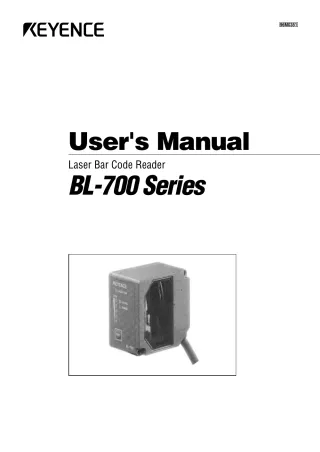
Laser Bar Code Reader BL-700 Series User's Manual
Manual161 pagesPDF 1.4 MB
User's manual for the Keyence BL-700 series fixed-mount laser bar code readers (BL-700, 701, 740, 741, 780, 781).
Covers · 3 models
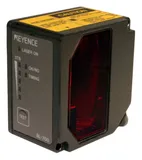
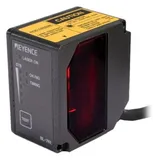
The models it covers
Summary
What is in it
Keyence's user's manual for the BL-700 series laser bar code readers and their BL-U1, BL-U2 and N-42 power supply units. It covers laser safety, wiring power, I/O, RS-232C and RS-422A, installing the reader, read modes, test modes and the STABILITY LEDs, the Windows setup software, serial command communication, the PLC link, and appendices with specifications, reading ranges, dimensions, troubleshooting and default settings.
Its parts
- Laser Safety Precautions
- Connection and Installation
- Functions for Reading Operation
- Setup Software
- Serial Communication
- PLC Link
From the manual
Key facts from this manual
Each line names its page in the PDF.
The KEYENCE user's manual for the BL-700 series laser bar code readers (BL-700, BL-701, BL-740, BL-741, BL-780 and BL-781) and the BL-U1, BL-U2 and N-42 power supply units. It covers connection and installation, reading functions, the setup software, serial communication, PLC link, specifications and troubleshooting.
- Device
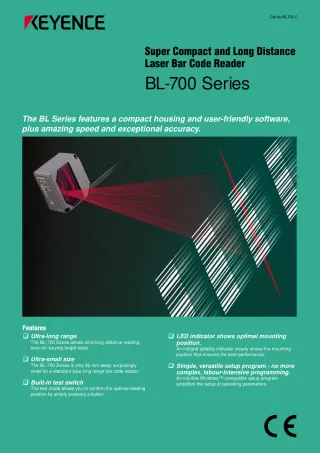
- Laser bar code reader with a visible red semiconductor laser (650 nm) p. 133
- Interface
- RS-232C serial, 600 to 38400 bit/s, 7 or 8 data bits, none/even/odd parity p. 133
- Power
- 5 VDC ±5%, 510 mA max. p. 133
- Scan rate
- 700 scans/second p. 133
- Supported codes
- CODE39, ITF, Industrial 2-of-5, COOP 2-of-5, Codabar, CODE128, CODE93, EAN/UPC (A, E); 32 digits max. p. 133
- Enclosure
- IP-65 p. 133
- Inputs and outputs
- Timing input: non-voltage (relay contact, solid state), TTL also available; OK/NG output: NPN open collector, 24 VDC, 30 mA p. 133
- Scan method
- BL-700: single line; BL-701 and BL-781: raster (BL-701 10±1 mm wide at 200 mm, BL-781 30±3 mm at 450 mm) p. 5, 134
- Reading distance
- Across the series, from 160 to 370 mm (narrow bar 0.5 mm) up to 200 to 1200 mm (narrow bar 2.0 mm) p. 133
- Environment
- 0 to 40°C (32 to 104°F), no freezing; 35 to 85% humidity, no condensation p. 133
- Weight and cable
- Approx. 300 g including cable; cable length 1.8 m p. 7, 133
- Power supply units
- BL-U1 100 to 240 VAC (RS-232C, RS-422A or RS-485 multi-drop); BL-U2 24 VDC (RS-232C); N-42 24 VDC (RS-422A); N-48 24 VDC (RS-485 multi-drop) p. 5
- Cables and options
- OP-22149 RS-232C cross cable with OP-25057 25-to-9-pin converter (BL-U1 to PC); OP-27937 cross cable (BL-U2 to PC); BL-P1E handheld programmer; N-400 multi-drop controller p. 5
- Setup software
- BL-H1WE, Windows version p. 4, 6
What this manual walks you through
- Package contents of the reader and power supply units p. 4
- Series lineup, power supply units and options p. 5
- System configuration with a PC, PLC or multi-drop link p. 6
- Parts and functions of the BL-700, BL-U1, BL-U2 and N-42 p. 7, 8, 9
- Reading the STABILITY LEDs for unit status p. 56
- Setup software error messages p. 93
- Serial command response error codes p. 106
- Clearing a PLC link communication error p. 129
- Specifications of the readers and power supply units p. 133, 134, 139, 140
- Troubleshooting codes that will not read and settings that will not send p. 147, 148
Good to know
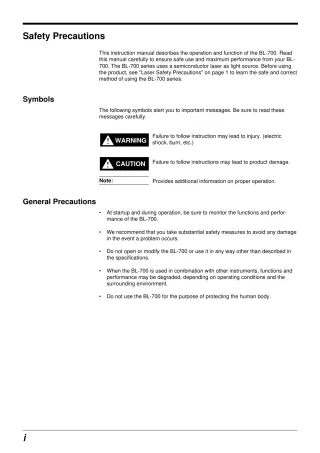
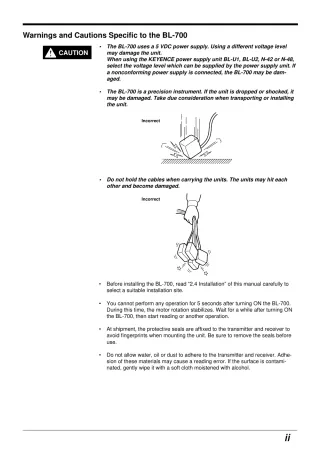
- The reader runs on 5 VDC; another voltage may damage it. p. 3
- No operation is possible for 5 seconds after power-on while the motor stabilizes. p. 3
- Remove the protective seals from the transmitter and receiver before use. p. 3
- Bar code margins (quiet zones) must be at least 10 times the narrow bar width. p. 147
- The BL-U1 power supply is not available in Europe. p. 139
Questions this manual answers
What power supply does the Keyence BL-700 need?
5 VDC ±5% with a capacity of 510 mA. p. 147
What does BL-700 error code 14 mean?
Data in the EEPROM may be damaged; perform the initial setup. p. 106
Why can't I send settings to the BL-700?
Hold the TEST switch for 8 seconds to enter setting data send/receive waiting status, and set the software COM port to 9600 bit/s, 7 data bits, even parity, 1 stop bit. p. 148
What does a flashing 2nd, 3rd or 4th STABILITY LED mean?
A unit error: the unit may have failed or the supply voltage dropped. If the voltage is normal, the manual says to contact KEYENCE. p. 56
Contents
Chapters and sections
Each line opens the PDF at its page.
- Front1
- Safety Precautions2
- Warnings and Cautions Specific to the BL-7003
- Package Contents List4
- BL Series Lineup5
- System Configuration6
- Parts and Functions7
- Using the Manual10
- Warranty10
- Chapter 1 Laser Safety Precautions14
- 1.1 Classification15
- 1.2 Warning Labels15
- 1.3 Labels Location16
- 1.4 Safety Consideration17
- 1.5 Safety Features Provided with the BL-700 Series17
- Chapter 2 Connection and Installation18
- Chapter 3 Functions for Reading Operation42
- Chapter 4 Setup Software62
- Chapter 5 Serial Communication96
- Chapter 6 PLC Link116
- Appendices132
- WARRANTIES AND DISCLAIMERS:160
The whole text · 19 parts
Read the manual here as text
Its text as extracted from the PDF, unedited, in parts; each page opens the PDF at that page.
- Pages 1 to 31-3
- Pages 4 to 64-6
- Parts and Functions7-9
- Pages 10 to 1310-13
- Chapter 1 Laser Safety Precautions, pages 14 to 2314-23
- Chapter 1 Laser Safety Precautions, pages 24 to 3324-33
- Chapter 1 Laser Safety Precautions, pages 34 to 4334-43
- Chapter 1 Laser Safety Precautions, pages 44 to 5344-53
- Chapter 1 Laser Safety Precautions, pages 54 to 6354-63
- Chapter 1 Laser Safety Precautions, pages 64 to 7364-73
- Chapter 1 Laser Safety Precautions, pages 74 to 8374-83
- Chapter 1 Laser Safety Precautions, pages 84 to 9384-93
- Chapter 1 Laser Safety Precautions, pages 94 to 10394-103
- Chapter 1 Laser Safety Precautions, pages 104 to 113104-113
- Chapter 1 Laser Safety Precautions, pages 114 to 123114-123
- Chapter 1 Laser Safety Precautions, pages 124 to 133124-133
- Chapter 1 Laser Safety Precautions, pages 134 to 143134-143
- Chapter 1 Laser Safety Precautions, pages 144 to 153144-153
- Chapter 1 Laser Safety Precautions, pages 154 to 161154-161
The file