Manual · Intermec
DCS 300 User's Manual
Manual460 pagesPDF 2.2 MB
User's manual for the Intermec DCS 300 data collection server: setup, network connections, terminal emulation and screen mapping.
Covers · 1 model
The models it covers
Summary
What is in it
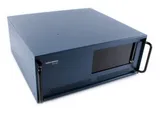
The Intermec DCS 300 User's Manual covers the DCS 300 data collection server, which connects Intermec wired and wireless devices to a local area network or directly to a host. It explains setting up the server, connecting it to Ethernet, token ring, coaxial, twinaxial, SDLC and Intermec RF networks, the 9180 controller and CrossBar network, terminal emulation, peer-to-peer applications, terminal sessions, screen mapping with the Script Builder Tool, troubleshooting and upgrades.
Its parts
- Learning About the DCS 300
- Setting Up the DCS 300
- Connecting to an Ethernet/Token Ring Network
- Connecting to a Coaxial/Twinaxial Network
- Connecting to an SDLC Network
- Connecting to the Intermec RF Network
- Connecting to the 9180 and the Intermec CrossBar Network
- Using Terminal Emulation
- Using Peer-to-Peer Applications
- Using Terminal Sessions
- Using Screen Mapping
From the manual
Key facts from this manual
Each line names its page in the PDF.
This is the Intermec DCS 300 System Manual (P/N 067296-004) for the DCS 300 data collection server, with an addendum for software v1.2 and v1.3. It explains how to set up the server, connect it to host networks and to Intermec RF and CrossBar networks, run terminal emulation, peer-to-peer applications and screen mapping, and troubleshoot common problems.
- What it is
- Data collection server that connects Intermec wired and wireless products to a local area network or directly to a host p. 26
- Host network cards
- Ethernet, token ring, twinaxial and SDLC network adapter cards p. 26
- Rear panel ports
- Mouse, keyboard, LPT1 parallel, COM1 and COM2 serial, video, AC in; PCI slots for Ethernet cards, ISA slots for other adapter cards p. 30
- 900 MHz RF
- Up to two optional RF cards, connected by RS-485 cable to 9181 Base Radio Units (BRUs), up to four BRUs per card p. 26, 106
- RF cables
- Intermec cable kit Part No. 055003 and Belden 89688 cable (Intermec Part No. 583326), ordered separately; 4-port RF cards come with a 4-port interface cable p. 106
- Terminal emulation
- VT/ANSI, 5250 and 3270 for JANUS devices and TRAKKER Antares terminals; TN5250/TN3270 for JANUS 2.4 GHz RF devices and TRAKKER Antares terminals p. 26
- Power
- 100-120 VAC or 200-240 VAC, 47-63 Hz, 250 Watts maximum, autoswitching p. 363
- Dimensions
- Length 39.2 cm (15.25 in.), height 17.7 cm (6.97 in.), width 48.3 cm (19.0 in.) p. 363
- Weight
- 12.35 kg (27.2 lb) p. 363
- Environment
- Operating 10° to 50°C (50° to 122°F); storage -20° to +60°C (-4° to +140°F); humidity 0 to 85% non-condensing p. 363
- Software versions
- v1.1 in the main manual; addendum for v1.2 and v1.3 p. 27, 439
- dcBrowser devices
- Trakker Antares 2415, T2425, T455 and JANUS JG2010, JG2020, JG2050 communicating over TCP/IP p. 441
- Connections
- Up to 254 simultaneous connections (v1.1) p. 27
- Manual part number
- 067296-004 (with addendum) p. 439
What this manual walks you through
- Unpacking the server and checking the shipped parts p. 28
- Identifying the front and rear panel controls and ports p. 29, 30
- Connecting the server to the 900 MHz RF network with RF cards and BRUs p. 106
- Configuring the RF cards p. 108
- Troubleshooting controller, network card, keyboard and mouse problems p. 343, 344
- Converting Ethernet addresses to token ring MAC format for an AS/400 host p. 364
- Using the Data Collection Browser to run HTML applications on devices p. 441
Good to know
- The addendum states the DCS 300 no longer supports a connection to a coaxial network. p. 439
- Do not place the server where its fan is obstructed. p. 30
- The Ethernet card defaults to 10BaseT; for 10Base2 or 10Base5 the manual says to contact an Intermec representative. p. 343
- BRUs run from a 9180 Network Controller are configured from the 9180 controller's menu, not the DCS 300. p. 106
- From v1.3 Fast Setup is removed; configuration goes through the Terminal Emulation, Terminal Session, Peer-to-Peer or Screen Mapping buttons. p. 440
Questions this manual answers
What power does the Intermec DCS 300 need?
It runs on 100-120 VAC or 200-240 VAC at 47-63 Hz, autoswitching, drawing 250 Watts maximum. p. 363
What cable connects a DCS 300 RF card to a 9181 BRU?
An Intermec cable kit (Part No. 055003) plus a Belden 89688 cable (Intermec Part No. 583326), or equivalents; 4-port cards also use the supplied 4-port interface cable. p. 106
How many RF cards and BRUs does the DCS 300 support?
Up to two optional RF cards for the 900 MHz network, each supporting up to four 9181 Base Radio Units. p. 26
The green LED on the DCS 300 Ethernet card is not lit, what do I check?
Make sure the Ethernet cable is firmly plugged into the card and the network; if that fails, replace the cable, then the card. p. 343
Which handhelds work with the DCS 300 Data Collection Browser?
Only Trakker Antares 2415, T2425 and T455 terminals and JANUS JG2010, JG2020 and JG2050 devices communicating over TCP/IP. p. 441
The whole text · 46 parts
Read the manual here as text
Its text as extracted from the PDF, unedited, in parts; each page opens the PDF at that page.
- Pages 1 to 101-10
- Pages 11 to 2011-20
- Pages 21 to 3021-30
- Pages 31 to 4031-40
- Pages 41 to 5041-50
- Pages 51 to 6051-60
- Pages 61 to 7061-70
- Pages 71 to 8071-80
- Pages 81 to 9081-90
- Pages 91 to 10091-100
- Pages 101 to 110101-110
- Pages 111 to 120111-120
- Pages 121 to 130121-130
- Pages 131 to 140131-140
- Pages 141 to 150141-150
- Pages 151 to 160151-160
- Pages 161 to 170161-170
- Pages 171 to 180171-180
- Pages 181 to 190181-190
- Pages 191 to 200191-200
- Pages 201 to 210201-210
- Pages 211 to 220211-220
- Pages 221 to 230221-230
- Pages 231 to 240231-240
- Pages 241 to 250241-250
- Pages 251 to 260251-260
- Pages 261 to 270261-270
- Pages 271 to 280271-280
- Pages 281 to 290281-290
- Pages 291 to 300291-300
- Pages 301 to 310301-310
- Pages 311 to 320311-320
- Pages 321 to 330321-330
- Pages 331 to 340331-340
- Pages 341 to 350341-350
- Pages 351 to 360351-360
- Pages 361 to 370361-370
- Pages 371 to 380371-380
- Pages 381 to 390381-390
- Pages 391 to 400391-400
- Pages 401 to 410401-410
- Pages 411 to 420411-420
- Pages 421 to 430421-430
- Pages 431 to 440431-440
- Pages 441 to 450441-450
- Pages 451 to 460451-460
The file