Manual · Intermec
Trakker Antares 24XX Terminal User's Manual Addendum
Manual501 pagesPDF 2.2 MB
User's manual addendum for Intermec Trakker Antares 24XX terminals, bound with the full TRAKKER Antares 2455 vehicle-mount terminal manual.
Covers · 1 model
The models it covers
Summary
What is in it
This file holds the Trakker Antares 24XX Terminal User’s Manual Addendum (firmware version 6.13), covering the 802.11B HR radio, ROM-DOS on the terminal and hardware and software updates, followed by the complete TRAKKER Antares 2455 Vehicle-Mount Terminal User’s Manual (P/N 067358-004). The manual covers installing the terminal on a vehicle, power supplies, configuration, networking, custom applications, troubleshooting, diagnostics and the reader and configuration command references.
Its parts
- What's New
- Configuring the 802.11B HR Radio
- DOS on the Trakker Antares Terminal
- Updates to Hardware and Software
- Introducing the TRAKKER Antares 2455 Terminal
- Installing the Terminal
- Configuring the Terminal
- Operating the Terminal in a Network
- Using Custom Applications
- Troubleshooting
- Running Diagnostics
- Reader Command Reference
- Configuration Command Reference
From the manual
Key facts from this manual
Some pages are scans or cannot be read; this says only what the readable text supports. Each line names its page in the PDF.
A September 2000 user's manual addendum for Trakker Antares 24XX terminals and the firmware version 6.13 release, bound together with the full TRAKKER Antares 2455 Vehicle-Mount Terminal User's Manual. The addendum covers the 802.11B HR radio, ROM-DOS and other hardware and software updates, but most of its body text cannot be read. This summary draws mainly on the 2455 manual part: accessories, troubleshooting, error numbers and specifications.
- Device
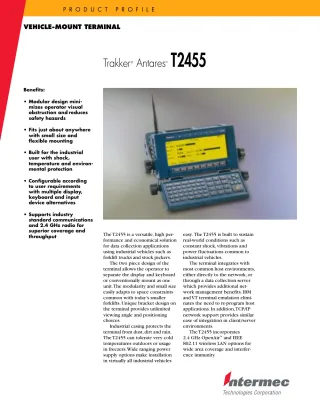
- Vehicle-mount terminal; programmable, or running IBM 3270, IBM 5250 or VT100/220/320 and ANSI terminal emulation p. 109, 444
- Screen
- 25 lines by 80 characters, CGA-compatible, backlit LCD or electroluminescent (EL) p. 444
- Memory
- 2MB flash (750K as a flash drive for applications and files), 1MB battery-backed RAM (512K for user); options for 4MB flash and a 2MB or 4MB SRAM drive p. 445
- Radio
- 2.4 GHz WLI Forum OpenAir compatible frequency hopping radio, 100 mW maximum, 1.6 Mbits per second (800 Kbps fallback); TCP/IP or UDP Plus p. 445
- Power
- Vehicle DC kits 10 to 36 VDC (Part No. 067698) or 15 to 96 VDC (Part No. 067699); AC power supply Part No. 065236 with adapter cable 066842 for desktop use p. 109
- Backup battery
- Rechargeable NiCd 700 mA pack; full charge in about 14 hours p. 253, 443
- Serial ports
- RS-232C ports COM1 and COM4 (COM4 through the Scanner port); XMODEM/YMODEM; Configurable Serial Protocol, Polling Mode D, Master Polling, Binary p. 110, 445
- Scanners
- 1517, 1518 and 1519 laser scanners; 1550 and 1551 laser scanners; 1552 cordless laser scanner with 9745 base station p. 446
- Scanner cables
- 151X: 6 ft 066845, 25 ft 067540; 1550: 6 ft 067541, 25 ft 067542; 1551: 6 ft 067730, 25 ft 067731; 9745 base station wand emulation cable 067364-016 p. 446
- Other cables
- RS-232 null-modem adapter 066847; COM port adapter 061799 for COM4; Codewriter 4102 printer cable 067642; O’Neil MicroFlash3 printer cable 067643 p. 446
- Keyboard
- Accessory keyboard Part No. 067028 with 55 keys, 5 function keys, ABCD layout; or a PC-AT keyboard with adapter cable 066848 p. 109, 444
- Dimensions
- L 11.2 x H 6.0 x D 4.2 in (28.4 x 15.2 x 10.7 cm), 8.9 lbs (4.04 kg) without keyboard; keyboard 11.2 x 4.1 x 1.7 in, 2.2 lbs (1.0 kg) p. 442, 443
- Mounting bracket
- Base 12.16 in (30.88 cm) long and 2.5 in (6.35 cm) wide; holes .203 in radius, .5 in from edge p. 443
- COM1 pins
- 1 Data Carrier Detect, 2 Received, 3 Transmitted, 4 Data Terminal Ready, 5 Ground, 6 Data Set Ready, 7 Ready to Send, 8 Clear to Send, 9 and 10 Reserved p. 448
What this manual walks you through
- What is new in the firmware version 6.13 release p. 10
- Configuring the 802.11B HR radio, including transmit rate and WEP settings p. 4, 27
- Running ROM-DOS on Trakker Antares terminals p. 36
- Hardware and software updates not yet in the user's manual p. 58
- Troubleshooting PSK and EZBuilder application screen errors p. 79
- Choosing 2455 accessories and their part numbers p. 109, 110
- Solving problems while operating the 2455 p. 252, 253
- Reading Error Logger error numbers p. 296
- Making serial cables from the port pin assignments p. 447, 448
Good to know
- ROM-DOS needs firmware version 6.12 or higher. p. 36
- The 2455 cannot run without an external power supply. p. 252
- The 9745 wand emulation cable and the COM port adapter cable do not give an environmentally sealed connection. p. 446
- With several symbologies enabled, the terminal may now and then decode a label in the wrong one; enable only those in use. p. 252
- After loading the default configuration, the network communications parameters may need to be set again. p. 252
Questions this manual answers
Intermec 2455 screen is blank and the Power light is blinking
Make sure the external power supply is connected. The terminal cannot run without one. p. 252
What does error 0x66 mean on the T2455?
On the Error Logger screen, 0x66 means the network is not active or not configured properly. p. 296
Which cable connects a 1551 scanner to the T2455?
The 1551 laser scanner cable, 6 feet (Part No. 067730) or 25 feet (Part No. 067731). p. 446
Which firmware does the Trakker Antares 24XX addendum cover?
The firmware version 6.13 release. Its ROM-DOS chapter applies to terminals running firmware version 6.12 or higher. p. 10, 36
T2455 appears locked up and will not take data
Wait at least 10 seconds and try again, since it ignores input while connecting to the DCS 300 or host. Then scan any label to see if it responds. p. 253
Contents
Chapters and sections
Each line opens the PDF at its page.
- Addendum1
- Chapter 1 - What's New8
- Chapter 2 - Configuring the 802.11B HR Radio12
- Chapter 3 - DOS on the Trakker Antares Terminal34
- Chapter 4 - Updates to Hardware and Software56
- User's Manual80
- Before You Begin96
- Chapter 1 - Introducing the TRAKKER Antares 2455 Terminal104
153 more lines, from page 129 on
- Where Do You Go From Here?129
- Chapter 2 - Installing the Terminal130
- Chapter 3 - Configuring the Terminal162
- How to Configure the Terminal164
- Learning About Configuration Parameters164
- Configuring the Terminal With the Menu System167
- Configuring the Terminal by Scanning Bar Codes176
- Scanning Bar Codes to Enable Symbologies178
- Saving Configuration Changes in Flash Memory180
- Restoring the Terminal's Default Configuration181
- Configuring Drives and Memory on the Terminal183
- Upgrading the Firmware187
- Recording Your Terminal's Configuration189
- Chapter 4 - Operating the Terminal in a Network198
- Chapter 5 - Using Custom Applications230
- How to Download and Run Applications232
- About the T2455 Programmable Terminals233
- Creating Applications for the Terminal234
- Using the Serial Port to Transfer Applications and Files237
- Using the DCS 300 to Download Applications240
- Running the Application on the Terminal245
- Using Screen Mapping (DCS 300 v1.1)247
- Chapter 6 - Troubleshooting248
- Chapter 7 - Running Diagnostics272
- Chapter 8 - Reader Command Reference306
- Chapter 9 - Configuration Command Reference330
- Using Configuration Commands332
- Configuration Commands Listed by Category333
- Entering Variable Data in a Configuration Command335
- Acknowledgement Delay Lower Limit336
- Acknowledgement Delay Upper LImit337
- Append Time338
- Automatic Shutoff339
- Baud Rate340
- Beep Volume342
- Codabar343
- Code 11344
- Code 16K345
- Code 2 of 5346
- Code 39347
- Code 49351
- Code 93352
- Code 128353
- Command Processing360
- Configuration Commands Via Serial Port363
- Controller Connect Check Receive Timer365
- Controller Connect Check Send Timer366
- Controller IP Address368
- Data Bits369
- Decode Security371
- Default Router372
- Display Contrast374
- Display Font Type375
- Display Row Spacing376
- Display Video Mode377
- Dynamic Host Configuration Protocol (DHCP)378
- End of Message (EOM)379
- Flash Memory Configuration381
- Flow Control382
- Handshake384
- Host IP Address386
- Interleaved 2 of 5388
- Keypad Caps Lock390
- Keypad Clicker390
- Keypad Type391
- LRC (Longitudinal Redundancy Check)392
- Maximum Retries393
- MSI395
- Network Activate396
- Network Loopback397
- Network Port398
- Parity399
- Plessey401
- Poll (Polling)402
- Postamble403
- Preamble404
- RAM Drive Size406
- Resume Execution407
- RF Domain408
- RF Inactivity Timeout409
- RF Roaming Flag411
- RF Security Identification411
- RF Transmit Mode413
- RF Wakeup On Broadcast414
- Scan Ahead414
- Scanner Mode415
- Scanner Port (COM4)416
- Scanner Redundancy417
- Scanner Selection418
- Scanner Timeout419
- Scanner Trigger420
- Serial Port Protocol421
- Start of Message (SOM)423
- Stop Bits424
- Subnet Mask425
- Suspend/Resume Control427
- TCP Maximum Retries427
- TCP/IP Maximum Transmit Timeout428
- Terminal IP Address430
- Time and Date431
- Time in Seconds433
- Timeout Delay433
- UPC/EAN435
- Appendix A - Terminal Specifications440
- Appendix B - Full ASCII Charts456
- Appendix C - International Character Support466
- Appendix D - Using the Default Applications474
- Index486
The whole text · 59 parts
Read the manual here as text
Its text as extracted from the PDF, unedited, in parts; each page opens the PDF at that page.
- Addendum1-7
- Chapter 1 - What's New8-11
- Chapter 2 - Configuring the 802.11B HR Radio, pages 12 to 1912-19
- Chapter 2 - Configuring the 802.11B HR Radio, pages 20 to 2720-27
- Chapter 2 - Configuring the 802.11B HR Radio, pages 28 to 3328-33
- Chapter 3 - DOS on the Trakker Antares Terminal, pages 34 to 4134-41
- Chapter 3 - DOS on the Trakker Antares Terminal, pages 42 to 4942-49
- Chapter 3 - DOS on the Trakker Antares Terminal, pages 50 to 5550-55
- Chapter 4 - Updates to Hardware and Software, pages 56 to 6356-63
- Chapter 4 - Updates to Hardware and Software, pages 64 to 7164-71
- Chapter 4 - Updates to Hardware and Software, pages 72 to 7972-79
- User's Manual, pages 80 to 8780-87
- User's Manual, pages 88 to 9588-95
- Before You Begin96-103
- Chapter 1 - Introducing the TRAKKER Antares 2455 Terminal, pages 104 to 112104-112
- Chapter 1 - Introducing the TRAKKER Antares 2455 Terminal, pages 113 to 121113-121
- Chapter 1 - Introducing the TRAKKER Antares 2455 Terminal, pages 122 to 129122-129
- Chapter 2 - Installing the Terminal, pages 130 to 137130-137
- Chapter 2 - Installing the Terminal, pages 138 to 145138-145
- Chapter 2 - Installing the Terminal, pages 146 to 153146-153
- Chapter 2 - Installing the Terminal, pages 154 to 161154-161
- Chapter 3 - Configuring the Terminal, pages 162 to 170162-170
- Chapter 3 - Configuring the Terminal, pages 171 to 179171-179
- Chapter 3 - Configuring the Terminal, pages 180 to 188180-188
- Chapter 3 - Configuring the Terminal, pages 189 to 197189-197
- Chapter 4 - Operating the Terminal in a Network, pages 198 to 205198-205
- Chapter 4 - Operating the Terminal in a Network, pages 206 to 213206-213
- Chapter 4 - Operating the Terminal in a Network, pages 214 to 221214-221
- Chapter 4 - Operating the Terminal in a Network, pages 222 to 229222-229
- Chapter 5 - Using Custom Applications, pages 230 to 238230-238
- Chapter 5 - Using Custom Applications, pages 239 to 247239-247
- Chapter 6 - Troubleshooting, pages 248 to 255248-255
- Chapter 6 - Troubleshooting, pages 256 to 263256-263
- Chapter 6 - Troubleshooting, pages 264 to 271264-271
- Chapter 7 - Running Diagnostics, pages 272 to 280272-280
- Chapter 7 - Running Diagnostics, pages 281 to 289281-289
- Chapter 7 - Running Diagnostics, pages 290 to 298290-298
- Chapter 7 - Running Diagnostics, pages 299 to 305299-305
- Chapter 8 - Reader Command Reference, pages 306 to 313306-313
- Chapter 8 - Reader Command Reference, pages 314 to 321314-321
- Chapter 8 - Reader Command Reference, pages 322 to 329322-329
- Chapter 9 - Configuration Command Reference, pages 330 to 339330-339
- Chapter 9 - Configuration Command Reference, pages 340 to 349340-349
- Chapter 9 - Configuration Command Reference, pages 350 to 359350-359
- Chapter 9 - Configuration Command Reference, pages 360 to 369360-369
- Chapter 9 - Configuration Command Reference, pages 370 to 379370-379
- Chapter 9 - Configuration Command Reference, pages 380 to 389380-389
- Chapter 9 - Configuration Command Reference, pages 390 to 399390-399
- Chapter 9 - Configuration Command Reference, pages 400 to 409400-409
- Chapter 9 - Configuration Command Reference, pages 410 to 419410-419
- Chapter 9 - Configuration Command Reference, pages 420 to 429420-429
- Chapter 9 - Configuration Command Reference, pages 430 to 439430-439
- Appendix A - Terminal Specifications, pages 440 to 447440-447
- Appendix A - Terminal Specifications, pages 448 to 455448-455
- Appendix B - Full ASCII Charts456-465
- Appendix C - International Character Support466-473
- Appendix D - Using the Default Applications474-485
- Index, pages 486 to 493486-493
- Index, pages 494 to 501494-501
The file