Manual · Festo
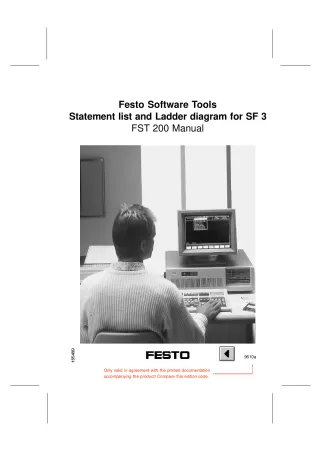
Festo Software Tools: Statement list and Ladder diagram for SF 3, FST 200 Manual
Manual496 pagesPDF 3.1 MB
User manual for Festo FST 200 PLC programming software (statement list and ladder diagram) for the SF 3 control block.
What this file really is
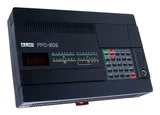
The old site listed this file as a manual for the Festo FPC-202. This is the manual for the FST 200 programming software, describing the FST 203 package for the SF 3 valve terminal control block; the FPC 202C package is only named and referred to older manuals.
Filed with · 1 model
Also filed with these models on the old site
Summary
What is in it
The user manual for Festo Software Tools FST 200, PC software for writing and modifying control programs in statement list (STL) and ladder diagram (LDR). It describes the FST 203 package for the programmable valve terminal with SF 3 control block; the FST 202C package for the FPC 202C, SB 202 and SF 202 is covered in older manuals. Chapters cover installation and configuration, project management, the STL and LDR editors, the text editor, online operation with the controller, and field bus and AS-i configuration.
Its parts
- Introduction
- Setting up the software
- Management of the control programs
- Programming in allocation list (STL)
- Programming in ladder diagram (LDR)
- Text editor
- Dialogue and Online operation with the controller
- Field bus, AS-i Master, CP interface
From the manual
Key facts from this manual
Each line names its page in the PDF.
Festo's FST 200 manual (edition 9610a) for its Festo Software Tools package, which writes statement list (STL) and ladder diagram (LDR) control programs on a DOS PC. This manual describes the FST 203 package for the programmable valve terminal with SF 3 control block. The same software also programs the FPC 202C, SB 202 and SF 202 through its FST 202C package, which is described in older manuals.
- What it is
- FST 200 programming software for statement list (STL) and ladder diagram (LDR) p. 15
- Controllers supported
- SF 3 with FST 203; FPC 202C / SB 202 / SF 202 with FST 202C p. 15
- PC needed
- IBM PC/XT/AT/PS2 or compatible with hard disk and 1.4 MB 3.5" floppy drive; MS-DOS 3.0 or higher p. 18
- Memory needed
- At least 512 kB RAM; 640 kB recommended for larger projects p. 18
- PC ports
- Serial interface for the controller; serial or parallel for a printer; second serial for a mouse if needed p. 18
- Diagnostic cables
- KDI-SB202-BU25 (25-pin socket for PC) or KDI-SB202-BU9 (9-pin socket for PC) p. 18
- Connection
- 4-pin plug to the valve terminal's DIAG diagnostic interface, RS-232 on the PC, 9600 baud p. 314
- Package contents
- A user manual and two 3.5" diskettes p. 15
- Manual order no.
- 165 489, designation P.BE-FST200-AWL/KOP-GB p. 5
- Basic manuals
- Allocation list (STL) order no. 18352 GB; Ladder diagram (LDR) order no. 18348 GB p. 4
- FST 202C manuals
- STL for FPC 202C, order no. 80 476; Ladder diagram for FPC 202C, order no. 80 496 p. 15
- Program storage
- Programs can be saved to EEPROM; Boot Mode EEPROM or Boot Mode RAM at power on p. 321
- Display standard
- Screens and program input based on German standard DIN 19 239 p. 15
What this manual walks you through
- Installing FST from diskette with FSTINS p. 14
- Sharing the COM port between the controller and other devices p. 37
- Switching FST 200 over to program an FPC 202C p. 37
- Connecting the PC to the controller's diagnostic interface p. 314
- Loading programs, setting the operating mode and running online diagnostics p. 313
- Saving tested programs to EEPROM and choosing the boot mode p. 321, 322
- Looking up FST software error messages p. 437, 438, 439, 440, 441
Good to know
- This manual describes the FST 203 package only; FST 202C for the FPC 202C is described in older manuals. p. 15
- In Boot Mode RAM, programs and operands may be lost in a mains power failure, even a short one. p. 322
- The PC must be set to 9600 baud to transfer data to the controller. p. 314
- Error messages of the SF 3 control block itself are in its separate "Electronics" description, not this manual. p. 471
Questions this manual answers
Can Festo FST 200 program an FPC 202C?
Yes. FST 200 includes the FST 202C package for the FPC 202C, SB 202 and SF 202; switch to it with FST 202C (F7) in the main menu. p. 15, 37
What computer does Festo FST 200 software run on?
An IBM PC/XT/AT/PS2 or compatible running MS-DOS 3.0 or higher, with a hard disk, a 3.5" floppy drive and at least 512 kB RAM. p. 18
The whole text · 50 parts
Read the manual here as text
Its text as extracted from the PDF, unedited, in parts; each page opens the PDF at that page.
- Pages 1 to 101-10
- Pages 11 to 2011-20
- Pages 21 to 3021-30
- Pages 31 to 4031-40
- Pages 41 to 5041-50
- Pages 51 to 6051-60
- Pages 61 to 7061-70
- Pages 71 to 8071-80
- Pages 81 to 9081-90
- Pages 91 to 10091-100
- Pages 101 to 110101-110
- Pages 111 to 120111-120
- Pages 121 to 130121-130
- Pages 131 to 140131-140
- Pages 141 to 150141-150
- Pages 151 to 160151-160
- Pages 161 to 170161-170
- Pages 171 to 180171-180
- Pages 181 to 190181-190
- Pages 191 to 200191-200
- Pages 201 to 210201-210
- Pages 211 to 220211-220
- Pages 221 to 230221-230
- Pages 231 to 240231-240
- Pages 241 to 250241-250
- Pages 251 to 260251-260
- Pages 261 to 270261-270
- Pages 271 to 280271-280
- Pages 281 to 290281-290
- Pages 291 to 300291-300
- Pages 301 to 310301-310
- Pages 311 to 320311-320
- Pages 321 to 330321-330
- Pages 331 to 340331-340
- Pages 341 to 350341-350
- Pages 351 to 360351-360
- Pages 361 to 370361-370
- Pages 371 to 380371-380
- Pages 381 to 390381-390
- Pages 391 to 400391-400
- Pages 401 to 410401-410
- Pages 411 to 420411-420
- Pages 421 to 430421-430
- Pages 431 to 440431-440
- Pages 441 to 450441-450
- Pages 451 to 460451-460
- Pages 461 to 470461-470
- Pages 471 to 480471-480
- Pages 481 to 490481-490
- Pages 491 to 496491-496
The file