Manual · Allen-Bradley
AdaptaScan Bar Code Readers Application Guide Document Update
Manual48 pagesPDF 529 KB
Document update to the AdaptaScan Bar Code Readers Application Guide for the Allen-Bradley 2755-SN3, -SN5 and -SN8 readers.
Names · 5 models
The models it names
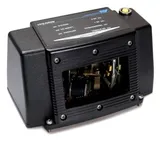 Accu-Sort 2755-SN3Decoded fixed-mount laser barcode scanner from$1,995.001 in stock Accu-Sort 2755-SN5Decoded fixed-mount laser barcode scanner from$1,795.0025 in stock Allen-Bradley 2755-SN5Decoded fixed-mount laser barcode scanner from$1,795.0054 in stock Accu-Sort 2755-SN8Decoded fixed-mount laser barcode scanner from$1,995.009 in stock Allen-Bradley 2755-SN8Decoded fixed-mount laser barcode scanner from$1,995.0014 in stock
Filed with · 1 model
Also filed with these models on the old site

Summary
What is in it
Update to the Allen-Bradley AdaptaScan Bar Code Readers Application Guide (publication 2755-6.8) for the 2755-SN3, -SN5 and -SN8 readers. It describes changes in AdaptaScan software version 11.x (project database, toolbar, cut and paste, import/export, on-line functions, the Compare tool and message format options), revises the DeviceNet chapters for SLC 5/03, PLC-5 and PanelView 900, and adds a new chapter on using DH485 in slave mode with an SLC 5/03 or SLC 5/04 controller.
Its parts
- Purpose of this Document
- Summary of Update
- Changes that Effect the Entire Document
- Chapter 9 - Communicating with an SLC 5/03 Processor on a DeviceNet Network
- Chapter 10 - Communicating with an SLC 5/03 Processor on a DeviceNet Network using Explicit Messaging
- Chapter 11 - Communicating with a PLC-5 Processor on a DeviceNet Network
- Chapter 12 - Communicating with a PLC-5 Processor on a DeviceNet Network using Explicit Messaging
- Chapter 17 - Communicating with PanelView 900 Terminals on a DeviceNet Network
- Chapter 18 - Using DH485 in Slave Mode with an SLC 5/03 or SLC 5/04 Controller
From the manual
Key facts from this manual
Each line names its page in the PDF.
A document update (Publication 2755-6.8.1) to the AdaptaScan Bar Code Readers Application Guide, Publication 2755-6.8, for catalog numbers 2755-SN3, -SN5 and -SN8. It describes the new features of AdaptaScan software version 11.x and revises the DeviceNet and PanelView 900 examples. It adds a chapter on reading bar code data in DH485 slave mode from an SLC 5/03 or SLC 5/04 controller.
- Document
- Update 2755-6.8.1 to the Application Guide, Publication 2755-6.8 p. 1, 2
- Software version
- AdaptaScan software 11.x p. 2
- Firmware for online tools
- Upload, Download, Monitor and Compare need reader firmware 11.x or greater p. 10
- Power supply
- 2755-PW46 or -PW47 p. 32
- Configuration cable
- 2755-NC43 or -NC48 p. 32
- Wiring base
- 2755-NB40 or -NB41 (Ser. A/Rev. B or higher) p. 32
- Network terminal
- RS-485/RS-422 terminal block on the wiring base, with a termination switch p. 33, 34
- Power wiring
- Shielded cable, Belden 9316 recommended, shield to the wiring base ground screw p. 33
- DeviceNet I/O sizes
- Polled or change of state; Rx 8 bytes, Tx 1 byte on the 1747-SDN scanner p. 13
- DH-485 settings
- Slave example: 19,200 baud, RS485 connection, node 2 p. 41, 42
- Link coupler distance
- Needed beyond 15.2 meters (50 feet) between reader and SLC p. 34
- SLC hardware
- 1747-L532, -L541, -L542 or -L543 processor; 1747-AIC or 1761-NET-AIC; 1747-PIC p. 32
- SLC software
- 9323-PA2E Advanced Programming Software; the original ICOM SLC software is not compatible p. 32
- Explicit message reply
- Response code 90 for success, 94 for fail; body up to 29 words (58 bytes) p. 15
What this manual walks you through
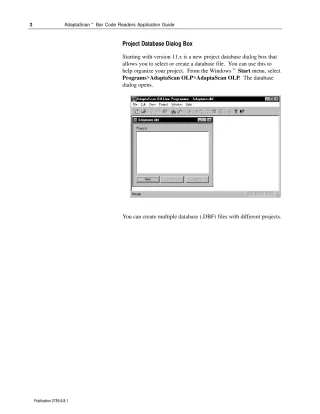
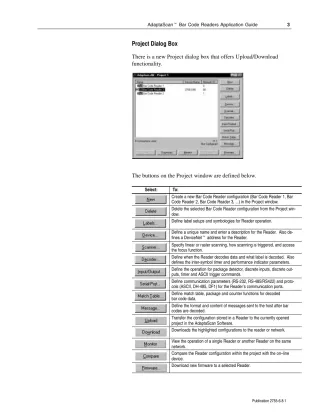
- Using the new database, project dialog and toolbar in software 11.x p. 2, 3, 4, 5
- Copying, pasting, importing and exporting reader configurations p. 7, 8
- Going online and comparing a project with the reader p. 9, 10, 11
- Setting polled or change of state I/O on a 1747-SDN scanner p. 13
- Downloading match codes and other host commands by DeviceNet explicit messaging p. 14, 15, 16, 17, 18, 19
- Showing bar code data and package count on a PanelView 900 p. 27, 28, 29, 30, 31
- Wiring readers to an SLC 5/03 or SLC 5/04 on DH-485 p. 33, 34, 35, 36
- Configuring the reader for DH485 slave mode p. 41, 42
- Reading match codes with an SLC MSG instruction in slave mode p. 46
Good to know
- On a DH-485 network the SLC should be node 1 and the AdaptaScan node 2, with no gaps in node numbers. p. 33
- In slave mode only one read or one write may be started at a time. p. 46
- Compare is not available with peer-to-peer connections between readers. p. 11
- Firmware can be downloaded only over the configuration port with the configuration cable. p. 10
- The PanelView 900 example needs AdaptaScan software 11.x or later and reader firmware 11.x or later. p. 27
Questions this manual answers
What is the difference between DH485 master and slave mode on the AdaptaScan?
In master mode the reader sends data to the SLC whether requested or not, for medium or slow data; in slave mode the SLC requests the data, for high speeds. p. 32
What reader firmware is needed to upload, download or compare with AdaptaScan software 11.x?
Firmware version 11.x or greater, matching the software's major version. p. 10
Which power supply and cable does the AdaptaScan reader use?
The DH485 example lists a 2755-PW46 or -PW47 power supply and a 2755-NC43 or -NC48 configuration cable. p. 32
How far can an AdaptaScan be from an SLC 5/03 without a link coupler?
Up to 15.2 meters (50 feet); beyond that a link coupler is required. p. 34
What poll sizes does the AdaptaScan use on a 1747-SDN DeviceNet scanner?
Rx 8 bytes and Tx 1 byte, in either polled or change of state mode. p. 13
Contents
Chapters and sections
Each line opens the PDF at its page.
- Purpose of this Document1
- Summary of Update1
- Changes that Effect the Entire Document1
- Chapter 9 - Communicating with an SLC 5/03 Proceessor on a DeviceNet Network13
- Chapter 10 - Communicating with an SLC 5/03 Processor on a DeviceNet Network using Explicit Messaging14
- Chapter 11 - Communicating with a PLC-5 Processor on a DeviceNet Network20
- Chapter 12 - Communicating with a PLC-5 Processor on a DeviceNet Network using Explicit Messaging21
- Chapter 17 - Communicating with PanelView 900 Terminals on a DeviceNet Network27
- Chapter 18 - Using DH485 in Slave Mode with an SLC 5/03 or SLC 5/04 Controller32
- Back Cover48
The whole text · 6 parts
Read the manual here as text
Its text as extracted from the PDF, unedited, in parts; each page opens the PDF at that page.
The file