Manual · Allen-Bradley
Hand-Held Cordless Bar Code Scanners (Cat. Nos. 2755-HCG-4 and 2755-HCG-7) User Manual
Manual107 pagesPDF 451 KB
User manual for the Allen-Bradley 2755-HCG-4 and 2755-HCG-7 hand-held cordless laser bar code scanners and their base/charger unit.
What this file really is
The old site listed this file as “25” for the Allen-Bradley 2755-DS. Linked as a 2755-DS decoder document, it is the user manual for the 2755-HCG-4 and 2755-HCG-7 cordless scanners, which names the 2755-DS/DD decoder only as a host device.
Filed with · 1 model
Also filed with these models on the old site

Summary
What is in it
The user manual for Allen-Bradley's standard and long range hand-held cordless bar code scanners, catalog numbers 2755-HCG-4 and 2755-HCG-7. It describes the scanner features, LED indicators and scanning ranges, then walks through installing the base/charger unit, host cable and power supply, charging the battery and pairing the scanner. Later chapters cover configuration, operation, battery care and troubleshooting; appendices give specifications, cable pinouts and data formatting. The 2755-DS/DD Enhanced Decoder appears only as one of the host devices a cable connects to.
Its parts
- Preface
- Scanner Features
- Installing Your Hardware
- Configuring Your Scanner
- Scanner Operation
- Maintenance and Troubleshooting
From the manual
Key facts from this manual
Each line names its page in the PDF.
User manual for the Allen-Bradley 2755-HCG-4 standard range and 2755-HCG-7 long range cordless laser bar code scanners and their 2755-HCG-B base/charger unit. It covers addressing, mounting and pairing the base, connecting RS-232 and keyboard wedge host cables, charging and changing the battery, configuring the scanner and troubleshooting. The 2755-DS Enhanced Decoder appears only as one of the host devices.
- What it is
- Cordless laser bar code scanners, 2755-HCG-4 standard range and 2755-HCG-7 long range, linked by RF to base/charger unit 2755-HCG-B p. 8, 13, 23, 24
- Radio
- 2.4 to 2.5 GHz; gun works up to 50 ft (15.24 m) from the host; 128 gun/base pairs per RF range p. 23, 24, 85
- Battery
- Battery pack 2755-HCP-B1; about 8 hours per charge; about two hours to charge p. 20, 36
- Battery charger
- 4-slot charger 2755-HCP-B2; battery mounting adapter 2755-HCP-B3 p. 21
- Power supply
- 2755-HCP-D1: 100–240V ac, 50–60 Hz in; 5V dc at 3 A and 12V dc at 1 A out; power cables 77121-801-01, 77121-801-02 or 77121-801-03 sold separately p. 31, 84
- Scanner power
- 4.75V dc to 14V dc, 210 mA at 5V dc typical p. 82
- RS-232 cables
- 2755-HCC-BR2-06 (25-pin DB male, Txd on pin 3); 2755-HCC-BR1-06 (25-pin DB male, Txd on pin 2) p. 86
- Keyboard wedge cables
- 2755-HCC-BP1-06 IBM XT/AT (5-pin DIN); 2755-HCC-BP2-06 PS/2 (6-pin Mini-DIN); 2755-HCC-BV1-06 DEC VT2xx, 3xx, 4xx p. 86
- Other accessories
- Protective boot 2755-HCN-H1, holster 2755-HCN-H2, belt clip 2755-HCN-H3, stands 2755-HFN-K1 and 2755-HFN-K2, multi-mount stand 2755-HFN-K3 p. 20
- Read range
- 2755-HCG-4: 0.0 to 19.0 in at 20.0 mil, 2.75 to 35.0 in at 55.0 mil; 2755-HCG-7: 3.0 to 34.0 in at 20.0 mil, 48.0 to 144.0 in at 70.0 mil p. 17
- Symbologies
- UPC-A, UPC-E, Code 39, Code 39 Full ASCII, Code 128, EAN 8, EAN 13, EAN 128, Codabar, Interleaved 2 of 5, Discrete 2 of 5, MSI Plessey p. 15
- Scanner size
- 6.3 in (16 cm) high, 5 in (12.7 cm) long, 2.8 in (7.1 cm) wide p. 83
- Operating temperature
- 0 to 40 °C (32 to 104 °F); storage -40 to 60 °C; humidity 5 to 95% noncondensing p. 83
- Base/charger power
- 5V dc ± 10% at 190 mA typical; 12V dc ± 10% 400 mA typical p. 85
What this manual walks you through
- Setting the base/charger address p. 24, 25
- Connecting the host cable to the base and the host p. 26, 27, 32, 33
- Mounting the base/charger unit and power supply p. 28, 29, 30
- Charging the battery and reading the charge LED p. 34, 35, 36
- Pairing the scanner to the base/charger unit p. 37
- Configuring the scanner and its default settings p. 38, 39, 40, 41
- Changing the battery pack p. 72
- Troubleshooting the scanner p. 75, 76
- Troubleshooting the 4-slot battery charger p. 77, 78, 79
- Understanding the scanner beeps p. 80
Good to know
- Do not mount the base/charger unit in an enclosure, because it affects RF communication with the gun. p. 28
- Each gun pairs with one base only, and must be paired again after its battery is replaced. p. 23
- For best performance, charge the battery at room temperature, 65 to 70 °F (18.3 to 21.1 °C). p. 34
- Condition a battery only when it is new or shows decreased life; conditioning more often shortens its life. p. 72
- Positions 8 and 9 of the 10-position address switch are not allowed. p. 25
Questions this manual answers
How long does a 2755-HCG-4 battery charge last?
An average charge lasts 8 hours, and charging in the base/charger takes about two hours. p. 36
How far can the cordless scanner be from the host?
Up to 50 ft (15.24 m), depending on the application environment. p. 23
What do 6 short low beeps from the cordless scanner mean?
An RF out of range error: the scan did not register with the base/charger unit. p. 80
How do I pair the scanner with its base/charger unit?
Scan the Pairing Bar Code on the base/charger unit, then insert the scanner within 15 seconds. A warble beep and a green LED on the gun confirm the pairing. p. 37
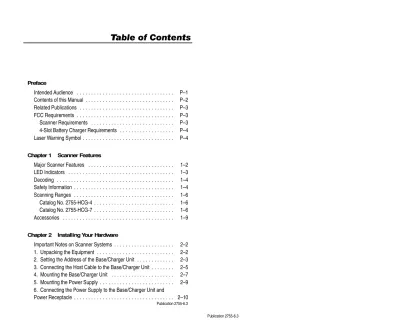
Contents
Chapters and sections
Each line opens the PDF at its page.
- Front Cover1
- Important User Information2
- Preface8
- 1 - Scanner Features12
- 2 - Installing Your Hardware22
- Important Notes on Scanner Systems23
- 1. Unpacking the Equipment23
- 2. Setting the Address of the Base/Charger Unit24
- 3. Connecting the Host Cable to the Base/Charger Unit26
- 4. Mounting the Base/Charger Unit28
- 5. Mounting the Power Supply30
- 6. Connecting the Power Supply to the Base/Charger Unit and Power Receptacle31
- 7. Connecting the Host Cable to the Host Device32
- 8. Charging the Battery34
- 9. Pairing the Scanner to the Base/Charger Unit37
- 3 - Configuring Your Scanner38
- 4 - Scanner Operation60
- 5 - Maintenance and Troubleshooting63
29 more lines, from page 64 on
- Charging the Battery64
- A - Specifications82
- B - Cable Pinouts86
- RS-232-C, 25-pin DB, male, Txd on Pin 3 (Cat.No.2755-HCC-BR2-06)87
- RS-232-C, 25-pin DB, male, Txd on Pin 2 (Cat.No. 2755-HCC-BR1-06)88
- IBM XT/AT keyboard, 5-pin DIN (Cat.No. 2755-HCC-BP1-06)89
- PS/2 keyboard, 6-pin Mini-DIN (Cat.No. 2755-HCC-BP2-06)90
- DEC VT2xx, 3xx, 4xx keyboards (Cat.No.2755-HCC-BV1-06)91
- C - Advanced Data Formatting92
- Glossary98
- Index103
- Test Symbols106
- Back Cover107
The whole text · 16 parts
Read the manual here as text
Its text as extracted from the PDF, unedited, in parts; each page opens the PDF at that page.
- Pages 1 to 71-7
- Preface8-11
- 1 - Scanner Features12-21
- 2 - Installing Your Hardware, pages 22 to 2922-29
- 2 - Installing Your Hardware, pages 30 to 3730-37
- 3 - Configuring Your Scanner, pages 38 to 4538-45
- 3 - Configuring Your Scanner, pages 46 to 5346-53
- 3 - Configuring Your Scanner, pages 54 to 5954-59
- 4 - Scanner Operation60-62
- 5 - Maintenance and Troubleshooting, pages 63 to 7263-72
- 5 - Maintenance and Troubleshooting, pages 73 to 8173-81
- A - Specifications82-85
- B - Cable Pinouts86-91
- C - Advanced Data Formatting92-97
- Glossary98-102
- Pages 103 to 107103-107
The file